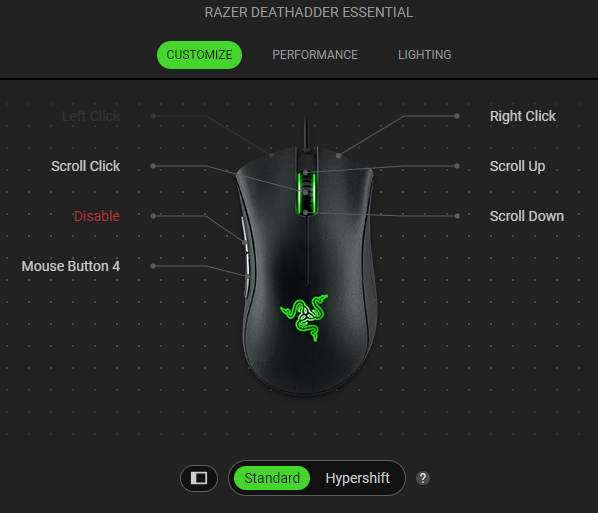
Razer mice come with Cycle Up/Down Sensitivity Stages, a feature that allows you to cycle through dots-per-inch (DPI) stages using your mouse.
- Cycle Up Sensitivity Stages allows you to cycle through higher sensitivity stages. Once you reach the maximum DPI, you will go to the lowest DPI on the next press.
- Cycle Down Sensitivity Stages allows you to cycle through lower sensitivity stages. Once you reach the lowest DPI, you will go to the highest DPI on the next press.
Follow the detailed instructions below.
Razer Synapse 4
Program mouse buttons to default commands
-
Launch Razer Synapse 4.
-
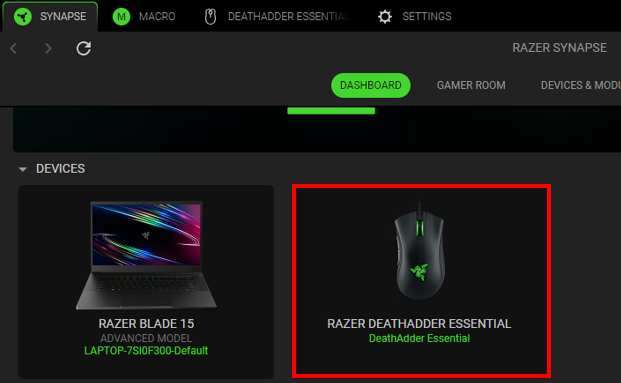
Select your mouse from the DASHBOARD.
-
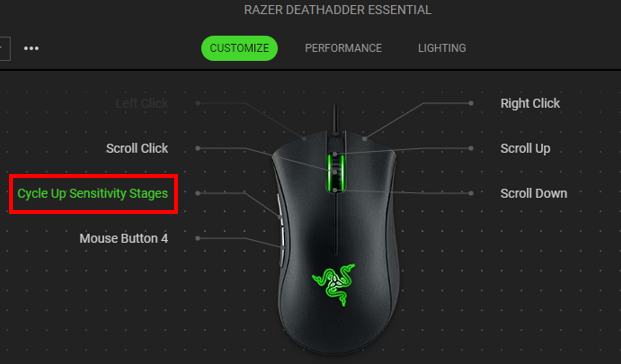
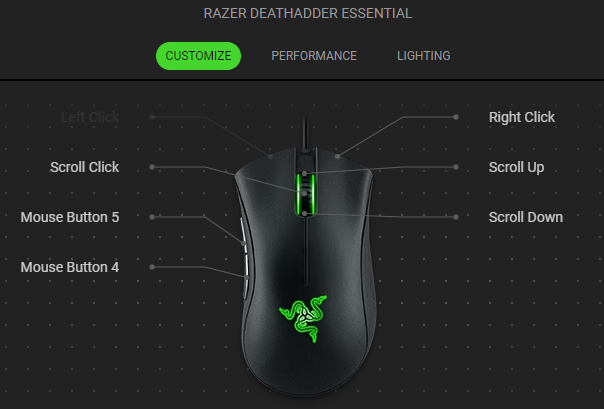
Select a button you want to customize.
-
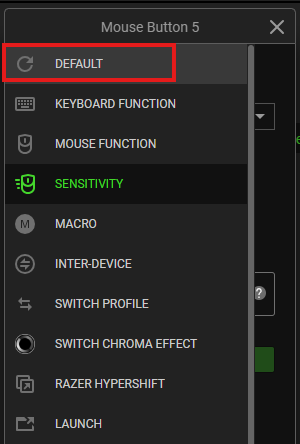
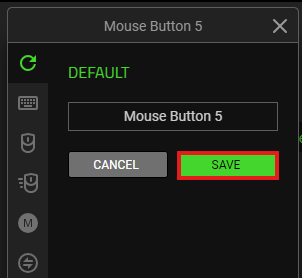
Click “DEFAULT”.
-
Click “SAVE”.
Note: Keep Razer Synapse running in the background to use this function.
The device layout of your mouse should reflect the changes made.
Disable pre-programmed buttons
-
Launch Razer Synapse 4.
-
Select your mouse from the DASHBOARD.
-
Select a button you want to disable.
-
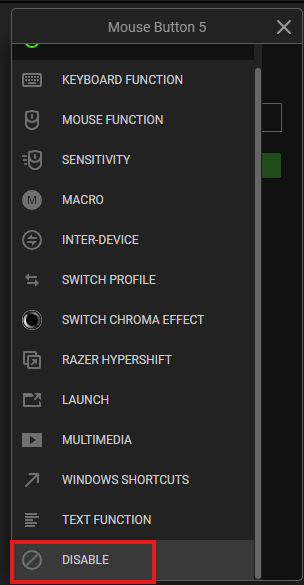
Click “DISABLE”.
-
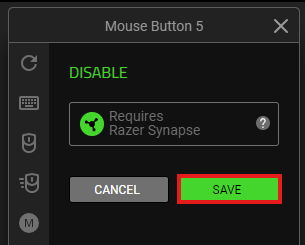
Click “SAVE” to complete the process.
Note: Keep Razer Synapse running in the background to use this function.
The button will appear with “Disable” on the device layout.