
Step-by-step process
-
Open Razer Synapse.
-
Click on your mouse under “DEVICES”.

-
Go to the “CUSTOMIZE” tab.
-
Click on the buttons to program with the Multimedia Controls.

-
Click on “MULTIMEDIA”.

-
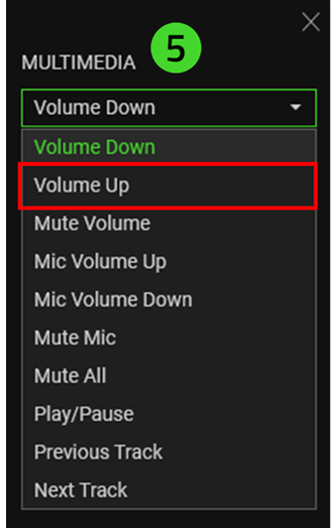
Open the dropdown box and select which control option you wish to program.
-
Click “SAVE”.
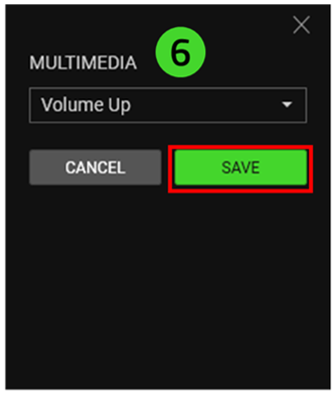
The programmed button will appear as the name of the control you programmed to it.


