Choose a charging mode for your Razer Mamba mouse.
Select preferred method
Wireless Charging
-
Connect the charging dock to the computer using the micro USB connector.
-
Insert the micro USB to the charging dock and the USB to the computer.

-
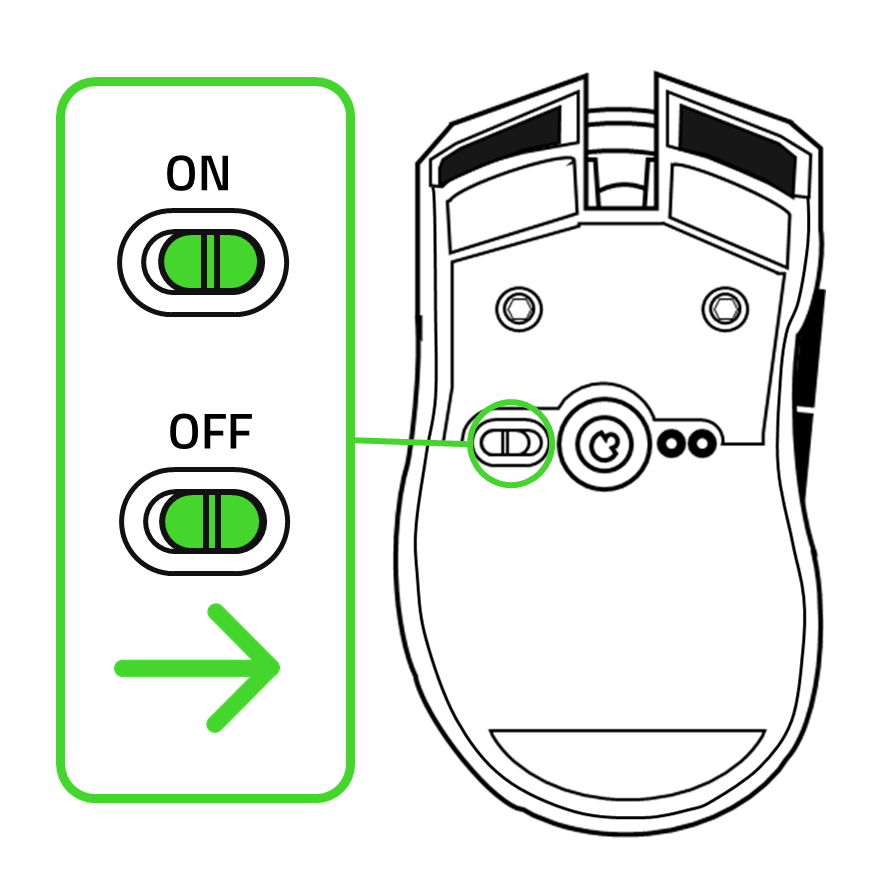
Set your wireless mode off by sliding the switch to the “OFF” position.
Note: You can still charge the mouse while the wireless mode is on if you are only charging in between games.

-
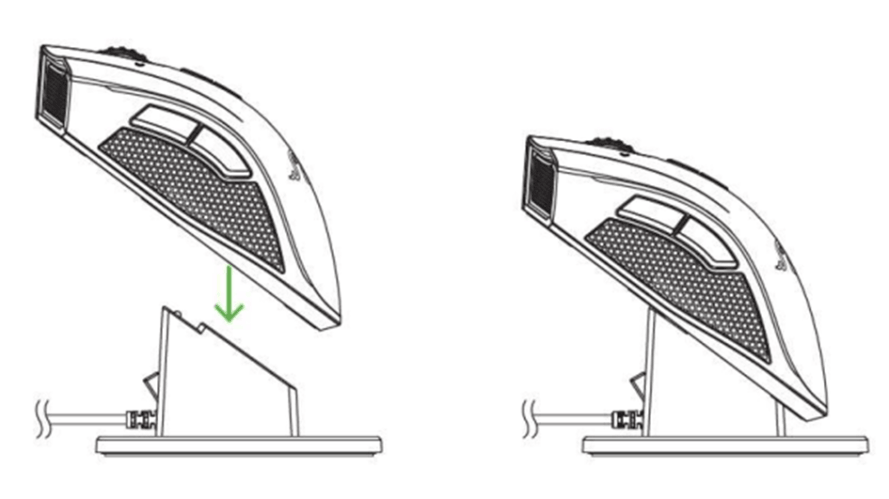
Place the mouse on the charging dock and leave it to charge.
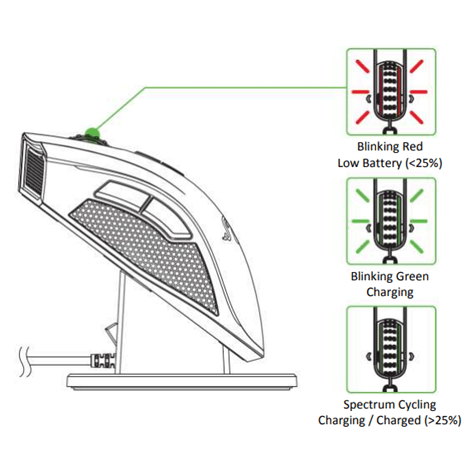
- Check the scroll lighting to see the charging status of your battery.

Wired Charging
-
Connect the Razer Mamba to the computer using the micro USB connector.
-
Insert the micro USB to the mouse and the USB to the computer.

-
Set your wireless mode off by sliding the switch to the “OFF” position.
-
Check the scroll lighting to see the charging status of your battery.