
The Razer Phone is not just the best gaming phone in the market. It is also a very capable daily-driver that should handle your everyday tasks such as shooting photos and videos admirably.
If you are getting blurry images on your Razer Phone, perform the following:
- Ensure that you have the latest software updates installed. Software updates often contain updates on features such as the camera that improve the user experience.
Note: Steps vary depending on your device’s operating system.
- Go to "Settings" > "System".
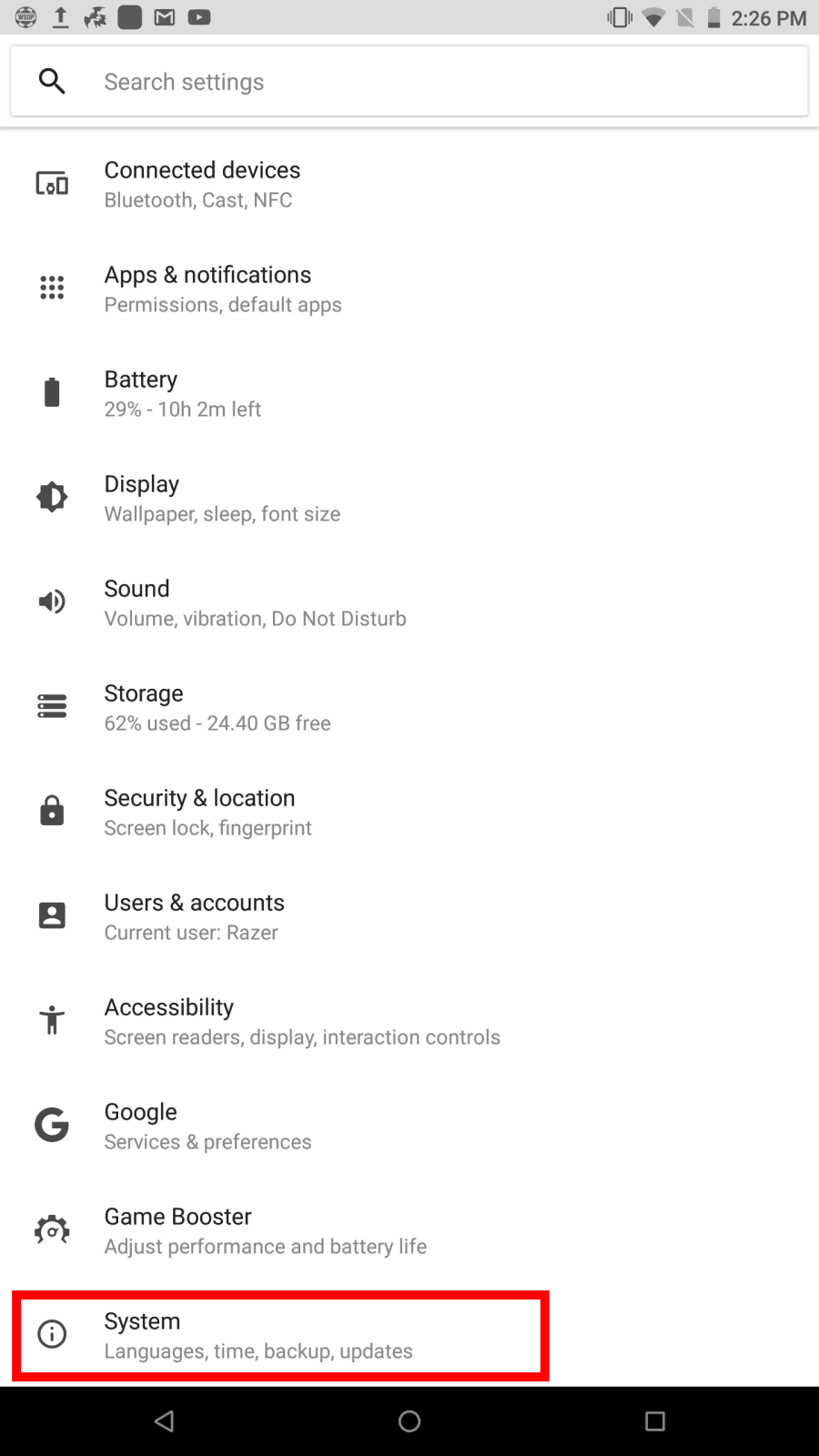
- Go to "System update".
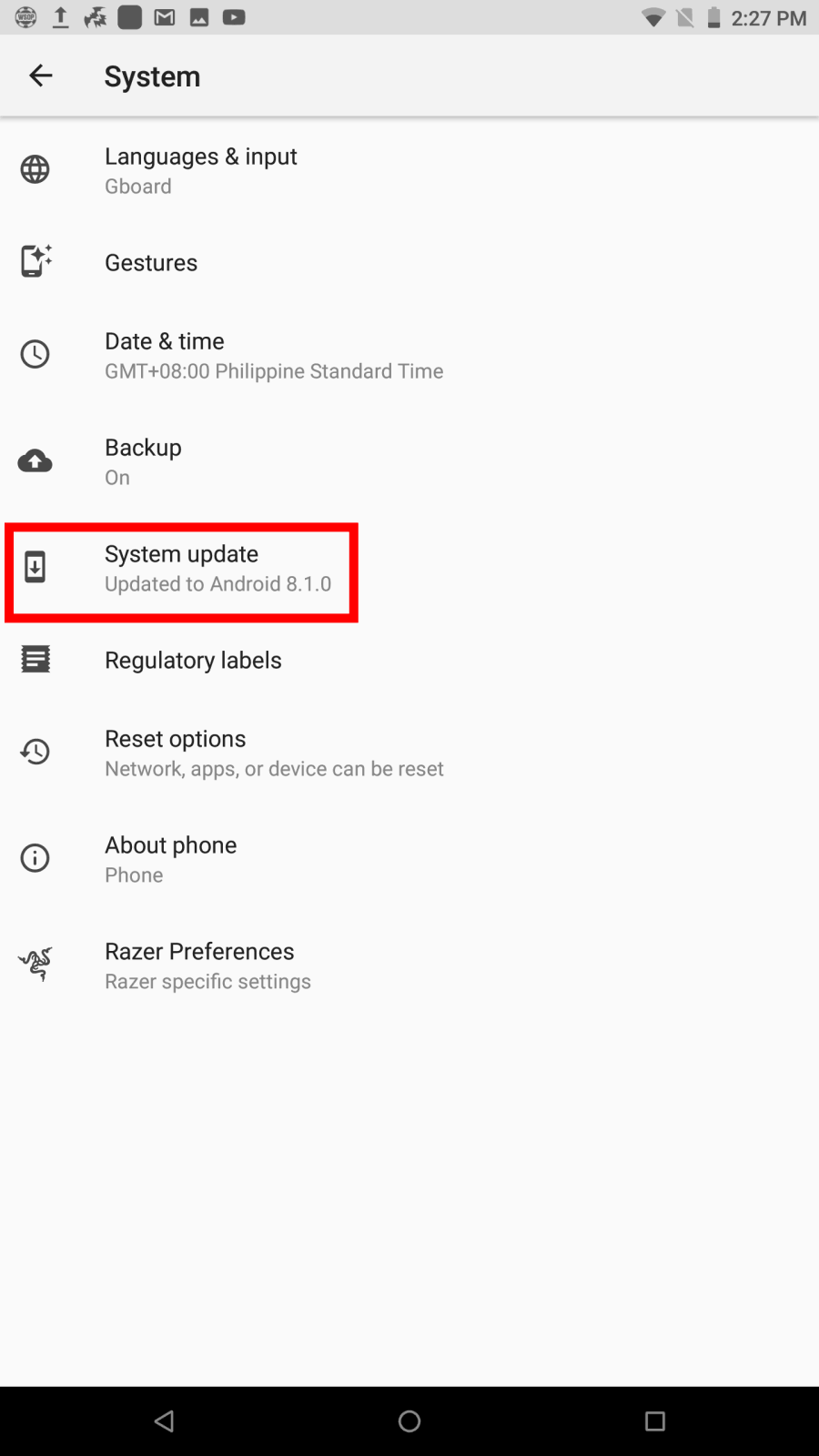
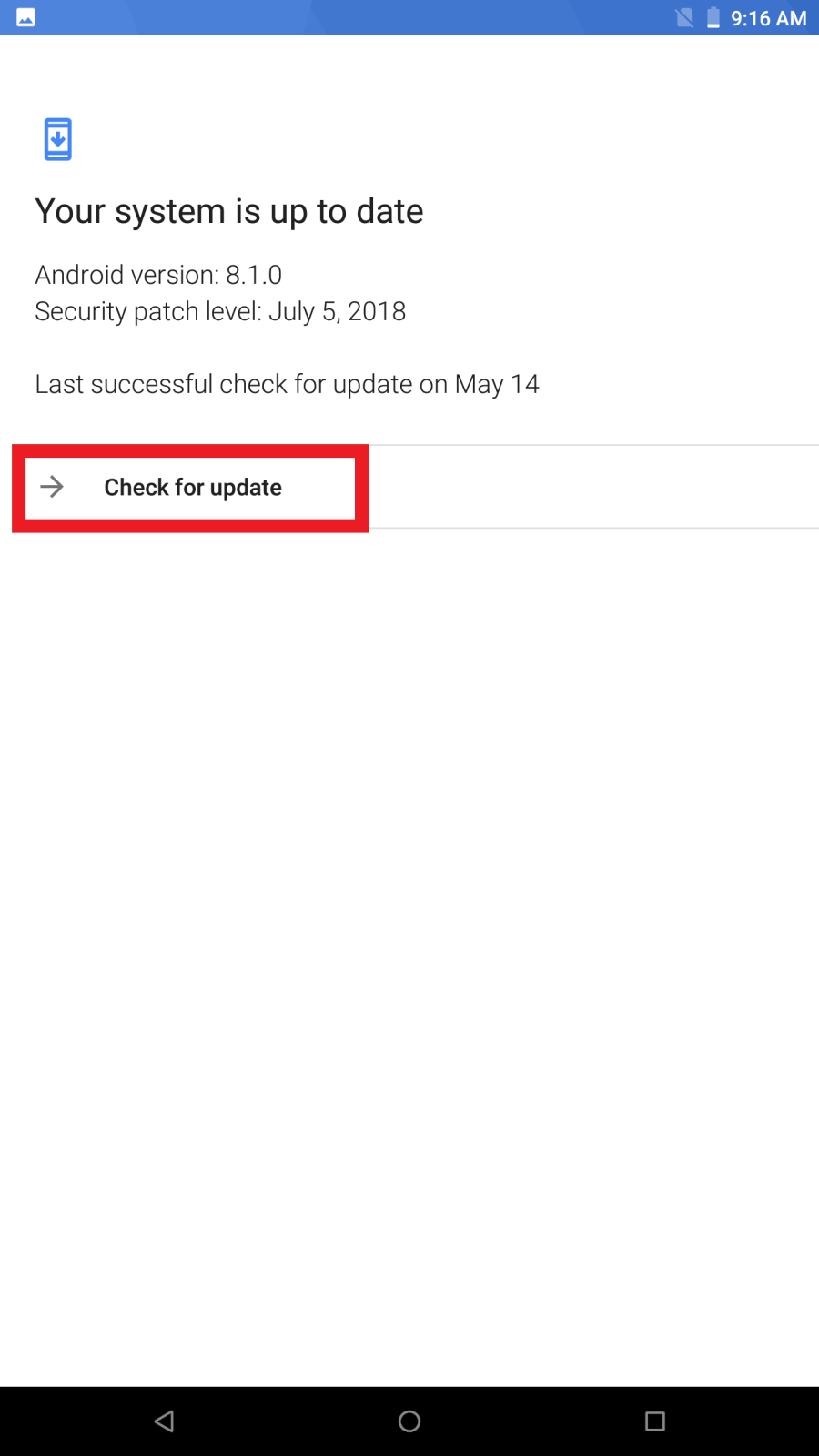
- Tap "Check for update".
-
Tap "Update Now" if an update is available.
- Go to "Settings" > "System".
- If you are consistently getting blurred photos, focus the camera on the right subject.
-
In low-light situations, keep your hand still for a few seconds after snapping the photo.

