
The Razer Thunderbolt™ 5 Dock with Razer Chroma can support triple 4K displays at 144 Hz, fast transfer speeds, and connect a variety of devices, all while charging your laptop. See the step-by-step instructions below to set up the Razer Thunderbolt™ 5 Dock Chroma.
-
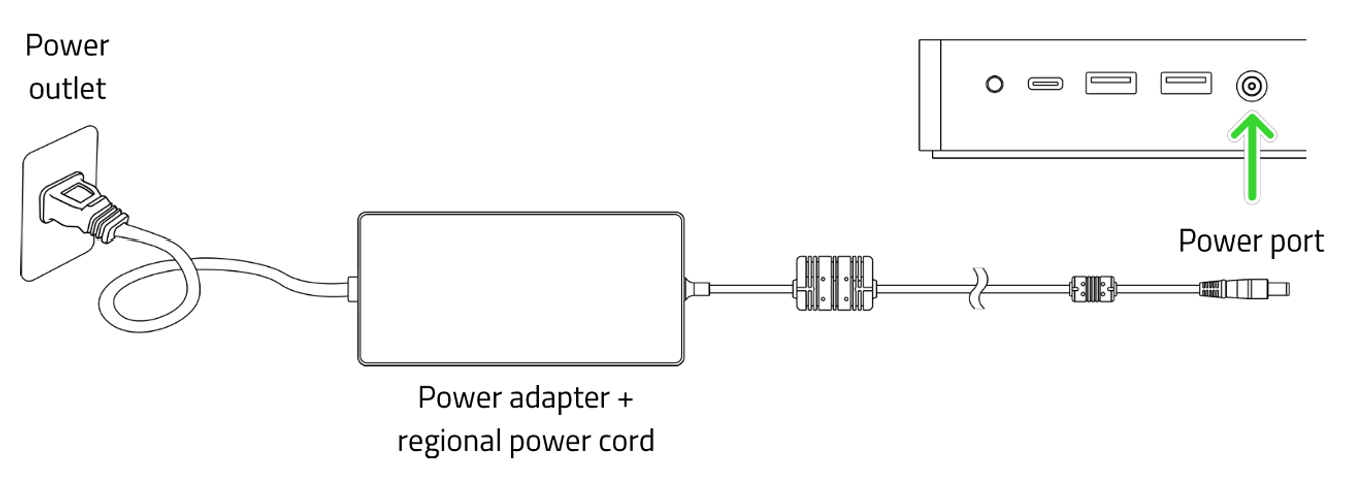
Use appropriate power cord connected to the power adapter to insert the AC plug into a power outlet.
-
Connect the power cord to the power port of your Razer Thunderbolt™ 5 Dock Chroma.
-
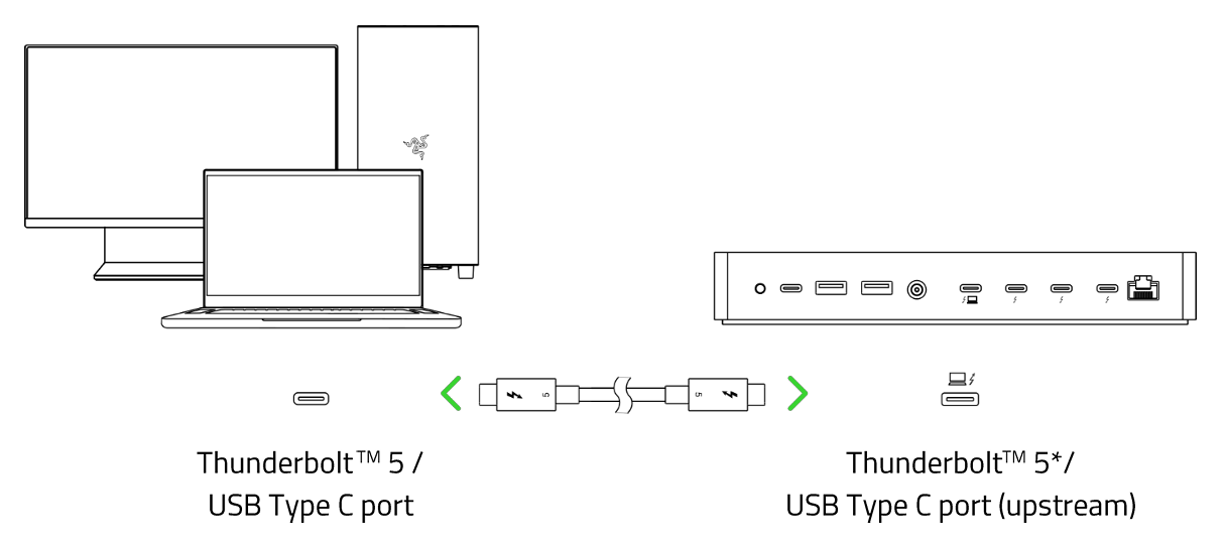
Connect your Razer Thunderbolt™ 5 Dock Chroma to the Thunderbolt™ 5 port of your PC using the cable provided.
-
Install the Razer Synapse when prompted or download the installer to configure the lighting effects of your Razer Thunderbolt™ 5 Dock Chroma.
-
Verify that the Chroma lighting underglow is enabled.

