
To connect the Raiju Mobile to your phone via Bluetooth, follow the instructions below:
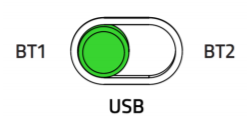
- Set the Mode Switch to either "BT1" or "BT2".
Note: The device you will pair will be registered to the selected BT Mode.
- Press the "HOME" button to power on until the status indicator starts to blink in blue.

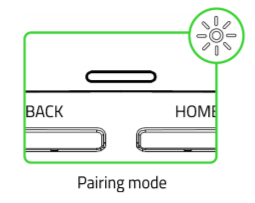
- Press and hold both the "HOME" and "START" buttons until the status indicator starts to blink in white to activate pairing mode.
- On your phone, turn on your Bluetooth and open your Bluetooth settings.
- Select the "Razer Raiju Mobile" from the list of available devices.

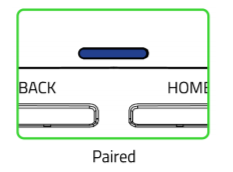
- Wait until the status indicator becomes solid blue indicating that the pairing was successful, and the controller is now ready to use.
Note: Pairing mode will automatically stop if it does not pair with a device within 90 seconds.
- Pull out the retractable phone grip, place your phone in, and adjust the grip and its viewing angle as needed.


