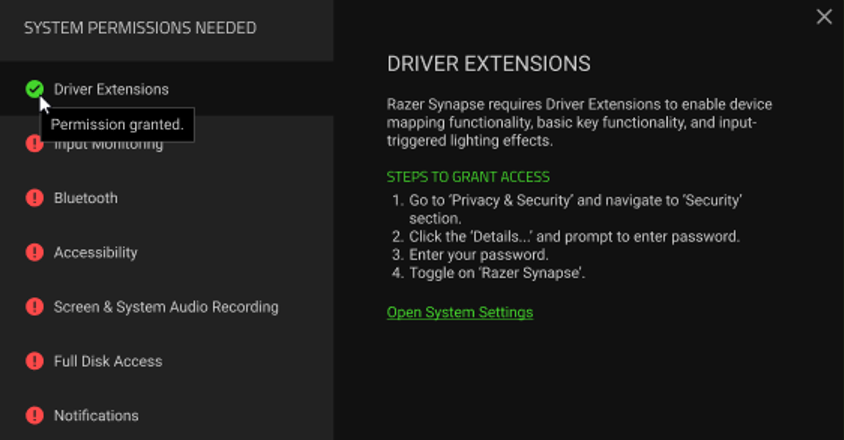
When first launched, Razer Synapse for Mac will require system permissions so you can access the software’s full functionality. The required permissions are:
- Driver Extensions
- Input Monitoring
- Bluetooth
- Accessibility
- Screen & System Audio Recording
- Full Disk Access
- Notifications
Note: If not enabled, your device may not be detected or function properly.
Follow these steps to enable the required system permissions.
-
Launch Razer Synapse for Mac.
-
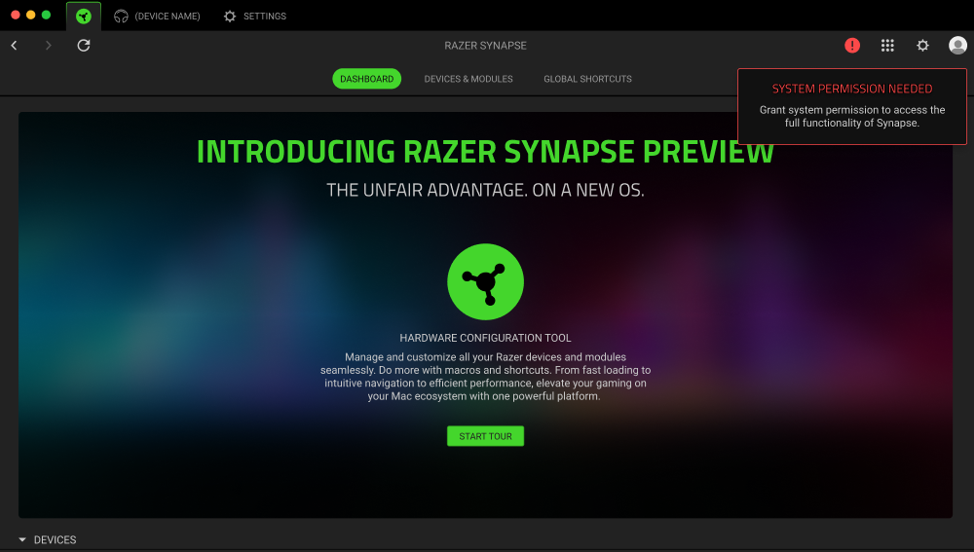
Click the icon for SYSTEM PERMISSION NEEDED.
-
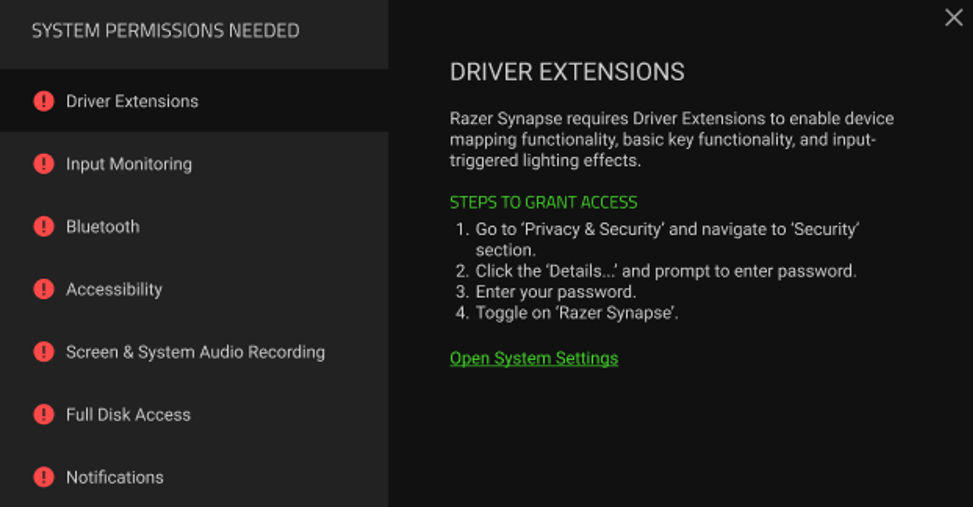
Follow the onscreen instructions.
For macOS 13 and 14:
For macOS 15 and above:
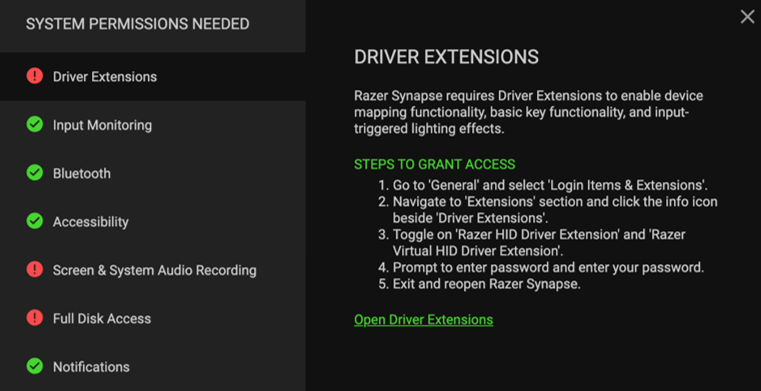
Once permission is granted, a green checkmark will appear.