If your Razer Blade experiences flickering, crashing, freezing, or locking up, the issue may be caused by an incompatible driver. This may occur after installing the latest driver via the NVIDIA app or website. In situations like this, rolling back to the GPU drivers available via Windows Update may resolve the issue.
To roll back your GPU drivers via Windows Update, follow the steps below.
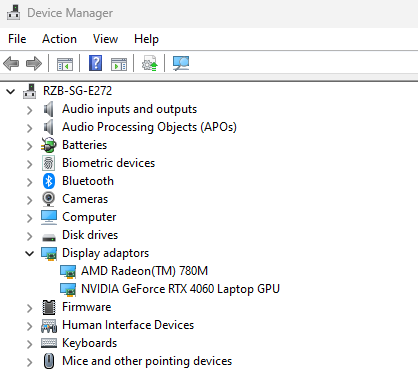
- Open the Device Manager.
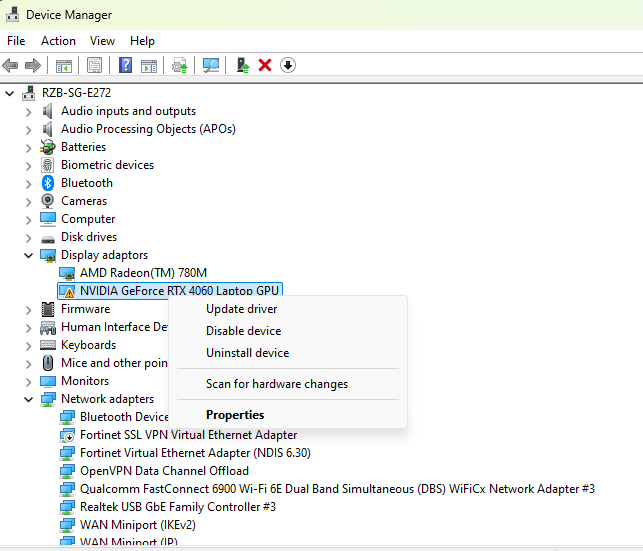
- Select the GPU.
- Right click and select “Uninstall device”.
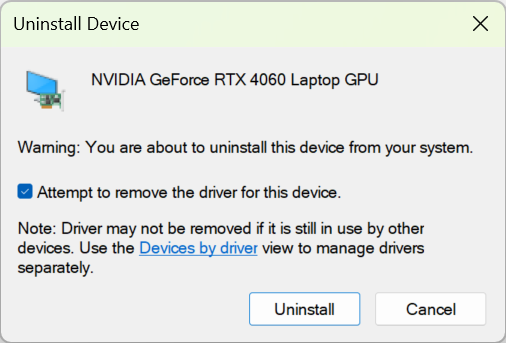
- Check the box labeled “Attempt to remove the driver for this device” in the Uninstall Device window.
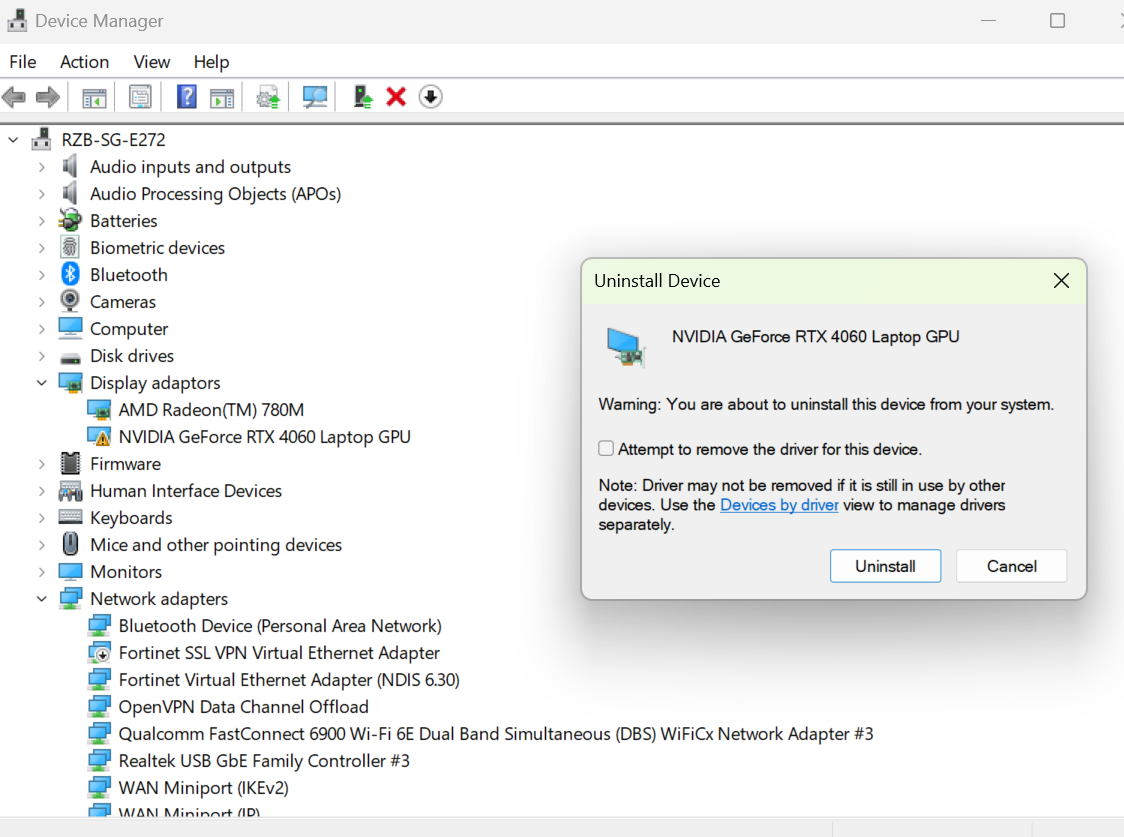
- Click “Uninstall”.
- Wait for the driver to finish uninstalling.
- Once finished, go to the Device Manager.
- Go to the “Action” menu and select “Scan for hardware changes.
- Windows will automatically search for and install the appropriate driver via Windows Update.
- Open Device Manager to confirm that the GPU driver has been successfully installed.