
The back cover screws of the Razer Blade must be handled in a proper sequence. Follow these steps to loosen or tighten the cover.
-
Shut down the Razer Blade.
-
Place the Razer Blade on a flat surface.
-
Look for a T5 screwdriver.
-
Loosen the screws by turning them counterclockwise. Do not remove them fully. Follow the sequence below.
Razer Blade 18” (2025) | RZ09-0529x
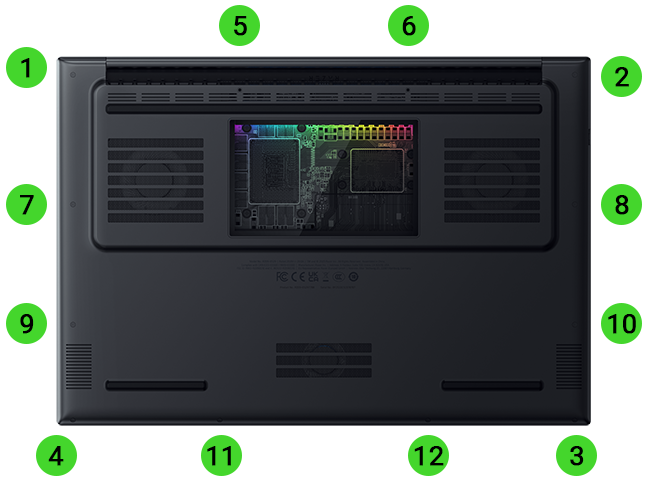
Razer Blade 16” (2026) | RZ09-0581x
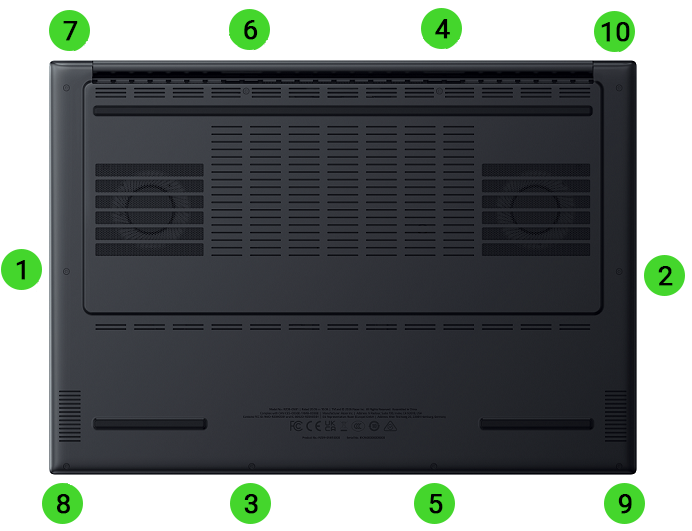
Razer Blade 16” (2025) | RZ09-0528x
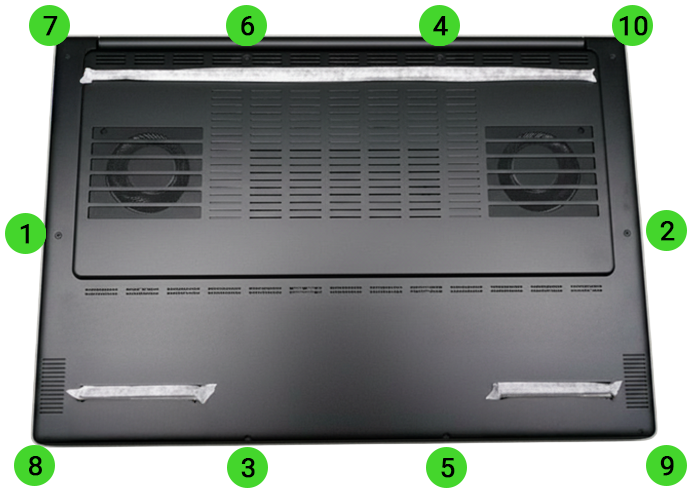
Razer Blade 14” (2025) | RZ09-0530x
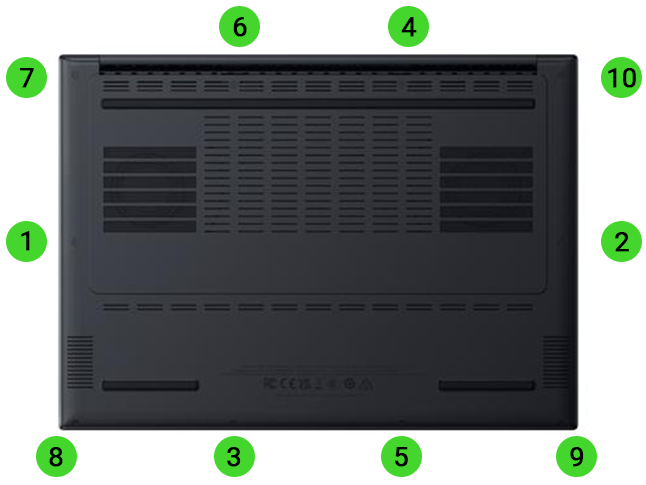
-
Tighten the screws following the same sequence.

