How to change or replace the rubber grips on the Razer Kishi

| Answer ID: 2714
This article is a step-by-step process on how to change or replace the rubber grips on the Razer Kishi.


Step-by-step process

  1. Pull the rubber grip gently on an outward direction until it is fully removed from the controller.

    Hand pulling the rubber grip outwards from the Razer Kishi

  2. Do the same on the other rubber grip.

    Hand pulling rubber grip from Razer Kishi

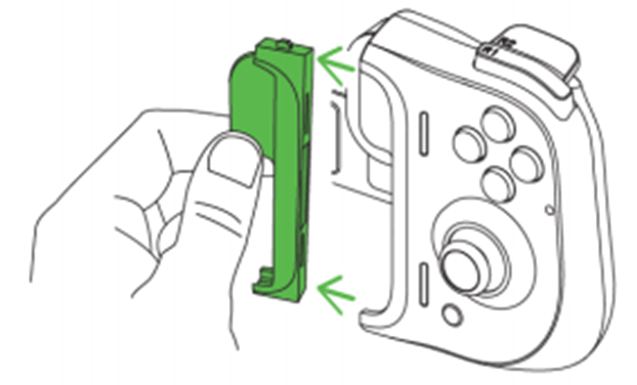
  3. Insert the first rubber grip firmly starting at the upper portion until it is fully inserted back to the controller.

    Hand inserting replacement rubber grip on the Razer Kishi

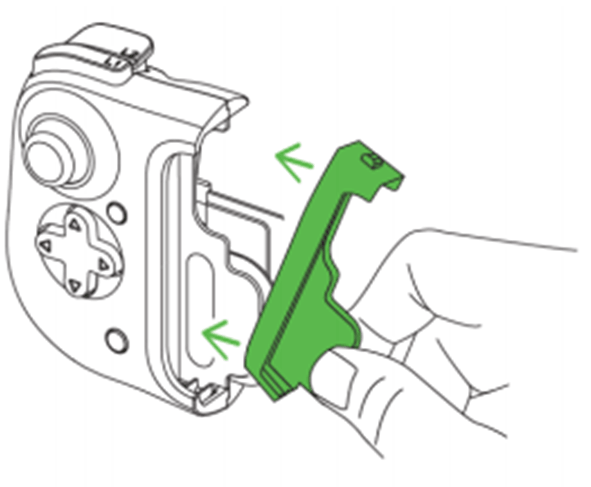
  4. Do the same on the other rubber grip.

    Hand inserting replacement rubber grip on the other side of the Razer Kishi

Is this answer helpful?