
Applicable model:
Firmware v1.03.00_r4
- https://rzr.to/uGhG1 | October 16, 2018
- Audio and LED may stop working during usage.
Follow the detailed instructions below to run the updater on your device.
Step-by-step Process
-
Download the latest firmware update.
-
Close Razer Synapse and all other running applications before proceeding with the update.
-
Run the downloaded firmware (The installer will prompt you to close Synapse and all other applications, if you have already done so, click "OK" to proceed).
-
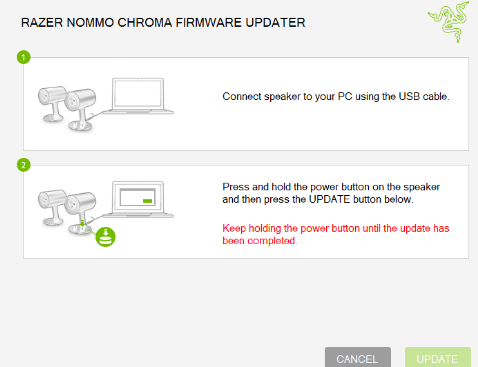
Connect Razer Nommo Chroma speakers to your PC using the USB cable.
-
Press and hold the power button on the speaker and then press the "UPDATE" button (Note: Keep holding the power button until the update has been completed).
-
Continue to follow the displayed prompts until the firmware is successfully updated.

