
To change the performance mode of the Razer Blade Stealth 13" (2020), follow these steps:
-
Launch Razer Synapse.
-
Click on “PERFORMANCE”.

-
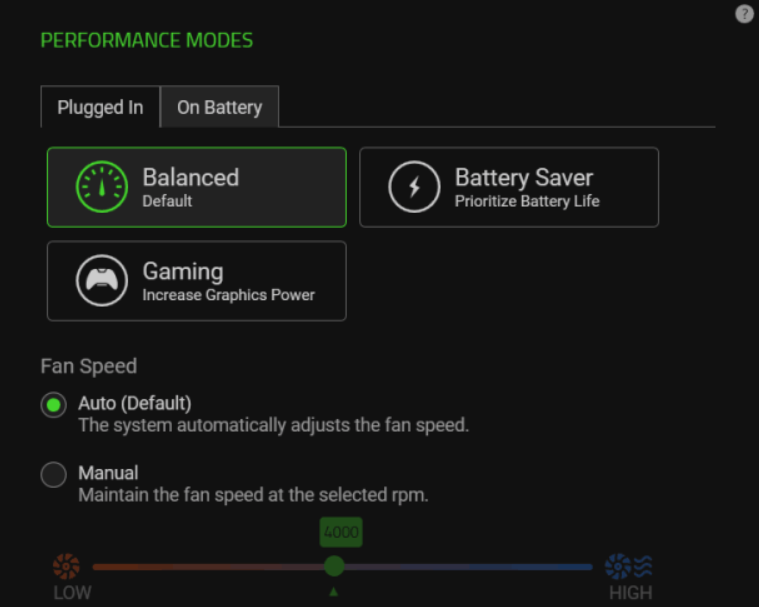
Select a performance mode from the “PERFORMANCE MODES” panel.
-
Balanced – The default mode and sets the balance between battery consumption and gaming graphics.
-
Battery Saver – Focuses on saving maximizing the consumption of the battery power.
-
Gaming – Increases the graphics power being used for a higher quality of gaming display.
-

