
Applicable models:
Razer Synapse lets you choose a performance mode to balance battery life and performance on your Razer laptop.
Follow the detailed instructions below to change the performance mode on your Razer laptop.
Select your laptop
Razer Blade Stealth 13" (2020)
Launch Razer Synapse.
Click on “PERFORMANCE”.

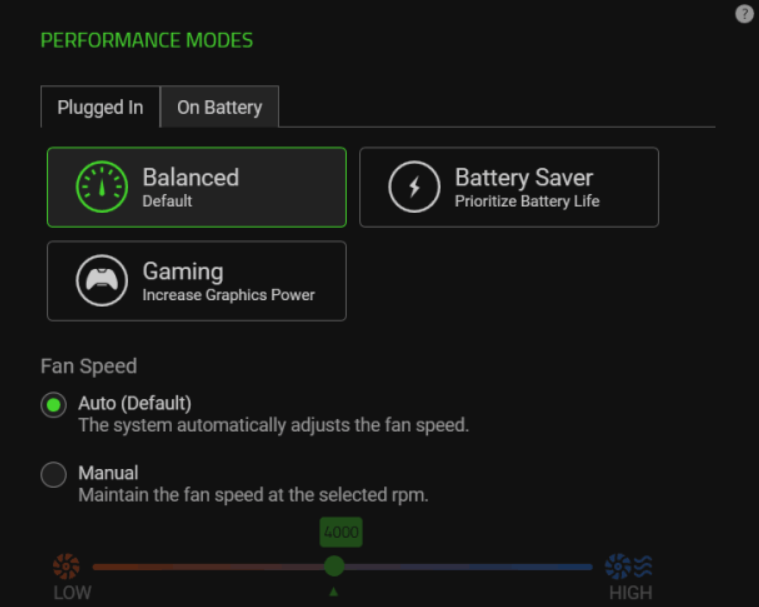
Select a performance mode from the “PERFORMANCE MODES” panel.
Balanced – The default mode and sets the balance between battery consumption and gaming graphics.
Battery Saver – Focuses on saving maximizing the consumption of the battery power.
Gaming – Increases the graphics power being used for a higher quality of gaming display.
Razer Book 13" (2020)
Select the “PERFORMANCE” tab under the “SYSTEM” module.

Select the performance mode you prefer from the “PERFORMANCE MODES” panel.
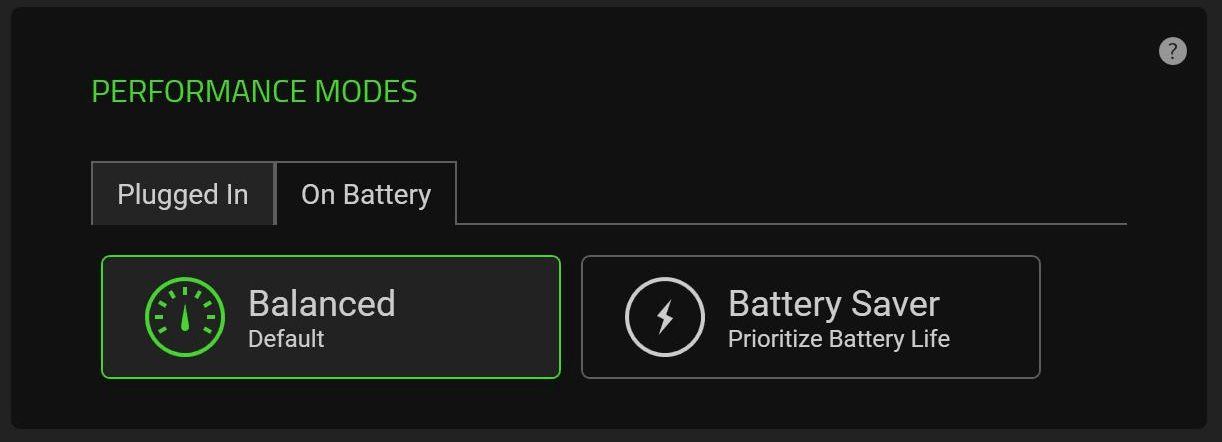
Balanced – The default mode and sets the balance between battery consumption and gaming graphics.
Battery Saver – Focuses on saving maximizing the consumption of battery power.

