
If the THS logo on the Razer Tomahawk is not turning off when you shutdown the PC, the motherboard is possibly not entering "Deep Sleep Mode". In most motherboard, this is a default setting. Choose an option below to change this behavior.
Select preferred method
via Windows Settings
-
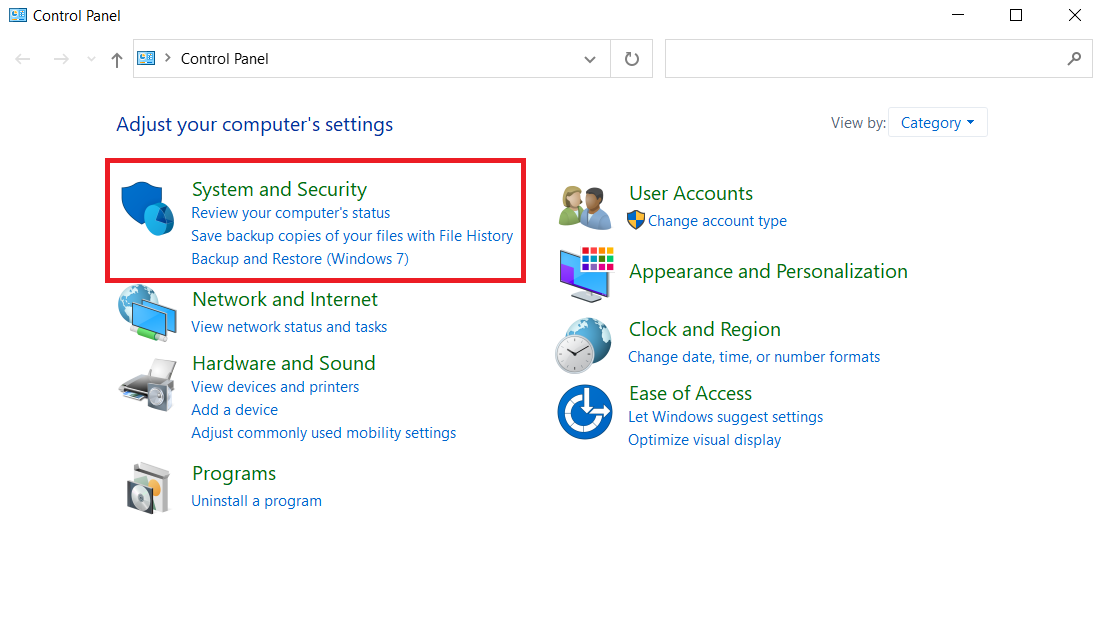
Open Control Panel and click "Systems and Security".
-
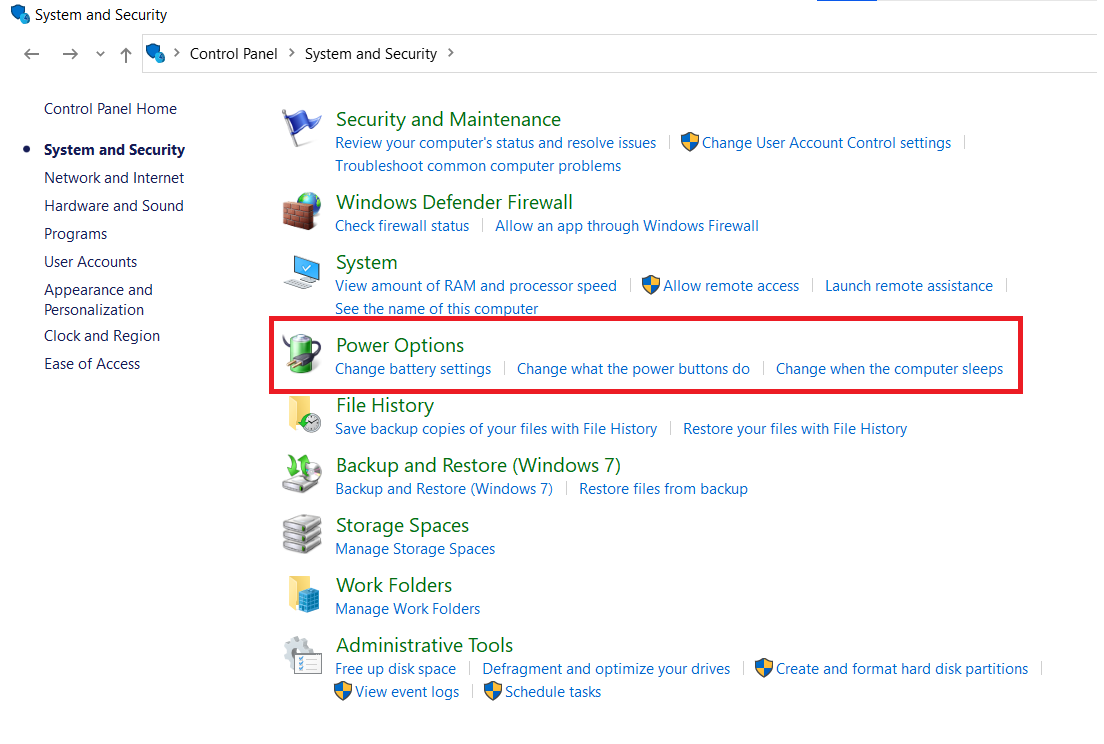
Select "Power Options".
-
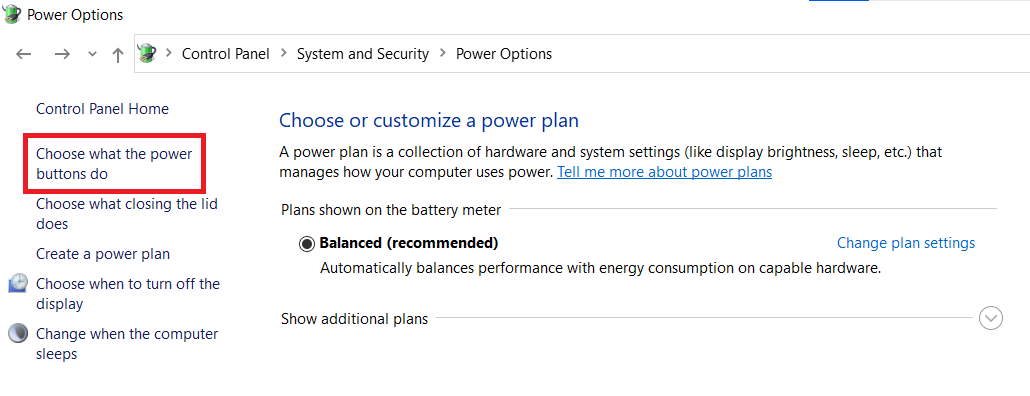
Click on "Choose what the power buttons do".
-
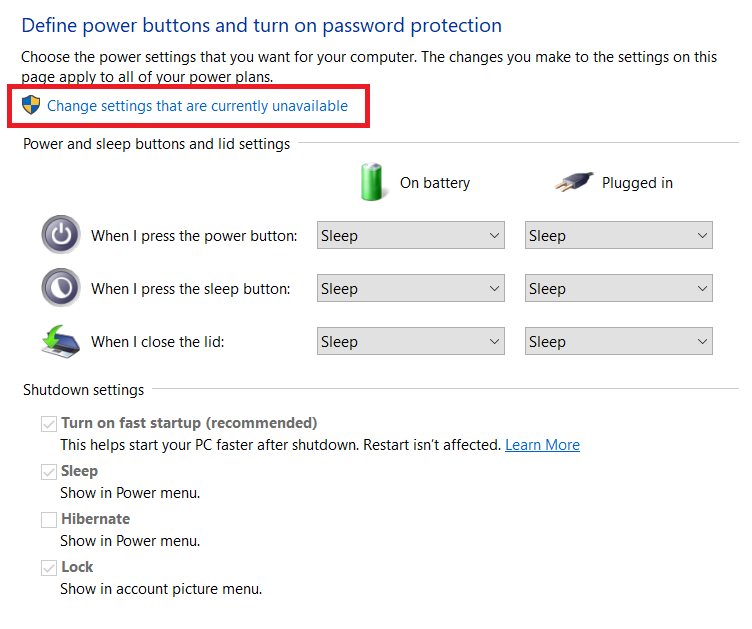
Click "Change settings that are currently unavailable" to enable changes under "Shutdown settings".
-
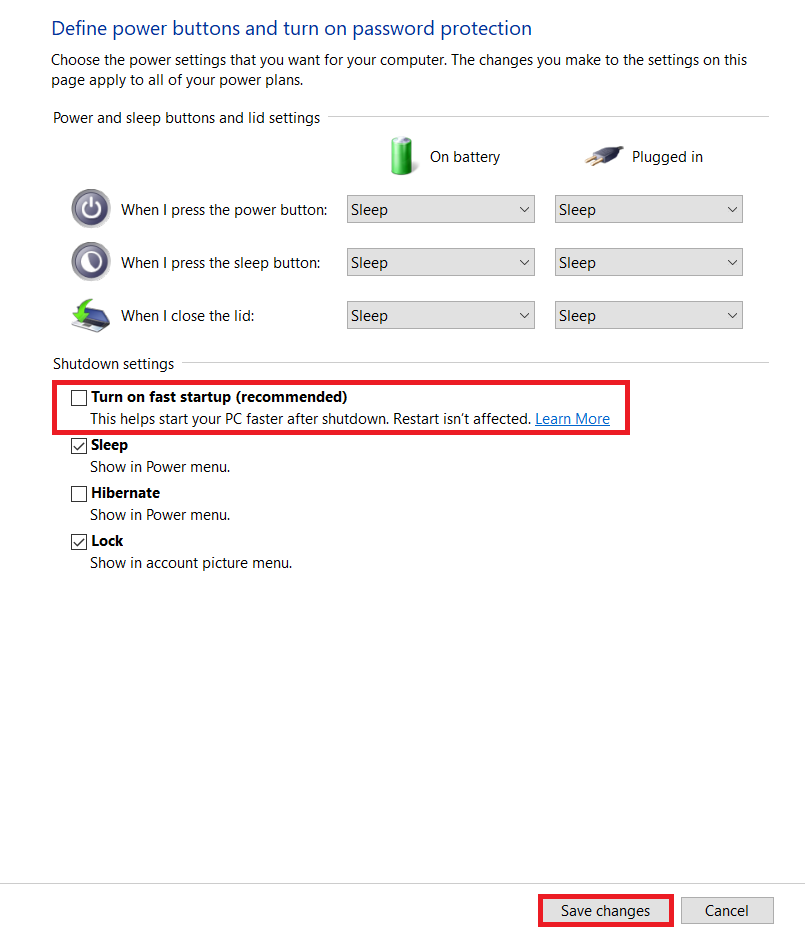
Uncheck “Turn on fast startup” and click "Save changes".
via BIOS
Important: Consult your motherboard manual or supplier guide for the exact steps. The following steps are examples based on the given brands:
- ASRock Motherboard
- Go to Advanced > ACPI Configuration
- Enable “Deep Sleep – Enabled in S4 & S5”
- TUF Gaming / ASUS Motherboard
- Go to Advanced Mode (F7) > Advanced > APM Configuration
- Enable “ErP Ready – Enable (S4 + S5)”

