
You can view the video below for instructions.
Step-by-step process on how to adjust the lumbar support lever
Lumbar support lever adjustment
This will also help fix an issue where the lumbar support does not move after pulling the lever.
-
Push the button on the holder.

-
Slide the lever out from the holder.

-
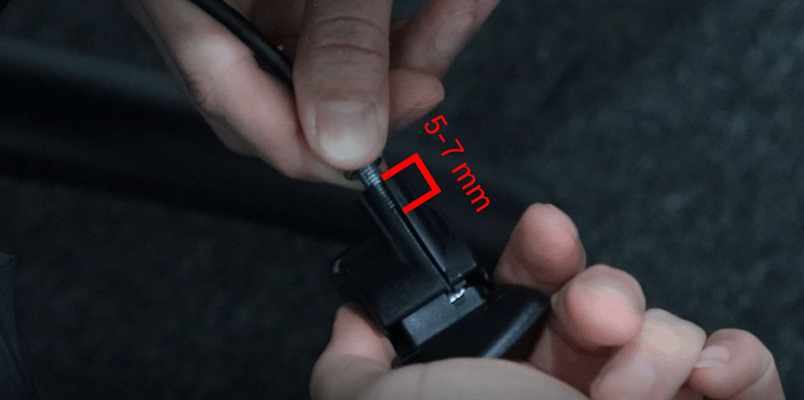
Turn the lever counterclockwise to increase cable tension.

The recommended setting is to leave about 5-7 mm of the bolt end in the lever.
-
Adjust the fasteners so that they are flush with the lever.

-
Re-install the lever into the holder.

Steps for Lumbar support adjustment
-
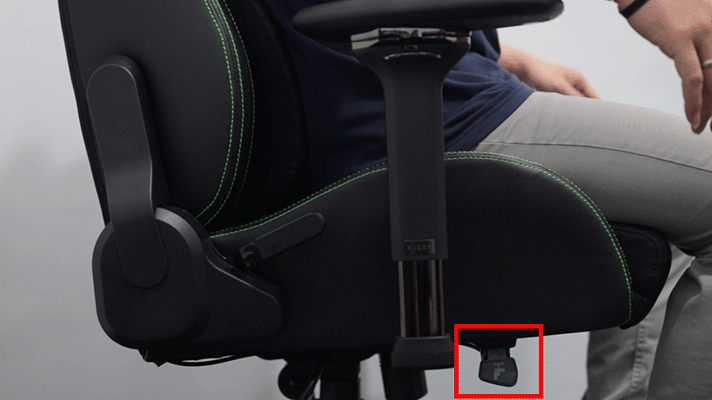
To allow the lumbar support to protrude, slightly lean your body forward as you lift the lever.

-
Release the lever to lock once the preferred position is achieved.
-
To retract the lumbar curve, push against the lumbar support as you lift the lever.

-
Release the lever to lock once the preferred position is achieved.


