
You can view the video below for instructions.
Step-by-step Process
Lumbar support lever adjustment
This will also help fix an issue where the lumbar support does not move after pulling the lever.
-
Push the button on the holder.

-
Slide the lever out from the holder.

-
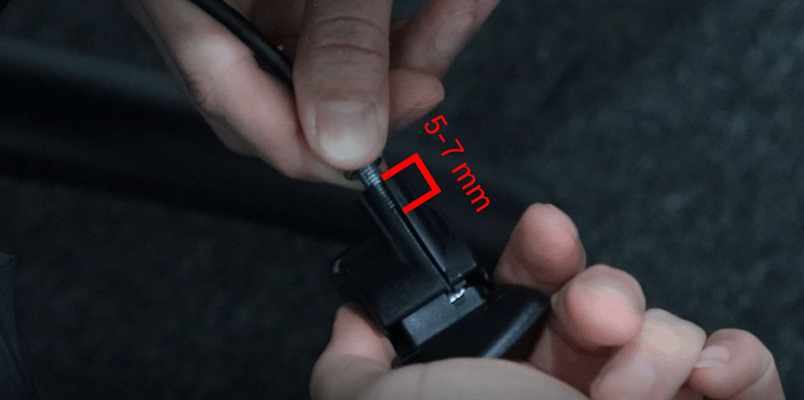
Turn the lever counterclockwise to increase cable tension.

The recommended setting is to leave about 5-7 mm of the bolt end in the lever.
-
Adjust the fasteners so that they are flush with the lever.

-
Re-install the lever into the holder.

Steps for Lumbar support adjustment
-
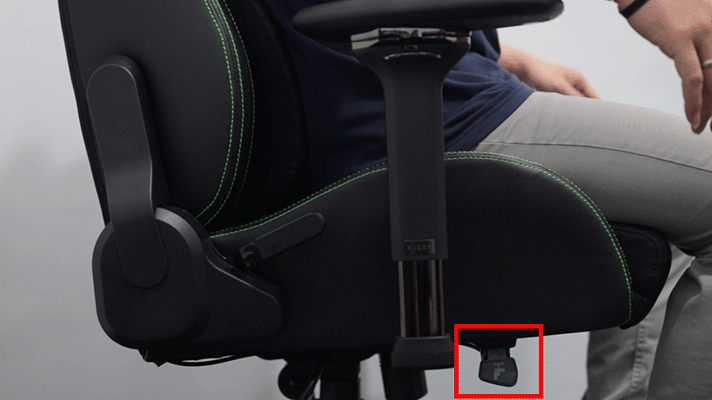
To allow the lumbar support to protrude, slightly lean your body forward as you lift the lever.

-
Release the lever to lock once the preferred position is achieved.
-
To retract the lumbar curve, push against the lumbar support as you lift the lever.

-
Release the lever to lock once the preferred position is achieved.


