
Applicable Model:
Firmware v1.08.00_r1
- https://rzr.to/coZddp | August 22, 2023
- Fixed Macro that is not working correctly when Synapse is disabled and lighting brightness is set to 0.
Follow the detailed instructions below to run the updater on your device.
Step-by-step Process
- Make sure the laptop is plugged into a wall outlet and not just running on battery before proceeding.
- Save any open documents on your computer and close all other programs before attempting the update.
- Download the latest firmware updater.
- Run the updater as shown below:

- You may be prompted to confirm changes on your device by the User Account Control. Click "Yes" to confirm these changes.

- Click "NEXT" to proceed. The installer will close all running Razer applications if you have not done so yet.

- Connect the USB wireless dongle to the computer and click "UPDATE".
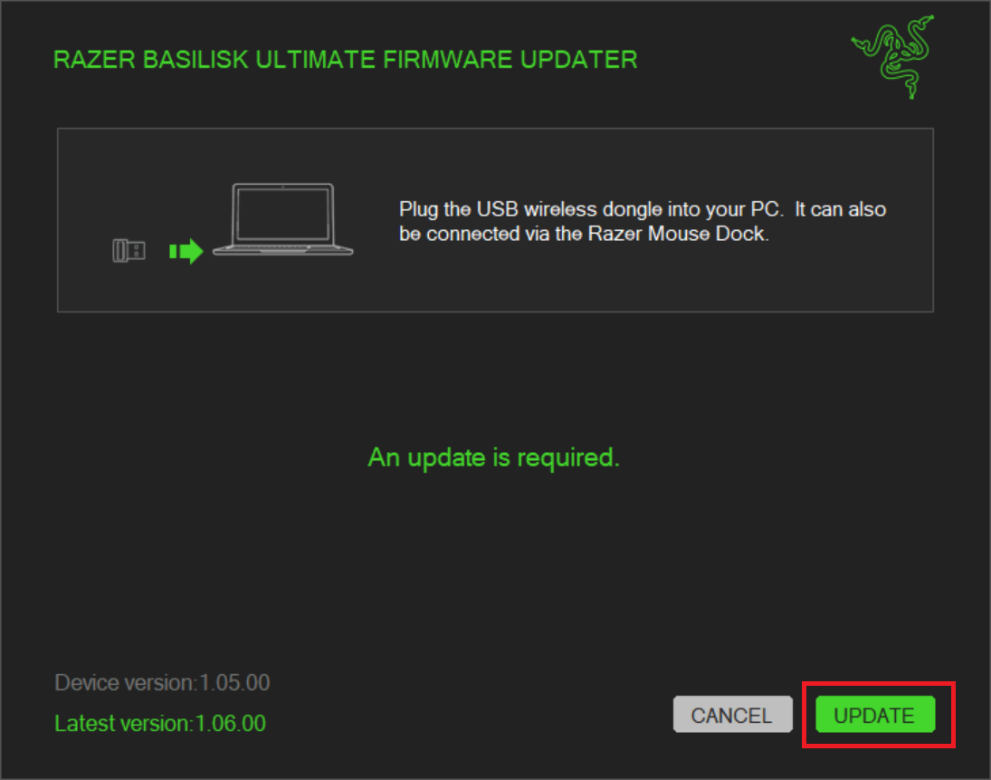
- Wait until the update process is complete. Do not interrupt.
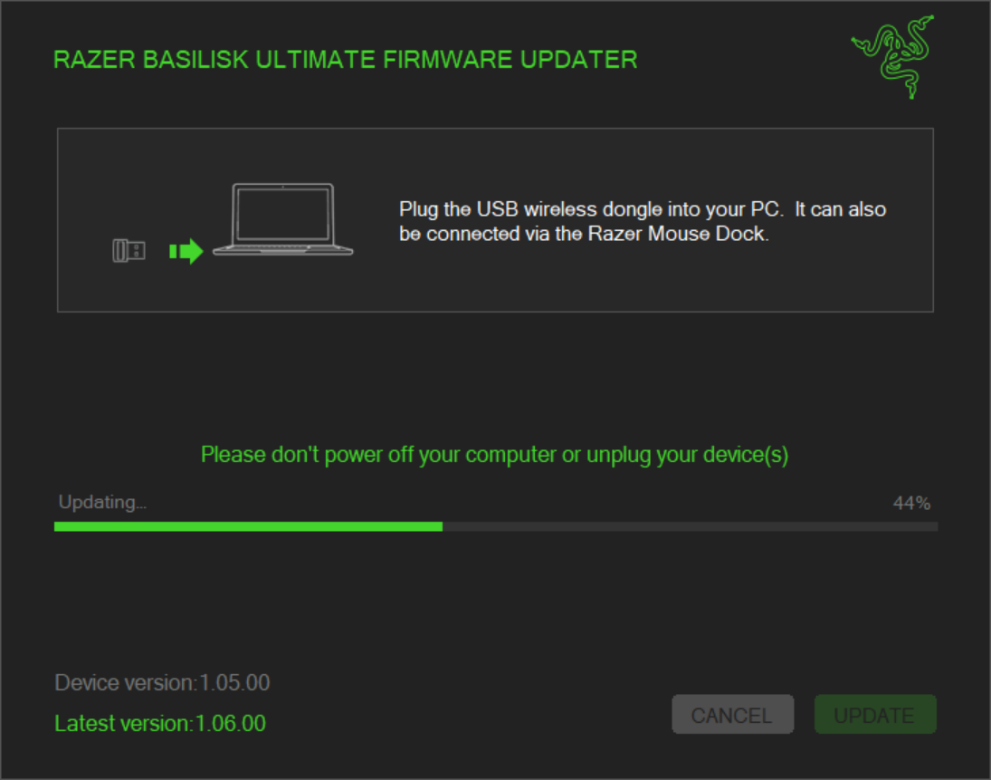
- The firmware update has been successful. Click "NEXT".
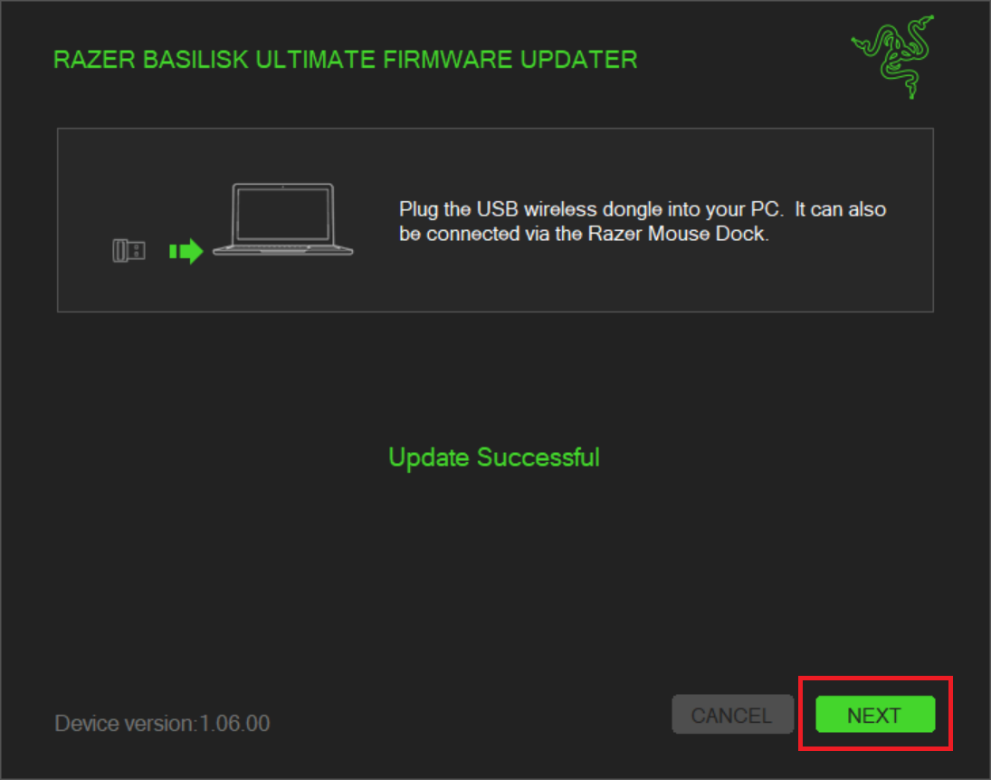
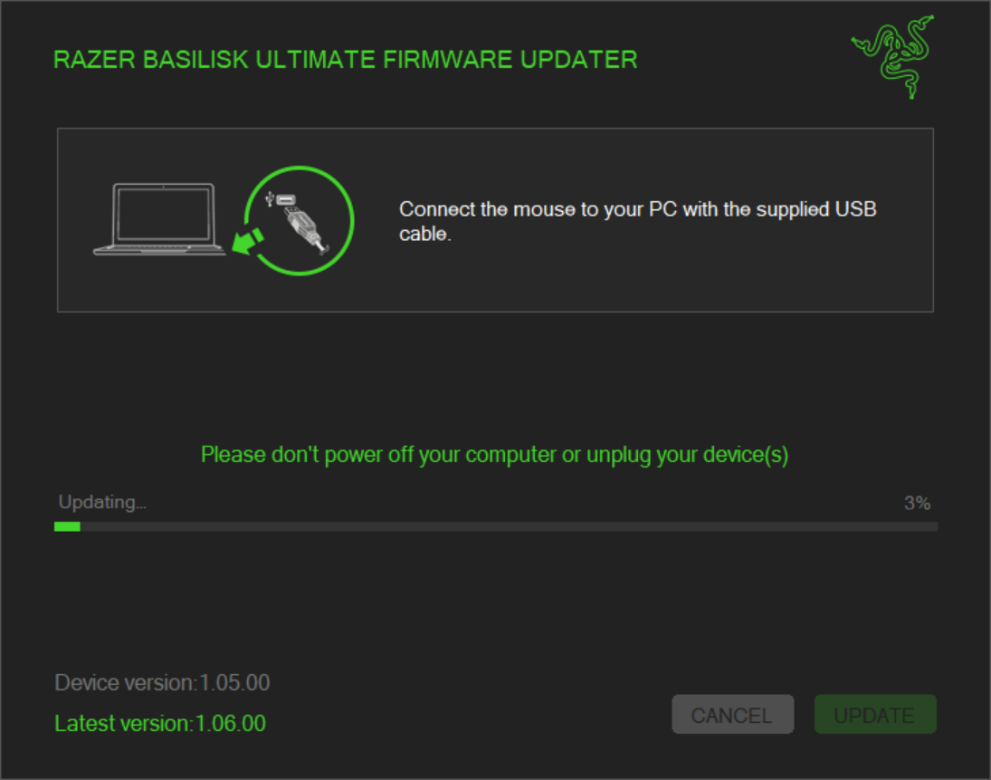
- Connect the device to your PC with the supplied cable and then click "UPDATE".
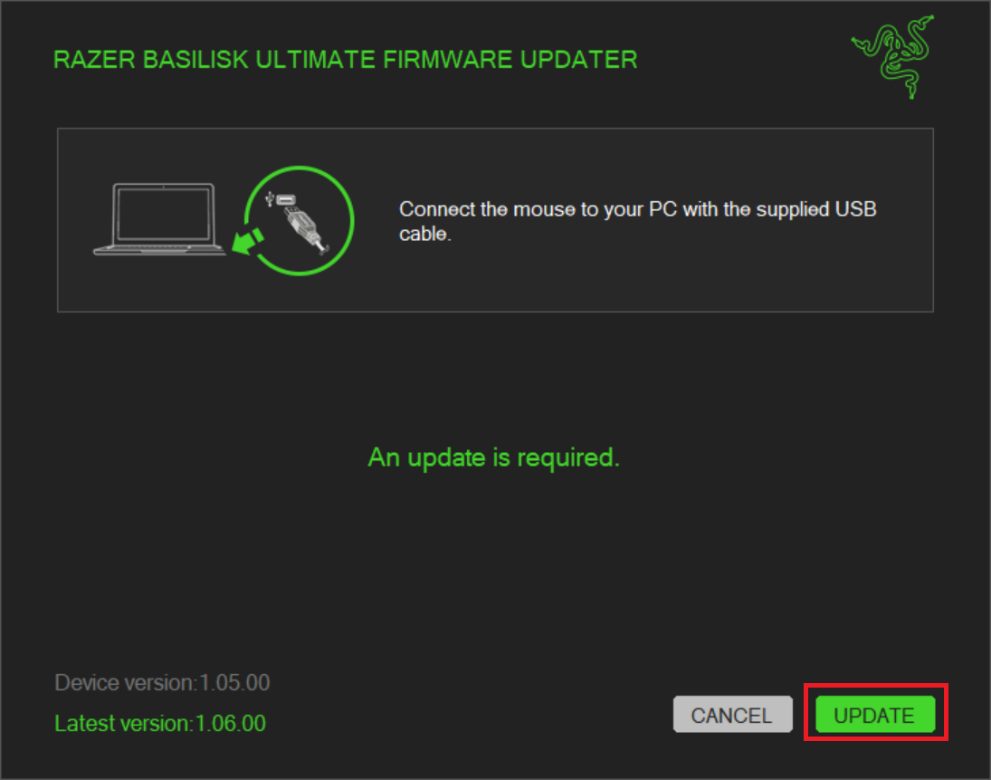
- Wait until the update process is complete.
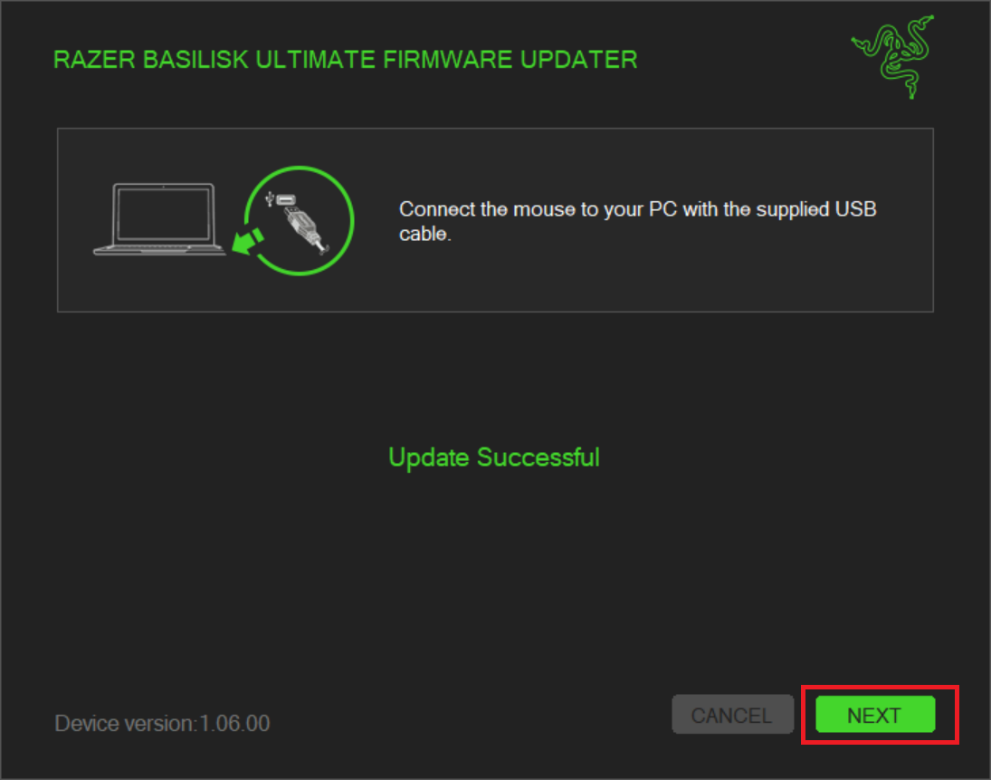
- When the update is complete, click "NEXT".
- Finally, click "CLOSE".


