
A firmware updater is a tool that keeps your gaming gear running at its best. Installing the latest firmware can improve performance, fix known issues, and help devices work more smoothly and reliably.
Applicable models:
Firmware Updater v1.5.0.1_r1
- https://rzr.to/VdKPPH | April 20, 2023
Release notes
- Set default lens distortion correction to 90 degrees
- Add reset factory default command
- Improve colour accuracy
Follow the detailed instructions below to run the updater on your device.
Step-by-step Process
-
Download the latest firmware update.
-
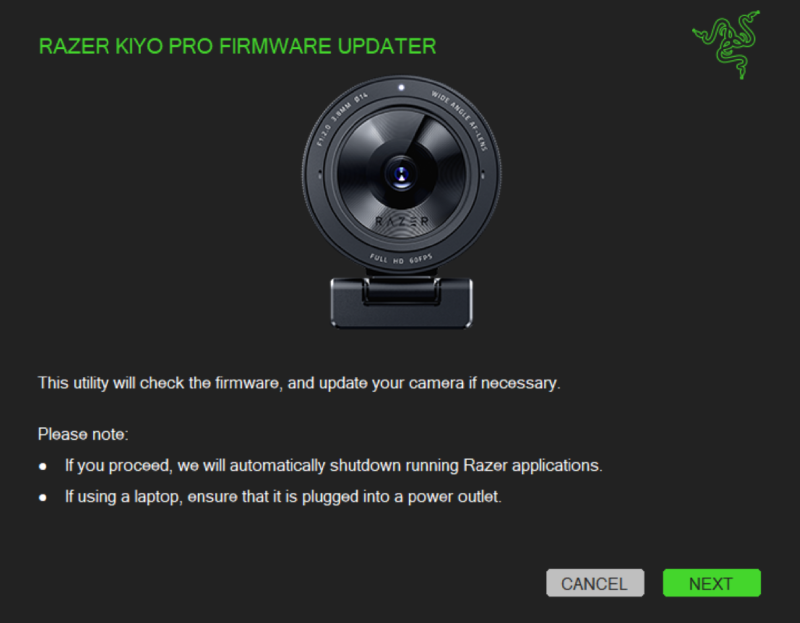
Launch the downloaded file. The updater will provide you with initial instructions before proceeding with the update. Once done, click on "NEXT".
-
Connect the Razer Kiyo Pro to your PC, then click on "UPDATE".

-
Wait for the update to complete. Dont not power off your computer or unplug your device(s) while the update is in progress.

-
Once the update is complete, unplug then re-connect your Kiyo Pro to your PC to continue.

-
Once reconnected, the updater will notify you that your camera is now updated to the latest firmware.


