
There are three different THX Spatial Audio products that Razer licenses from THX:
-
The THX Spatial Audio for Headphones - a Razer Synapse integrated application that has been specifically tuned for Razer Headsets. Note that there are two different drivers depending on your headset model: THX Spatial - Synapse and THX Spatial Audio. See the List of THX products and other details.
-
The THX Spatial Audio for PCs - a Driver Resident Audio Processing Object (DRAPO) designed to work specifically with Razer laptops that come with it.
-
The THX Spatial Audio downloadable application - a VAD (Virtual Audio Driver) that provides THX Spatial Audio to any connected headphones or headset.
Note: These products were designed for a specific purpose and will not be able to substitute for each other.
List of THX products and other details:
THX Spatial Audio for Headphones
- Spatial Audio
- Mic/Chat Technology available when connected to the Windows 10 system
- Windows 10 OS
- Razer Synapse 3
Supported Devices
- THX Spatial – Synapse
- THX Spatial Audio
- Razer Kraken Kitty Edition V2 Pro | RZ04-0451x
- Razer Kraken V3 | RZ04-03770200
- Razer Kraken V3 Pro | RZ04-03460
- Razer Kraken V3 HyperSense | RZ04-03770100
- Razer BlackShark V2 | RZ04-03230
- Razer BlackShark V2 Pro (2020) | RZ04-03220
- Razer BlackShark V2 Pro (2023) | RZ04-04530
- Razer Barracuda | RZ04-03790
- Razer Barracuda Pro | RZ04-03780
THX Spatial Audio for PCs
- Stereo and Spatial audio enhancement
- Windows 10 OS
- Analog audio connection
Supported Devices
- Razer Blade Stealth 13” | RZ09-0327
- Razer Book 13” | RZ09-0357
- Razer Blade 14" (2021) | RZ09-0370
- Razer Blade 14" (2022) | RZ09-0427
- Razer Blade 14" (2024) | RZ09-0508x
- Razer Blade 15” | RZ09-0421x
- Razer Blade 15" (2023) | RZ09-0485x
- Razer Blade 15” Base (2021) | RZ09-0369x
- Razer Blade 15” Base (2021) | RZ09-0410x
- Razer Blade 15" Advanced (2021) | RZ09-0367x
- Razer Blade 15” Advanced (2021) | RZ09-0409x
- Razer Blade 17" (2021) | RZ09-0406
- Razer Blade 17” (2022) | RZ09-0423x
- Razer Blade Pro 17” | RZ09-0368x
- Razer Blade 16" (2023) | RZ09-0483x
- Razer Blade 16" (2024) | RZ09-0510x
- Razer Blade 16” (2025) | RZ09-0528x
- Razer Blade 16” (2026) | RZ09-0581x
- Razer Blade 18" (2023) | RZ09-0484x
- Razer Blade 18" (2024) | RZ09-0509x
- Razer Blade 18” (2025) | RZ09-0529x
- Razer Blade 18” (2026) | RZ09-0582x
Note: For Razer Blade models 2024 onwards, the THX controls can be found in Razer Synapse. Go to "SYSTEM" > "SOUND".
THX Spatial Audio Downloadable Application
- THX Spatial Audio to any connected headphones or headset
- 3.5mm Headsets
- USB Headsets
- Bluetooth Headsets
- Windows 10 OS
How each THX Spatial Audio integration looks like:
THX Spatial Audio for Headphones
THX Spatial Audio - Synapse
Supported devices: Nari series, Kraken TE USB controller, Kraken Ultimate, Kraken Kitty

Mixer tab pane
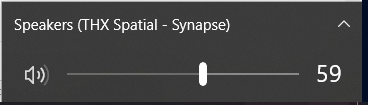
Volume control
THX Spatial Audio
Supported devices: Kraken V3, Kraken V3 Pro, Kraken V3 HyperSense, BlackShark V2 sound card, BlackShark V2 Pro (2020), Barracuda and Barracuda Pro

Mixer tab pane
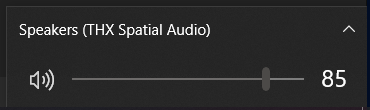
Volume control
THX Spatial Audio for PCs


-
When a 3.5mm headset is in use
-
When the "Speakers (Realtek(R) Audio Codec with THX Spatial Audio)" is selected as the audio output


THX Spatial Audio Downloadable Application

THX Spatial Audio Downloadable Application
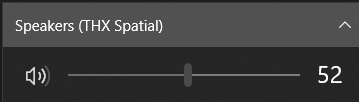
THX Spatial Audio App Volume
control
Speakers (THX Spatial)

