
Restore missing modules in Razer Synapse to regain access to your device features and settings.
Follow the steps below to restore a missing module.
-
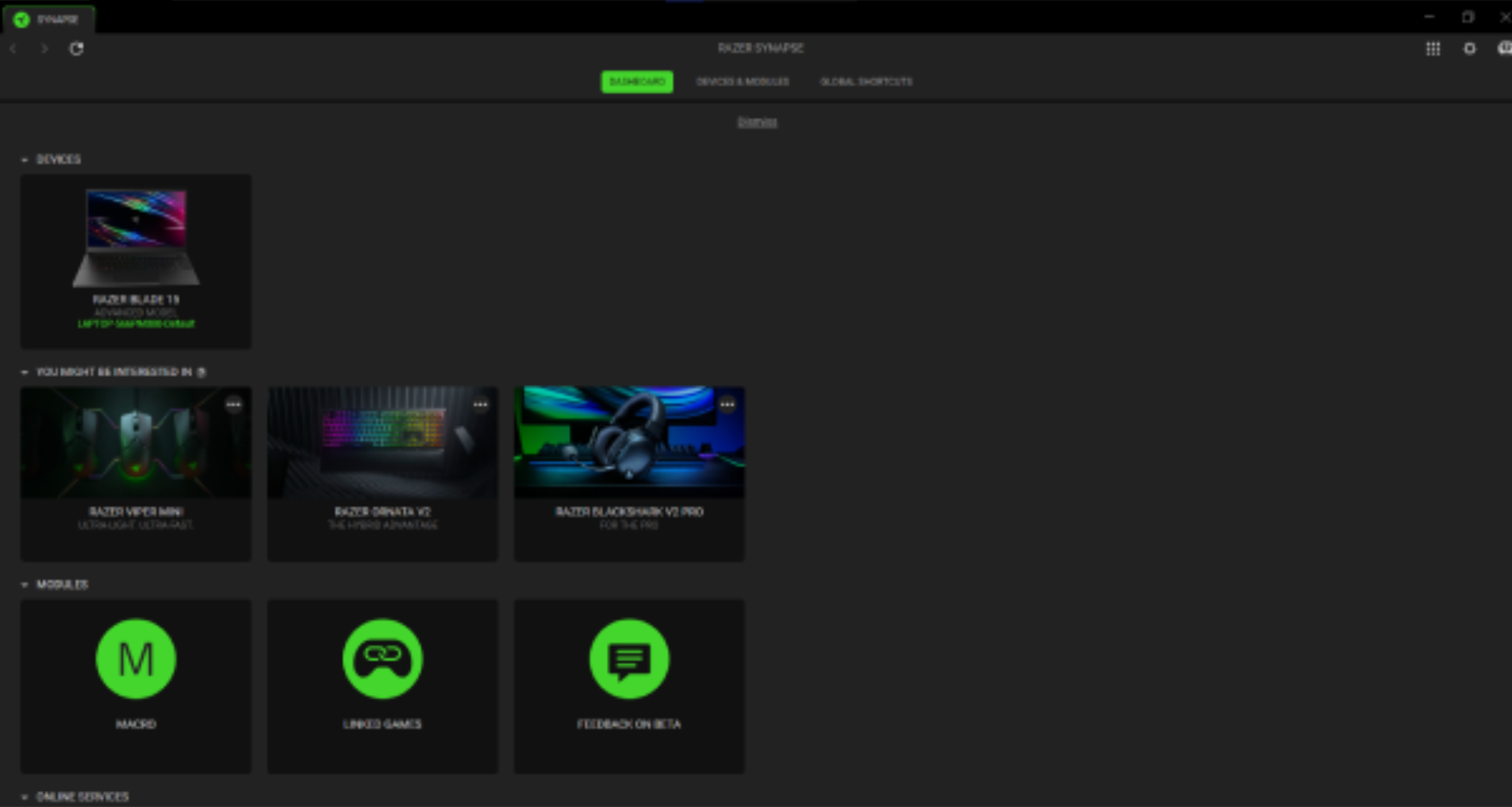
Scroll down on the DASHBOARD to see the “MODULES” section.
-
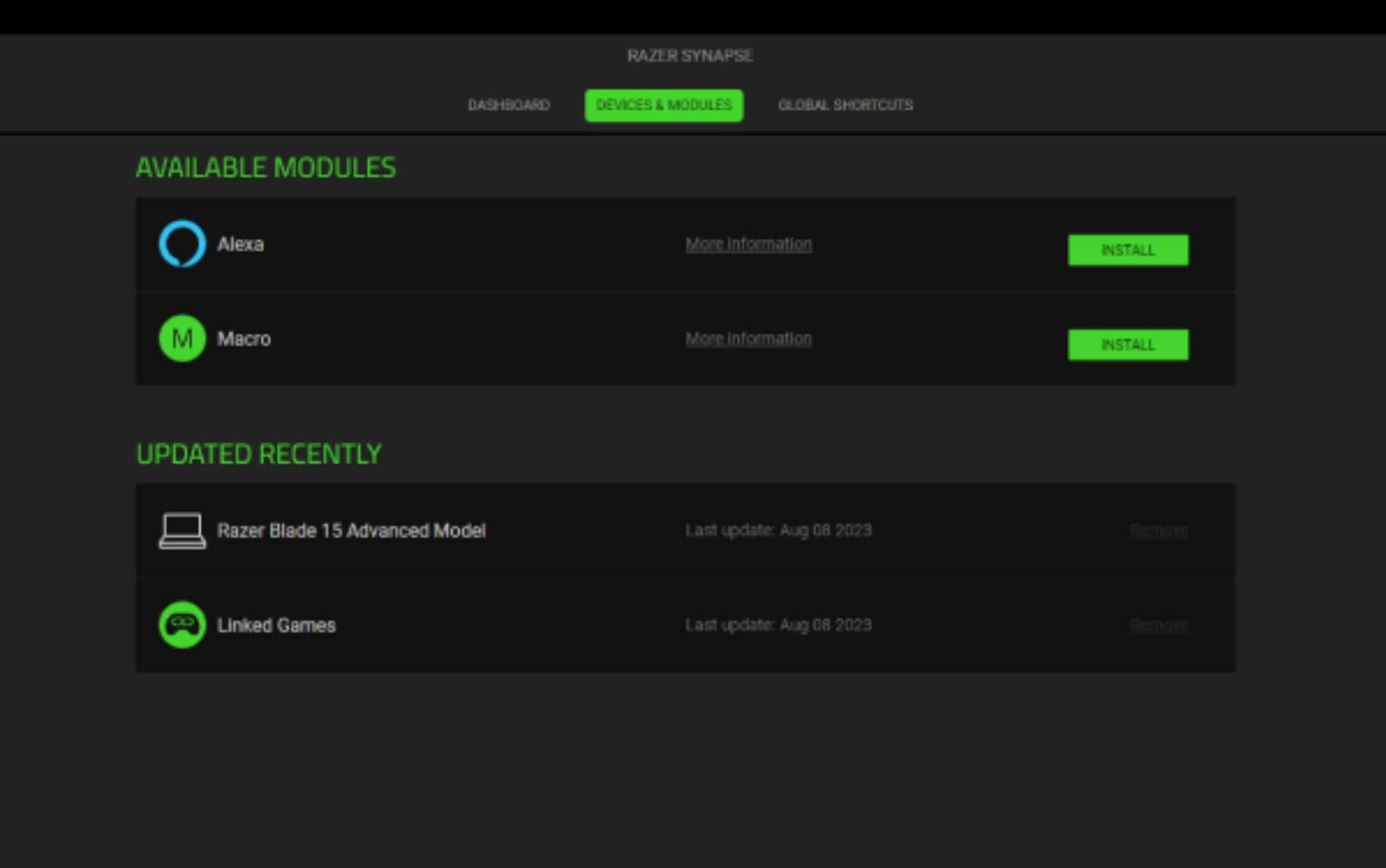
If the MODULES section is not there, click on “DEVICES & MODULES” on the top part of Razer Synapse 4.

-
Hover over the module you want to install and click" INSTALL".
-
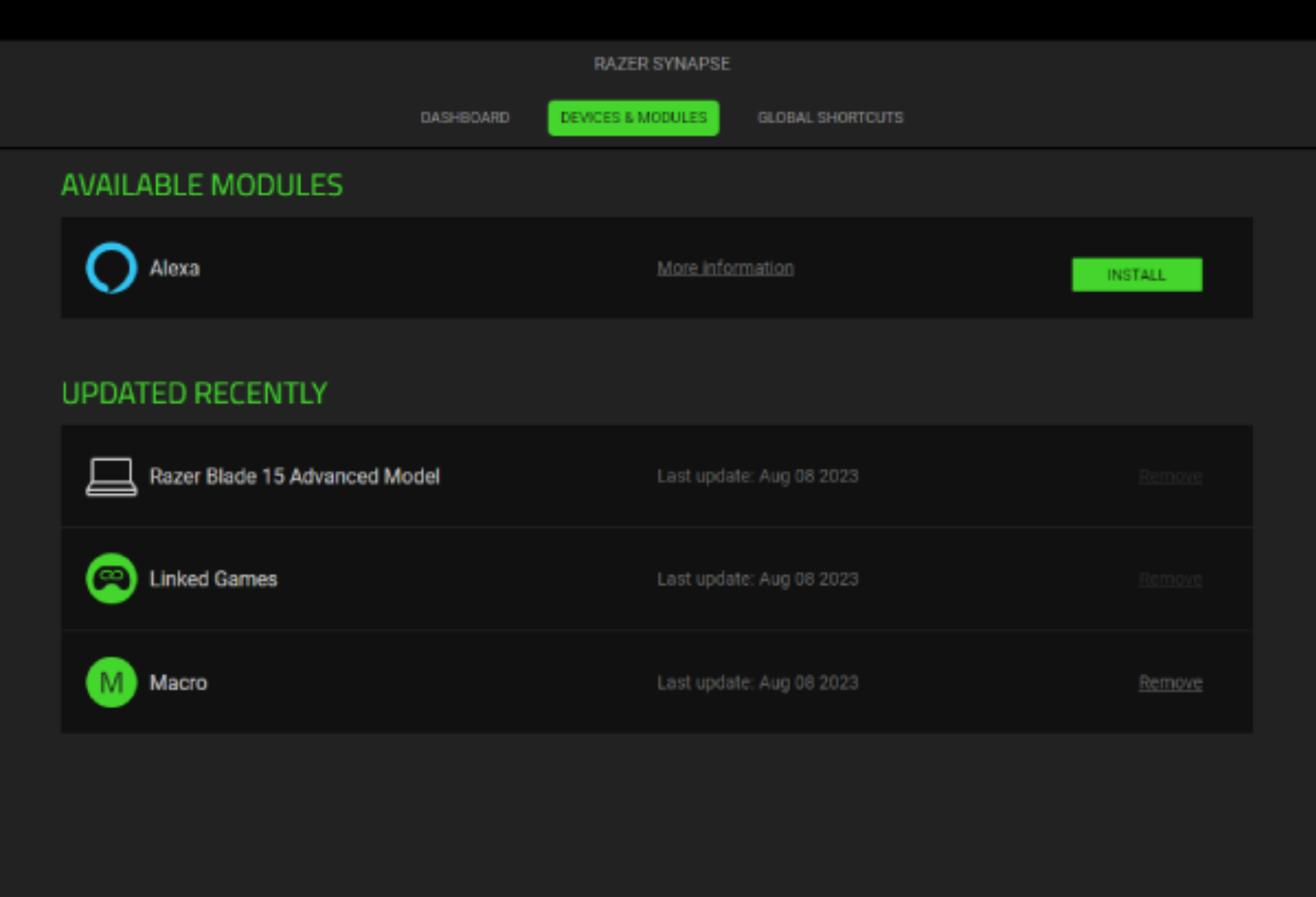
After installing, the chosen module will appear in the UPDATED RECENTLY section and you can now use it.
-
Repeat steps above for any other modules you want to install.

