
You can view the video below for instructions or review a copy of the video transcript.
Step-by-step process on how to connect the Razer BlackWidow V3 Mini HyperSpeed via Bluetooth
-
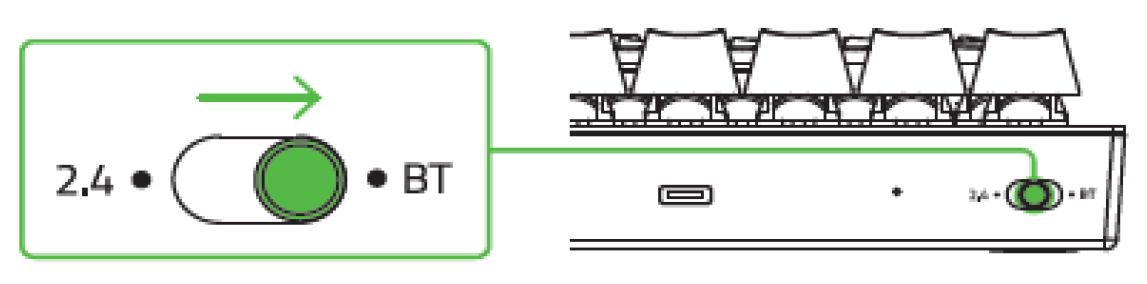
Set the mode switch to BT.
-
Hold down the "fn" and "alt" keys, and then hold down either 1, 2, or 3 keys to activate pairing mode. The held number will blink blue.
Note: Your Razer BlackWidow V3 Mini HyperSpeed can pair up to three devices using its Bluetooth profiles.

-
Enable Bluetooth on your device and select the Razer BlackWidow V3 Mini Hyperspeed from the list of devices found. The device will pair with your keyboard and the connection will be registered to that number.

-
Hold the "fn" and "alt" keys, and then press the number key that corresponds with the device to switch between paired devices. The selected number will temporarily change to static blue.

Note: Your keyboard will reconnect to the last paired device after it has been powered on again. Press the keys that correspond to the device's profile number to switch devices.
-
Hold down the "fn" key, and then press and hold the "alt" key to view the current profile number. The numeric key corresponding to the current profile will light up.
You should now have successfully connected your Razer BlackWidow V3 Mini HyperSpeed keyboard to your PC via Bluetooth.

