You can view the video below for instructions or review a copy of the video transcript.
Important: All serial numbers, product numbers, or part numbers are generally found on the original box and packaging.
Select your Razer device
Accessories
Chroma HDK
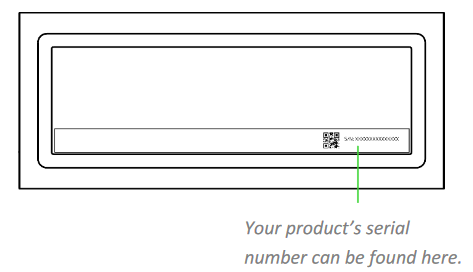
Located under the device as seen below.

Base Station Chroma
Located under the device as seen below.

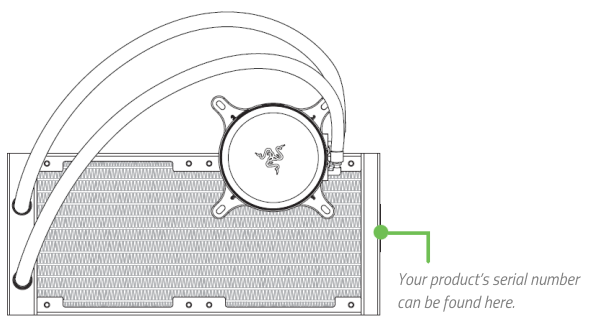
Hanbo All-In-One Liquid Cooler
Located under the device as seen below.
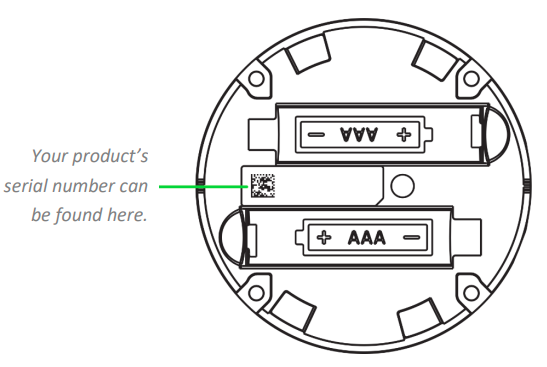
Wireless Control Pod
Located between the battery compartments as seen below.
Audio
Barracuda
Located at the upper portion of the right ear cup.

BlackShark
Located under the left ear cushion as seen below.

BlackShark V2 X
Located under the left ear cushion as seen below.

BlackShark V2
Located on the tag near the 3.5 mm audio plug as seen below.

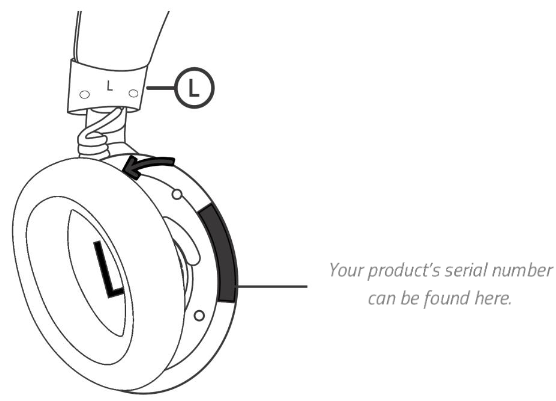
BlackShark V2 Pro
Located at the back portion of the left ear cup as seen below.

D.VA Meka Headset
Located on the cable line as seen below.

Electra Lineup
-
Located under the packaging as seen below.

-
Also located under the left ear cushion, which can be peeled off to reveal the serial number as seen below.

All Hammerheads (Analog/Wired) and D.VA headset only
Located on the cable line as seen below.

Hammerhead BT
Located behind the battery module as seen below.

Kraken Pro V2 and 7.1 V2 only
Located under the left earcup as seen below.

Kraken X, Kraken X USB, Kraken V3 X, and Kraken V4 X only
Located on the left earcup as seen below.

Kraken V3 Pro
Located under the left earcup as seen below.

Kraken V4 and Kraken V4 Pro only
Located on the left earcup as seen below.
Leviathan
Located behind the device as seen below.

Leviathan Mini
Located under the device as seen below.

ManO'War and Thresher lineup only
Located under the left earcup as seen below.

All Nommo
Located behind the device as seen below.

Older Krakens and Nari Lineup only
Located under the left earcup as seen below.

Opus and Opus X only
Located at the upper portion of the right ear cup.

Tiamat 7.1 and 7.1 V2
-
Located on the bottom of the audio controller as seen below.

-
Located under the left earcup as seen below.

Chairs
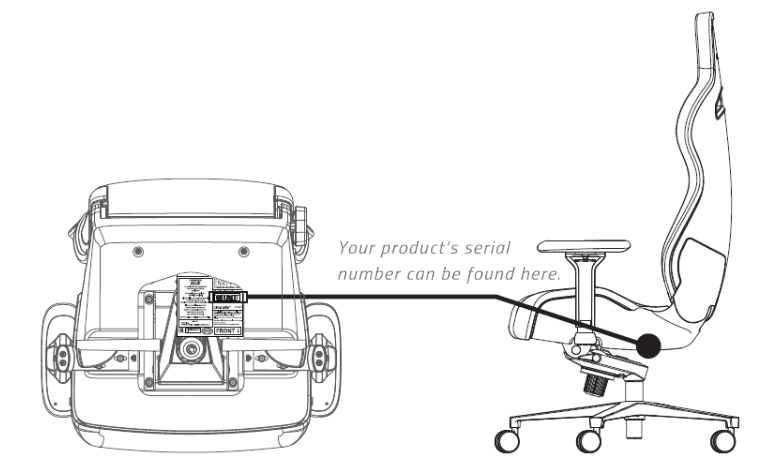
Enki
Located under the device as seen below.
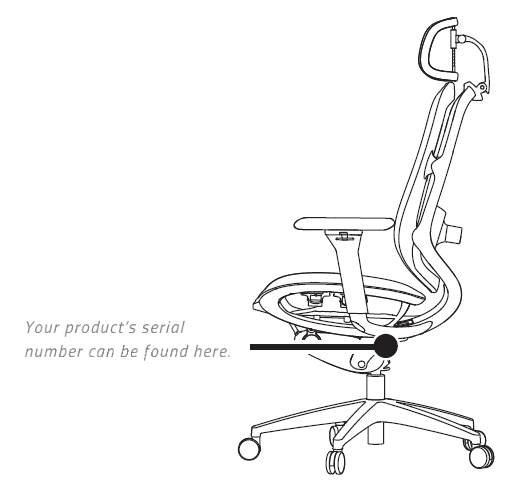
Fujin
Located under the device as seen below.
Iskur
Located under the device as seen below.

Accessories
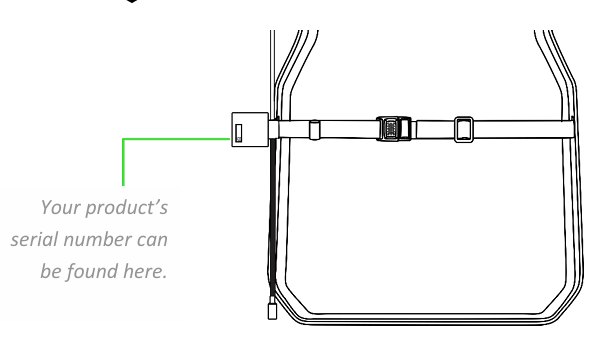
Freyja
Located at the back of the device as seen below.
Head Cushion
Located at the back of the device as seen below.

Console
All handheld controllers
Located under the device as seen below.

All joystick controllers
Located under the top panel as seen below.

Gamer Room
Aether Lamp and Lamp Pro
Located under the device as seen below.

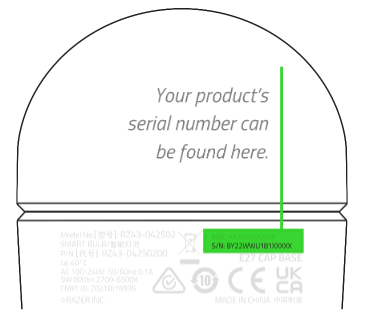
Aether Light Bulb
Located on the side of the device as seen below.
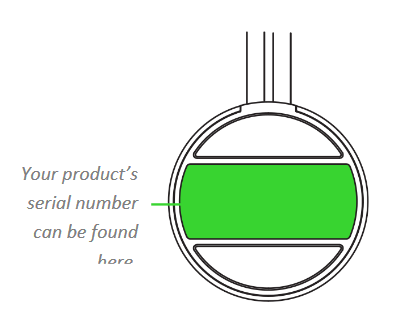
Aether Light Strip
Located under the multifunction button as seen below.
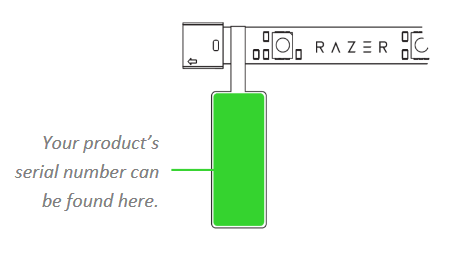
Aether Light Strip Extender
Located as seen below.
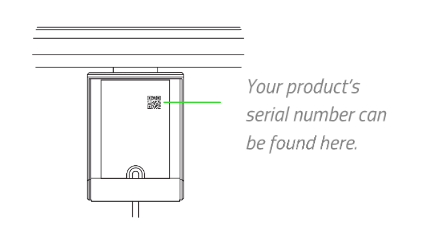
Aether Monitor Light Bar
Located at the back of the device as seen below.
Keyboards
All keyboards
Located under the keyboard as seen below.

All keypads
Located under the keypad as seen below.

Mice and Mats
Naga
Located under the mouse as seen below.

Note: There are some differences between the various models of the Razer Naga. See How to identify a Razer Naga model for more details.

Orochi
Located inside the battery compartment as seen below.

All other mice
Located under the mouse as seen below.

Firefly
Located on the back of the mouse mat as seen below.

All other mouse mats
Regular mouse mats do not have serial numbers.
Mobile
Edge
-
Go to “Settings” > “About tablet”.

-
Scroll down and tap “Model”.

Under “Serial number”, the serial number should be visible.

Kishi
Located on the underside of the device as shown below.

Kishi V2
Located underneath the extendable bridge of the device as shown below.

Razer Phone
-
Found underneath both boxes that came along with the phone as seen below.

-
Located on the label sticker on the Phone's plastic wrapper as seen below.

-
Found under Settings > About Phone > Status.


Streaming
Kiyo
Located under the device as seen below.

All Ripsaw
Located under the device as seen below.

Seiren BT
Located underneath the microphone clip.

Seiren Mini and Seiren V3 Mini
Located at the backside of the device.

Seiren V2 Pro and Seiren V3 Chroma
Located at the backside of the device.

Seiren V2 X
Located at the backside of the device.

Other Seirens
Located under the device as seen below.

Stargazer
Located behind the mounting device as seen below.

Stream Controller
Located under the device as seen below..

Systems
All Razer Blade laptops
-
Located under the device as seen below. To determine the Blade type, please see How to determine the Razer Blade model and type.>

- If the physical serial number is scratched, faded, damaged or covered by a skin, the serial number can be pulled from the "Command Prompt".
- Open your "Start Menu" by clicking on the Windows logo at the lower-left corner of the screen.

- Type in "cmd" and open "Command Prompt" from the search results.

- Open your "Start Menu" by clicking on the Windows logo at the lower-left corner of the screen.
- Type "wmic bios get serialnumber" and press "Enter".

All Razer Core
Located under the device as seen below.

All Razer Forge TV
Located under the device as seen below

All Razer Tomahawk
Located under the device as seen below.

Accessories
USB-C Dock
Located at the back of the device as seen below.
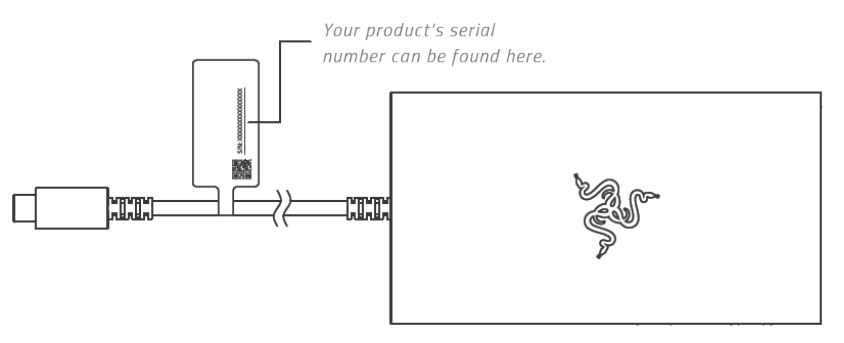
USB 4 Dock
Located at the back of the device as seen below.