
In the event that all basic troubleshooting has been exhausted but you still experience a Razer Synapse issue, you can gather MSinfo logs from your computer and send them to Razer Support. To do this, do the following:
-
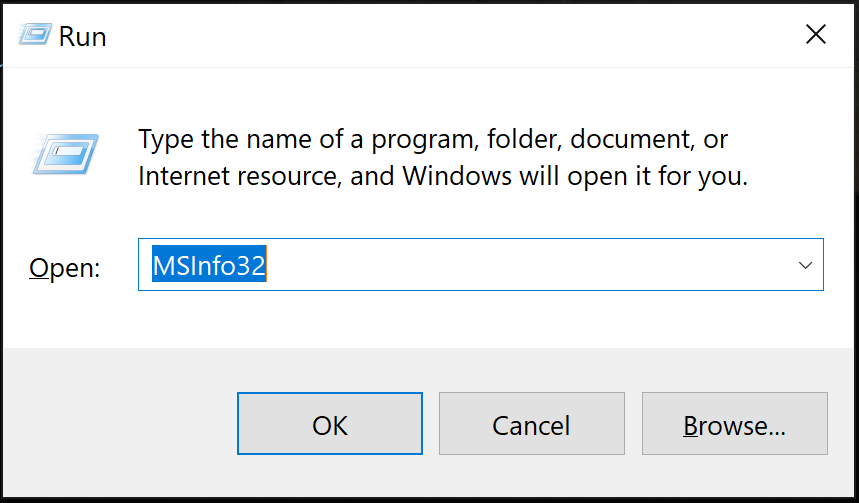
Press Windows Key + R.
-
Type “MSInfo32” and press “Enter”.
-
Click “File” in the MSInfo diagnostic window, then “Export" as .txt.

-
Choose “Desktop” when the "Export As" window appears.
-
Name the file and click “Save”.

-
Send the file to Razer Support.
Using the same method, also send the following files:
- C:\Windows\inf\setupapi.app.log
- C:\Windows\inf\setupapi.dev.log
Note: If the size of your MSinfo file is greater than 5 MB, compress the file using a utility such as 7-zip, which should allow the attachment to be downloaded by our system.

