
You can connect your Razer Wolverine Tournament Edition in two ways.
Via Xbox One
-
Connect your Razer Wolverine Tournament Edition to your Xbox One using the USB to Micro-USB cable.

-
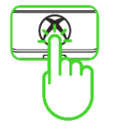
Press the Xbox button to begin using your controller on Xbox One.
Via PC
-
Connect your Razer Wolverine Tournament Edition to your PC using the USB to Micro-USB cable.

-
Wait until the Xbox One Controller drivers are automatically installed. You can also manually update the drivers through the Device Manager.

Once done, your Razer Wolverine Tournament Edition should be ready for use.

