Remapping allows you to customize controls by assigning different commands, shortcuts, macros, or functions to specific keys and buttons—helping improve gameplay efficiency, streamline workflows, and personalize your setup for better accessibility and convenience. This guide walks you through configuring and optimizing your controls to match your gaming or productivity needs.
You can view the video below for instructions or review a copy of the video transcript.
Follow the detailed instructions below to remap keys or buttons on a Razer laptop, keyboard, or mouse.
-
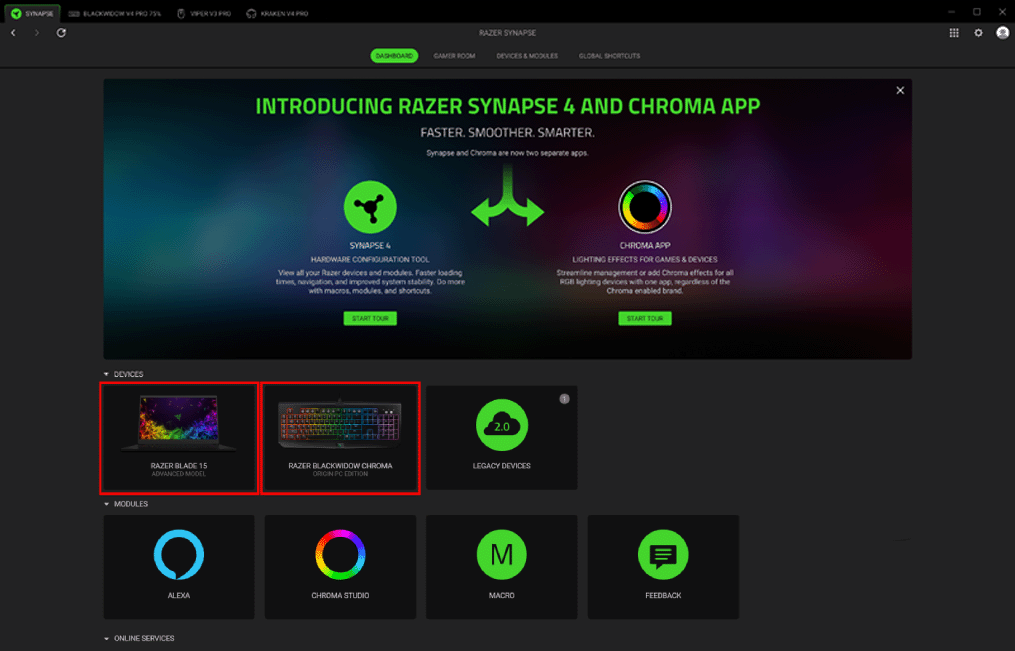
Open Razer Synapse 4.
-
Select the device you want to customize under “DEVICES”.
-
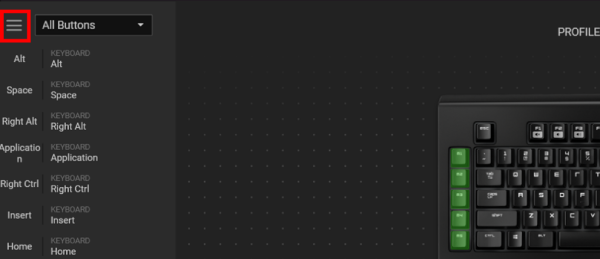
Select the key or button you want to modify.
-
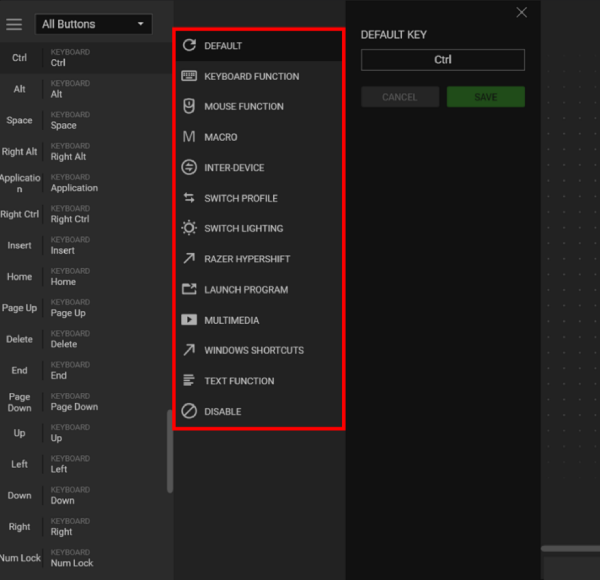
Select your preferred function such as Keyboard Function, Mouse Function, Macro, Inter-Device, and more.
Note: Include modifiers to bind shortcut keys or control how many times the action will be performed when the key or button is held down.
-
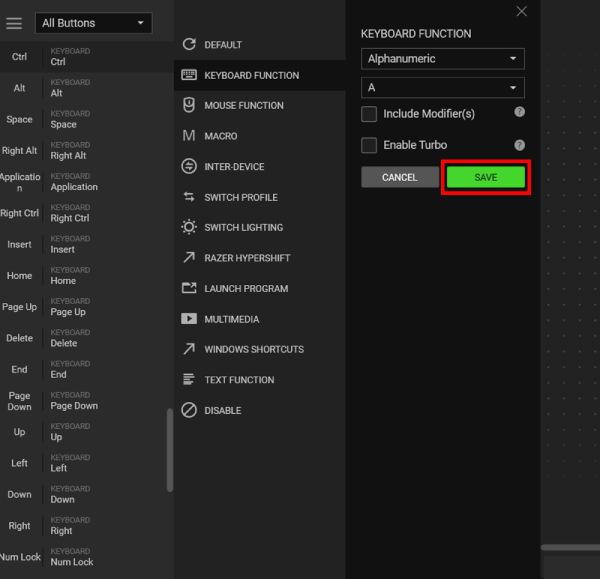
Click “SAVE”.