
If your Razer Chroma RGB Mobile App is crashing after the latest update, clear app user data to resolve this issue.
Note: Steps on how to clear App Data vary depending on your phone.
-
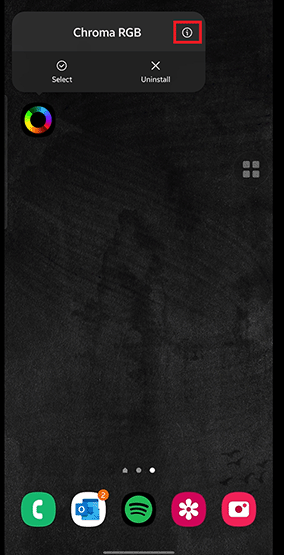
Press and hold the Razer Chroma RGB Mobile App.
-
Tap the App info icon.
-
Select "Storage".

-
Tap "Clear Data".

-
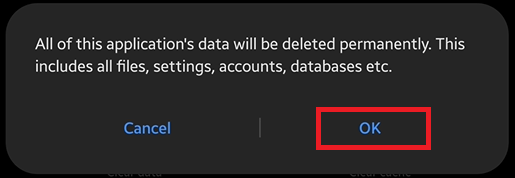
Tap "OK".
Note: All of this app's data will be deleted permanently.
-
If the issue persist, uninstall and reinstall the Razer Chroma RGB Mobile App.

