Prevent damages to your Razer Enki while being stored or transported by following proper disassembly instructions.
Tools needed:
- Rubber mallet
- Hex key “M”
- Microfiber cloth
- Penetrating lubricant
- Penknife
Important: Put the chair over a smooth work surface to protect it from scratch and any other types of damage during the process.
-
Remove the head cushion “D”.

-
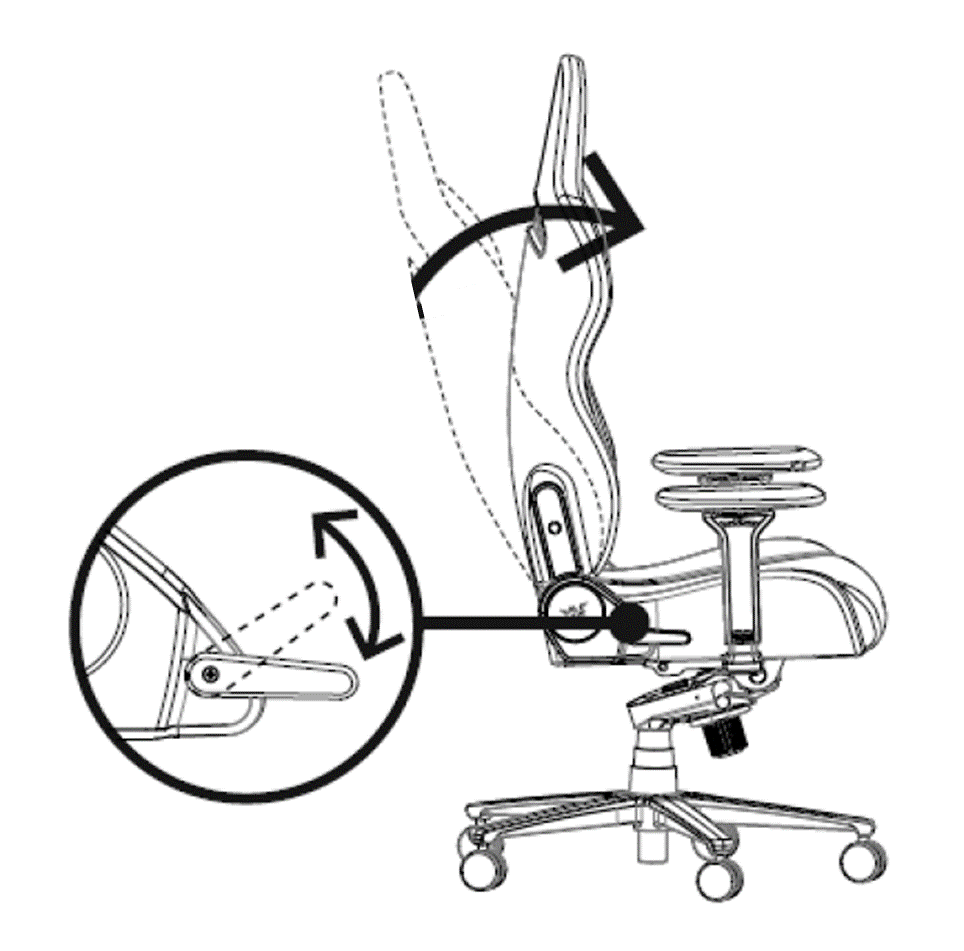
Straighten the backrest “A”.
-
Align both armrests straight.

-
Adjust both armrests height to lowest.

-
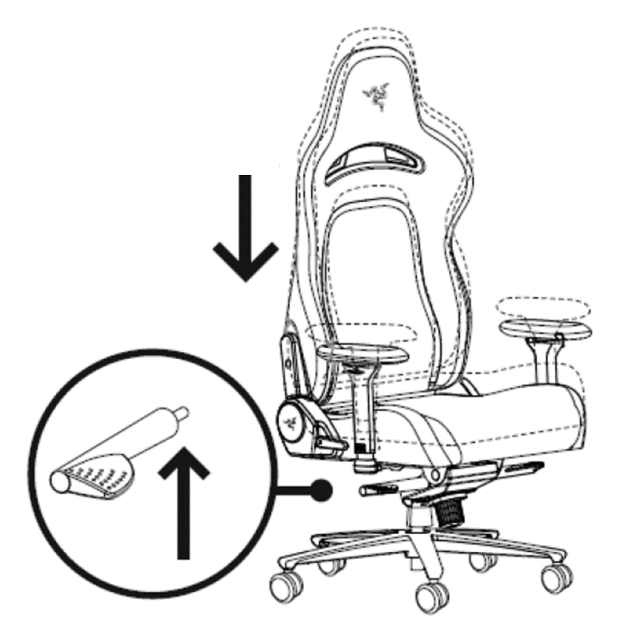
Set the chair to its lowest height.
-
Turn the chair upside down.
-
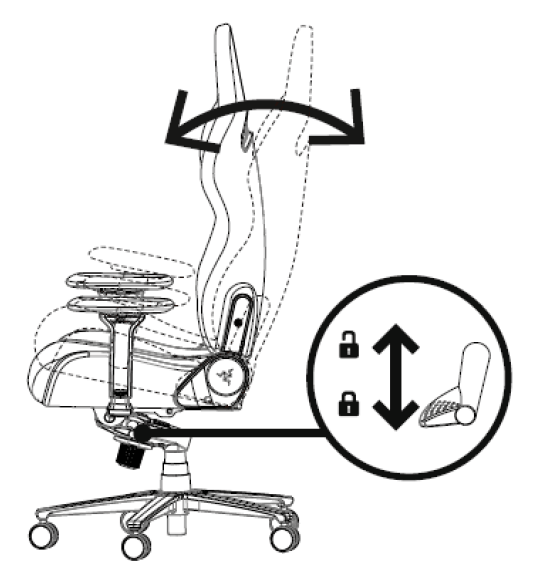
Unlock the tilt mechanism.
-
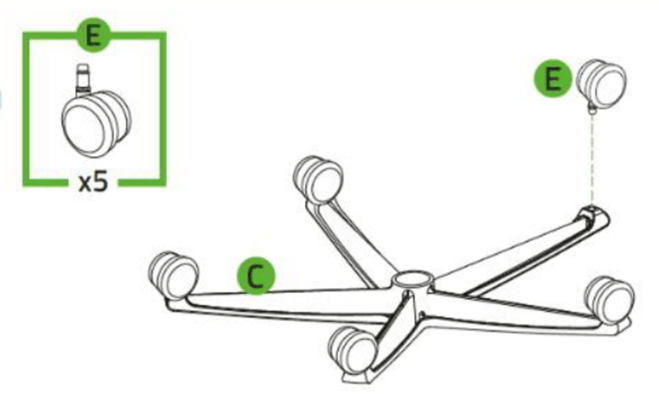
Grab the base “C” then pull out the caster wheels “E”.
-
Apply some penetrating lubricant between the wheel and wheelbase if the caster wheels “E” are difficult to pull out. Leave it for five minutes before trying again.
-
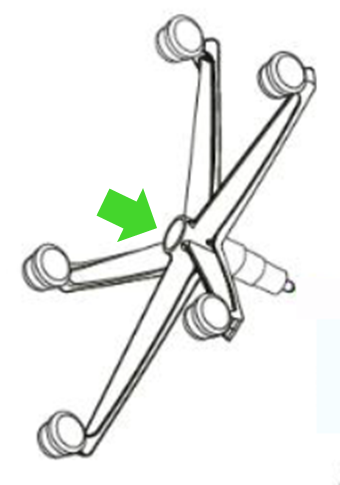
Apply some penetrating lubricant between the gas lift cylinder “I” and wheelbase “C”. Leave it for five minutes.
-
Dislodge the wheelbase “C” by pulling it while hitting the cylinder “I” with the rubber mallet wrapped in a microfiber cloth. Make sure you hit only the outer rim of the gas lift cylinder and avoid using too much force when hammering.
-
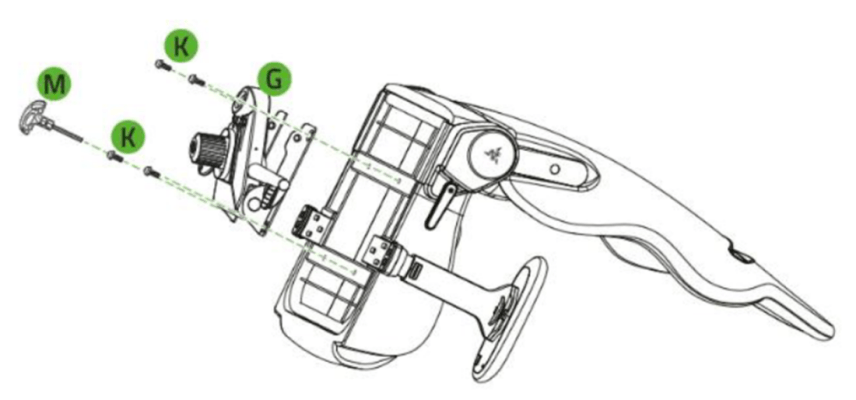
Unfasten the screws “J” using the hex key “M” to detach the tilt mechanism “G”.
-
Apply some penetrating lubricant between the gas lift cylinder “I” and tilt mechanism “G”. Leave it for five minutes.
-
Grip the gas lift cylinder “I” firmly and hit the tilt mechanism “G” with the rubber mallet wrapped in a microfiber cloth to separate.
-
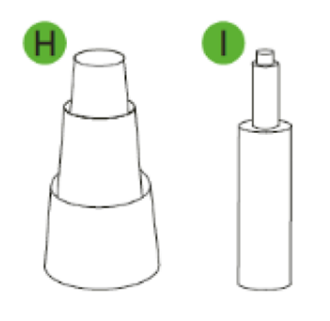
Separate the cylinder cover “H” from the cylinder “I”.
-
Turn the chair right-side up.
-
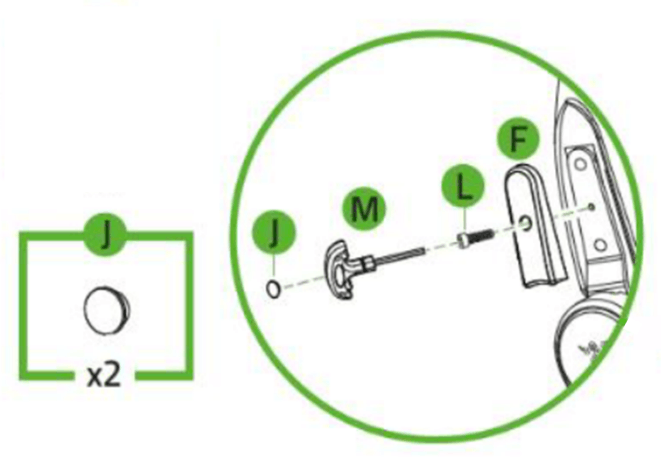
Remove the plastic screw caps “J” using a penknife.
-
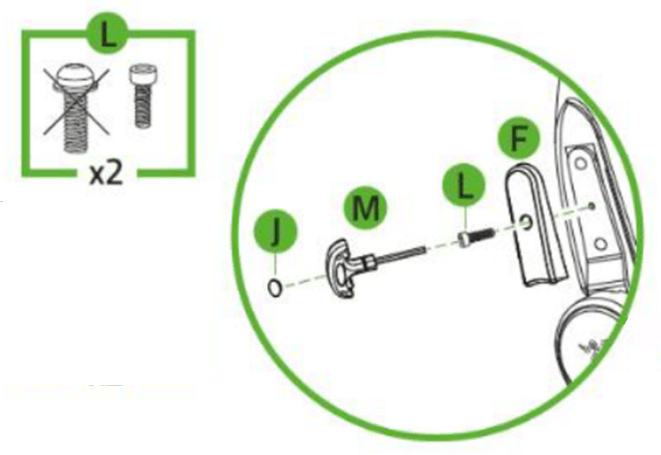
Unfasten the screws “L” to remove the side covers “F”.
-
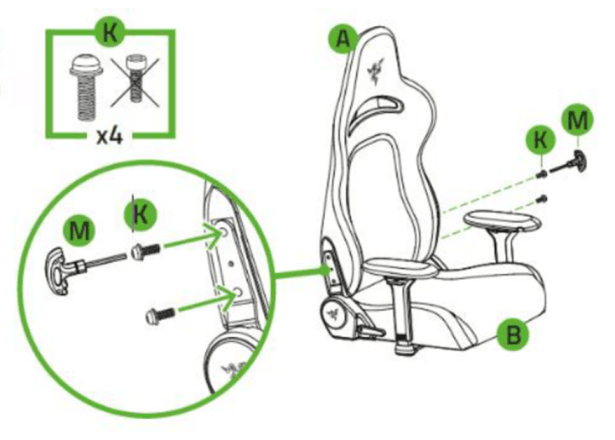
Unfasten the screws “K” on the support brackets to detach the backrest “A” from the seat “B”.