
Select applicable method
Set up on an iOS device with MagSafe
-
Peel off the protective film on the back of the cooling fan.
Note: Some phone cases are made of heat-insulating material which can weaken the connection of MagSafe-compatible accessories.
-
Remove your phone case or any attached accessory before using the cooling fan to ensure optimum cooling and magnetic connection.
-
Place the cooling fan’s magnetic surface at the back of your smartphone.

-
Connect the cooling fan to a compatible USB power adapter using the USB Type-C to USB Type-A power cable.
Note: USB power adapter is purchased separately.

-
Switch the cooling fan on.

The cooling fan will begin dissipating heat away from your smartphone.
Set up on an Android or iOS device without MagSafe
-
Peel off the protective film on the back of the cooling fan.
-
Pull out the retractable phone clamp.
-
Place your smartphone in and adjust the cooling fan’s position as desired.
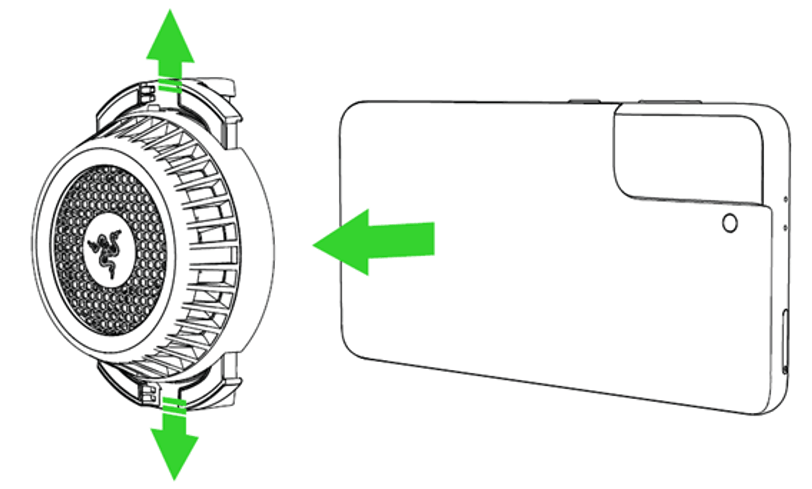
-
Remove your phone case or any attached accessory before using the cooling fan to ensure optimum cooling.
Note: Some phone cases are made of heat-insulating material.
-
Connect the cooling fan to a compatible USB power adapter using the USB Type-C power cable.
Note: USB power adapter is purchased separately.
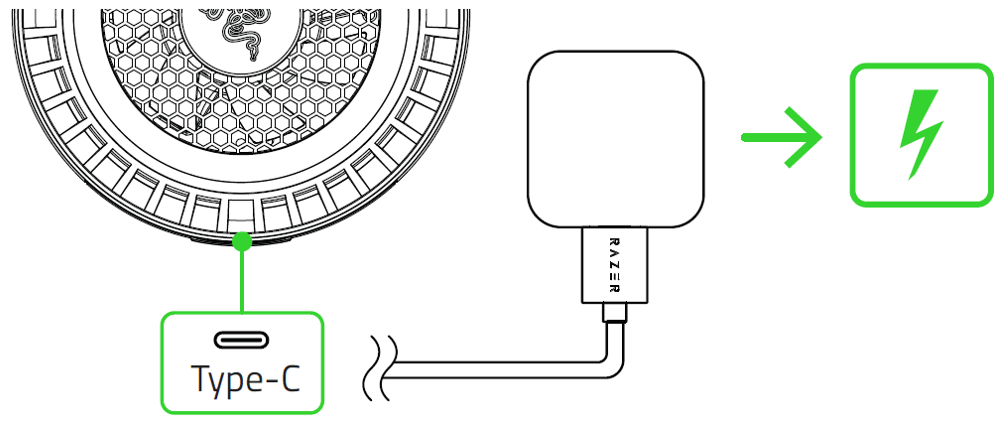
-
Switch the cooling fan on.
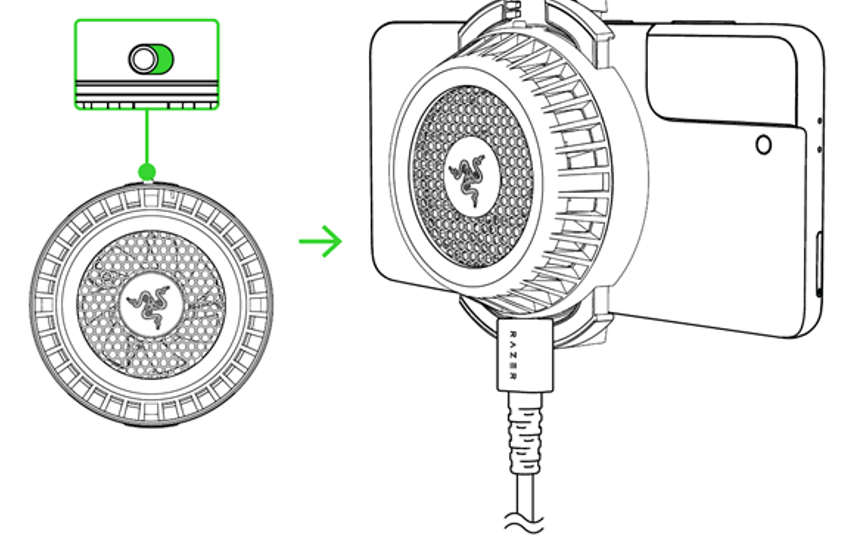
The cooling fan will begin dissipating heat away from your smartphone.

