
7.1 Surround Sound and THX drivers are missing after they’re uninstalled and reinstalled. To resolve this, you can manually re-install the driver. Follow these steps to manually re-install the appropriate driver.
Step-by-step process:
-
Open Device Manager.
-
Select "Sound, Video and game controllers" tab.

-
Click "Action".

-
Click "Add legacy hardware". This will open the Add Hardware wizard.
-
Click Next.

-
Select "Install the hardware that I manually select from a list (Advanced)" and then click Next.

-
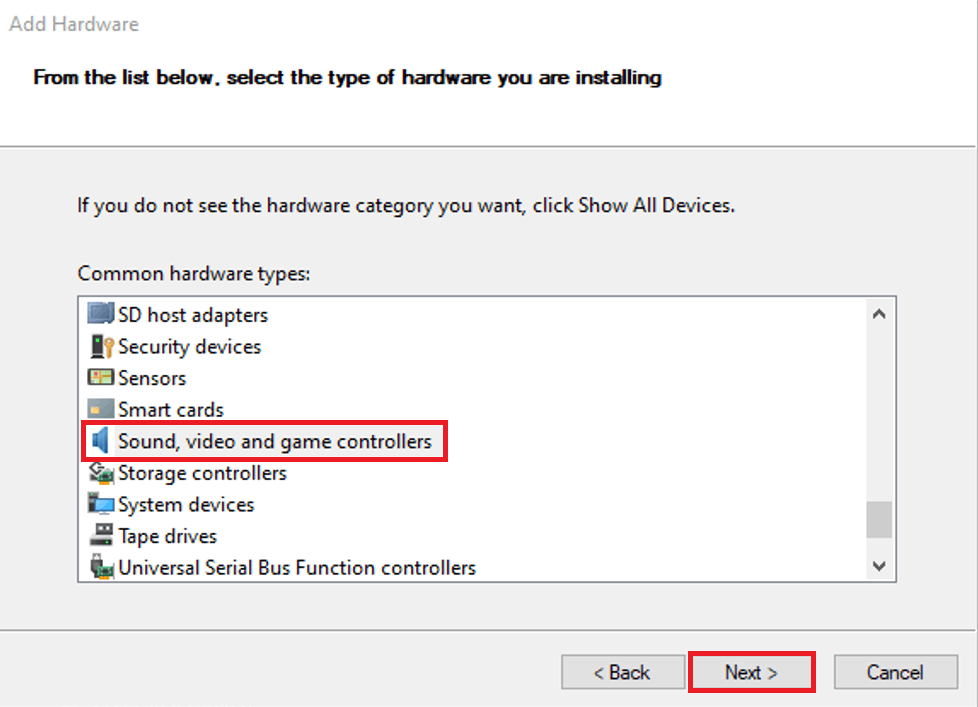
Search and select "Sound, video and game controllers". Click Next.
-
Search for Razer under the manufacturer list.
-
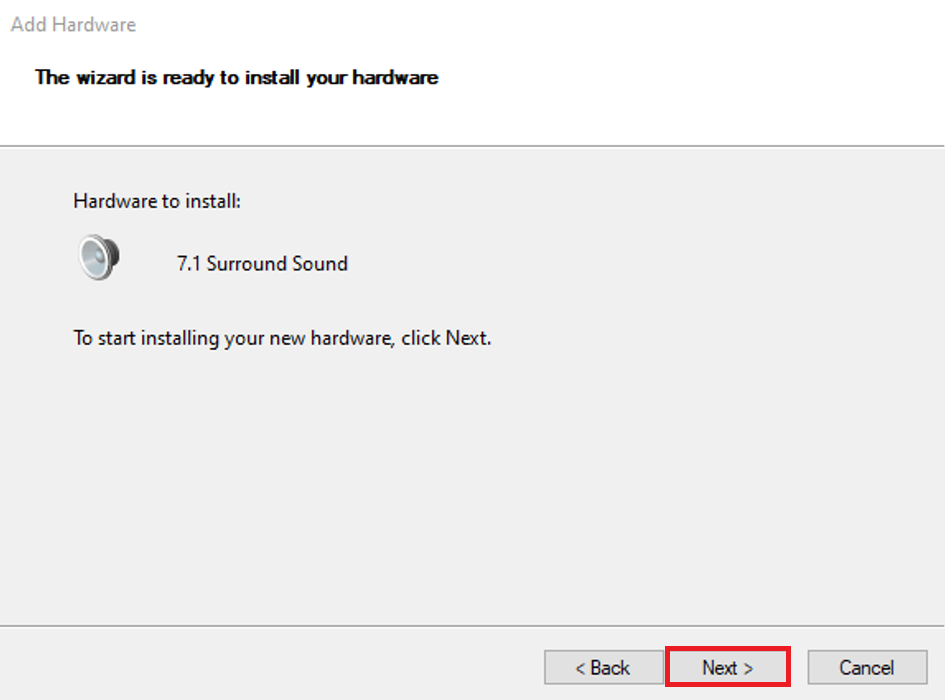
Select 7.1 Surround Sound or THX spatial. Click Next.

-
Click Next to install the driver.
-
Restart the computer after the installation process has been completed.

