
Select preferred action
Channel Mute Buttons
-
Press any of the Channel mute buttons to mute the corresponding channel.
Note: The pressed button will light up in red to show that its corresponding channel has been muted.
Microphone Mute Button
-
Mute microphone:
-
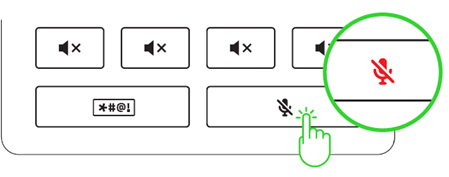
Press the microphone mute button to mute or unmute microphone input.
The microphone mute button will turn red to indicate that the microphone is muted.
-
-
Apply echo effect on microphone:
-
Press and hold the microphone mute button to apply an "Echo" effect on microphone input.
-
Bleep Button
-
Press and hold the Bleep button to immediately mute and censor the microphone input with a beep sound.
48V Phantom Power
-
Before using this feature, check if your XLR microphone supports 48 V phantom power to avoid damaging your device.
-
Turn this feature off when not required.
Note: Some XLR microphones may require additional external power to operate.
-
Press the Phantom power button to activate this feature and transmit phantom power to the XLR mic input port.
The Phantom power button will light up, indicating that this feature is active.
Ground Loop Isolators
-
Use a Ground Loop Isolator to eliminate ground loop problems created in your setup and prevent unwanted noise or hum on devices connected to the Line In and Line Out ports.


