
Run System Information as administrator.
-
Press the Windows key or click Start.

-
Search for "System Information".
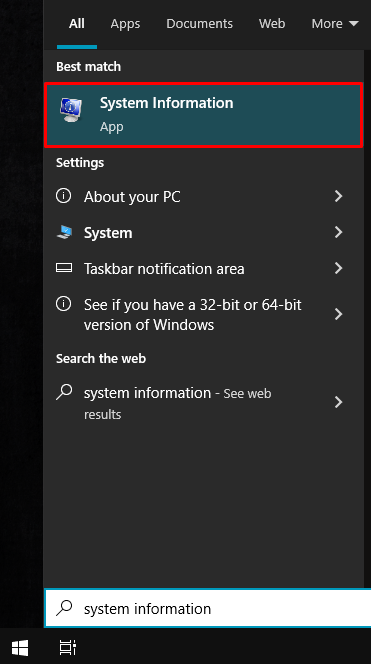
-
Right-click then select "Run as administrator".
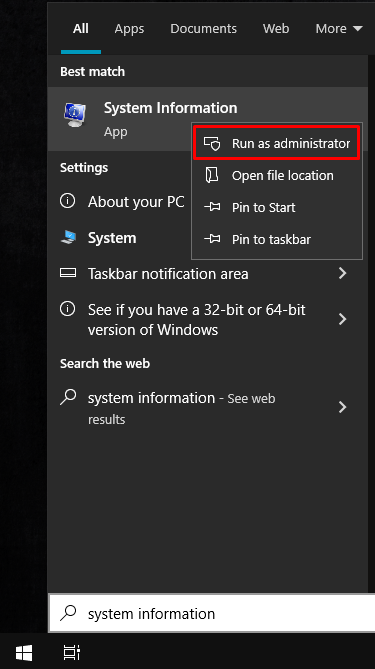
-
Check "Device Encryption Support" under "System Summary".

System Information item values
-
When "Dedicated GPU only" is selected in BIOS:
"Reasons for failed automatic device encryption: PCR7 binding is not supported, Un-allowed DMA capable bus/device(s) detected, Disabled by policy"

-
When Nvidia Optimus or Dynamic Switching is selected:
"Meets prerequisites"

-

