
You can view the video below for instructions or review a copy of the video transcript.
Step-by-step process on how to download the recovery image.
Note: The following steps are also applicable for the Razer Tomahawk Gaming Desktop. Only images from 2017 or newer laptops are available for automated recovery.
-
Verify if your Razer Blade is a 2017 or newer model. See How to identify a Razer Blade model for instructions.
-
Log in to your Razer ID account.
-
Click on “Recovery Image”.
-
Enter the serial number of your Razer Blade. See How to find the serial number, product number, or part number on a Razer device for help in finding the serial number.
Important: Register your laptop to your Razer ID to continue with this process.
-
Click “SUBMIT”.

-
Read the Terms of Service.
-
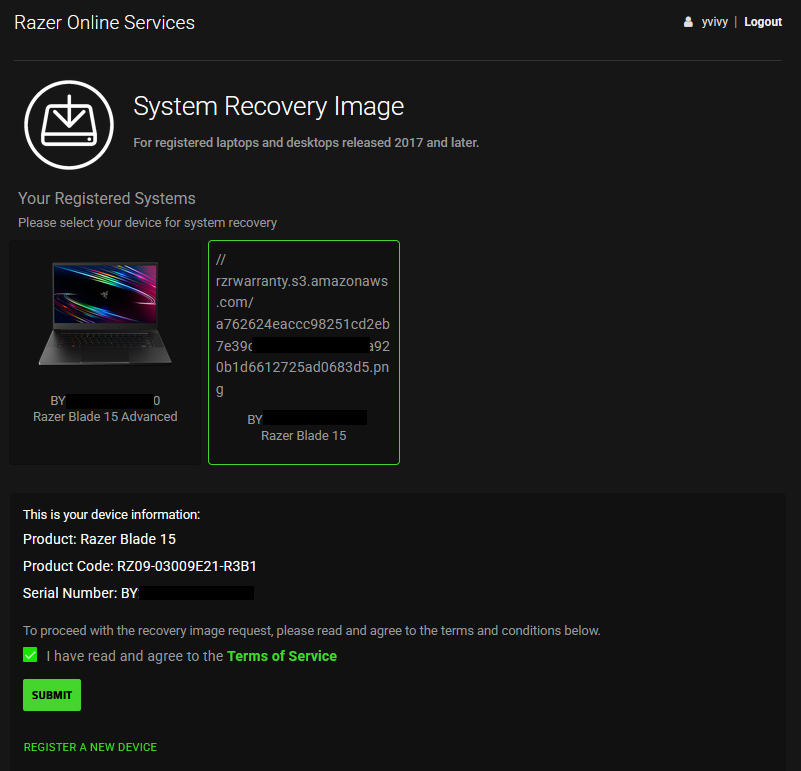
Tick the box and click “SUBMIT”.
-
Download the recovery image directly via the link provided or have the link sent to your email address for later.
Note: The download link will only be available for 48 hours.
-
Create a system recovery stick. See the answers below for instructions.

