Razer is continuously exploring ways to enhance both our products and software experiences. As part of this effort, Razer Synapse now includes a feature that curates personalized hardware recommendations, making it easier for users to discover products that suit their preferences and needs.
The Recommendations feature in Razer Synapse allows you to conveniently explore relevant offerings from the Razer ecosystem. By analyzing popular devices among our users and incorporating the latest product releases, the system ensures you stay up to date with Razer’s newest innovations.
Applicable Software:
- Razer Synapse for Mac
- Razer Synapse 4
Razer Synapse identifies the devices currently connected to your PC or laptop and uses this information to suggest complementary hardware that can further enhance your setup.
For details on our Privacy Policy, refer to this page.
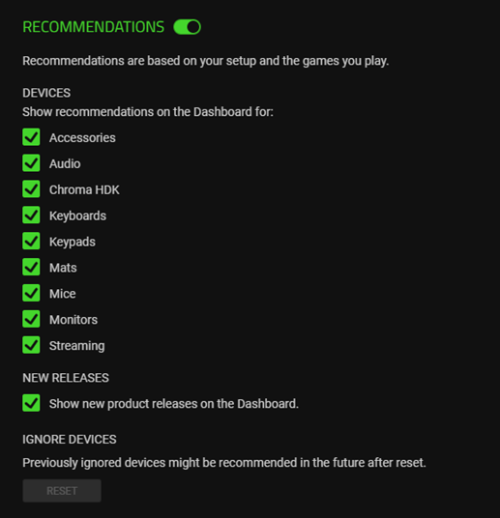
If you prefer not to use this feature, you can disable Recommendations by navigating to the Settings page in Razer Synapse under the Dashboard section.
You can also customize your experience by using the checkboxes on the Settings page to enable or disable specific product categories based on your interests.
Utilize the checkboxes on the Razer Synapse Settings page to enable or disable product categories that interest you, allowing you to influence the type of recommended products shown.