Follow the steps below to repair your Razer Cortex.
-
Close all Razer Cortex programs by right-clicking on the Razer icon and selecting "Exit All Apps".

-
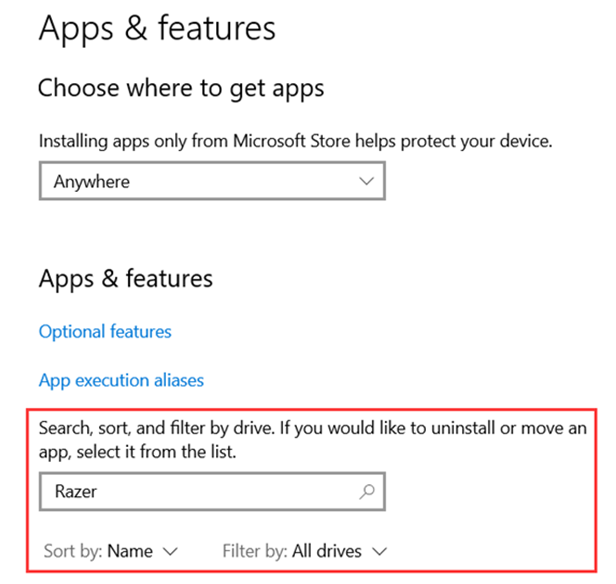
Search for "Apps & features" in the Windows search box then click on it.

-
Click "Search sort, and filter by drive".
-
Type "Razer" in the search bar.
-
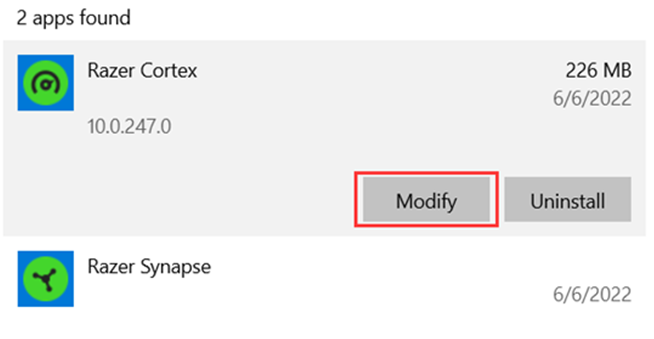
Click on "Razer Cortex" and select "Modify".
-
Click "Yes" once the Windows User Account Control prompt opens.
-
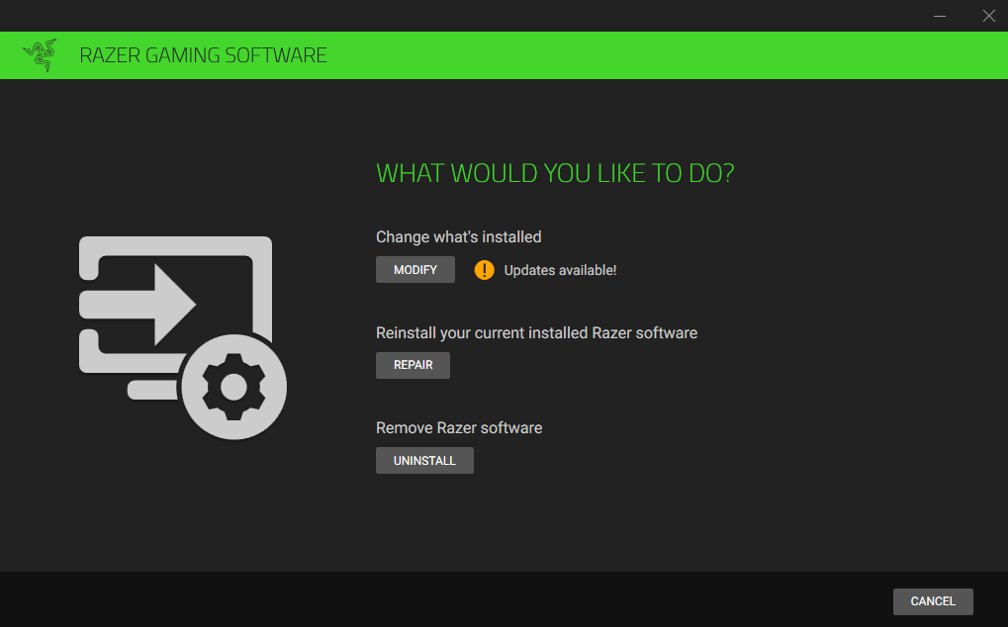
Click "REPAIR". The reinstallation will start.
-
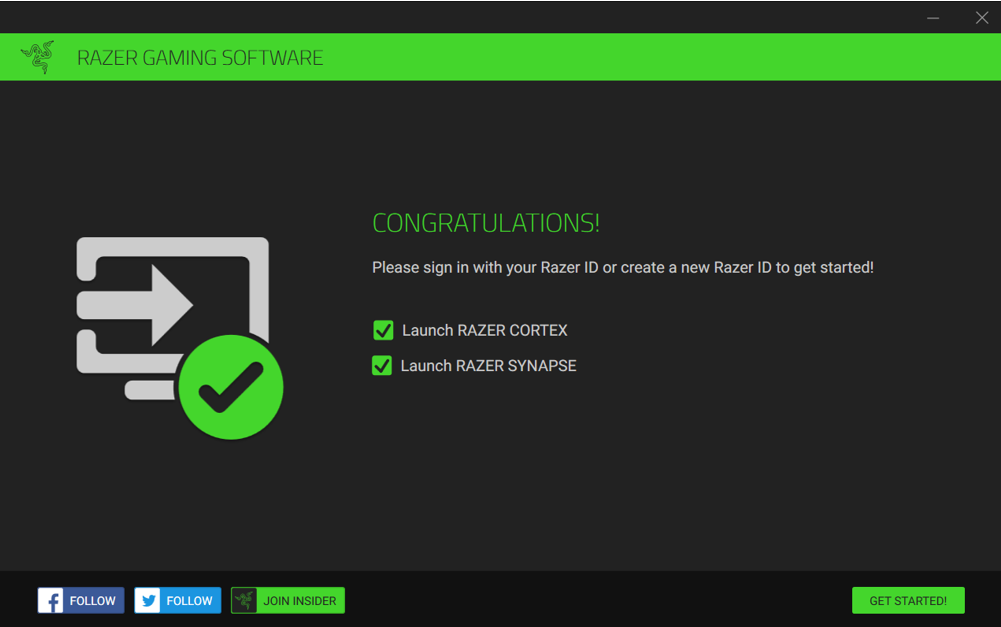
After the repair is finished, launch Razer Cortex on your PC by clicking "GET STARTED!".