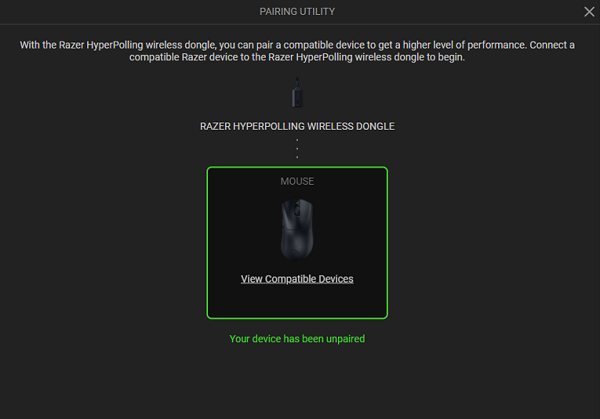
Pair a supported Razer mouse to unlock a true 4000 Hz wireless polling rate.
You can view the video below for instructions or review a copy of the video transcript.
Below are the steps to pair or unpair the Razer HyperPolling Wireless Dongle.
Select an action
Pair a device
-
Plug the Razer HyperPolling Wireless Dongle into the USB port of your PC.
-
Open Razer Synapse.
-
Select the Razer HyperPolling Wireless Dongle from the list of devices.
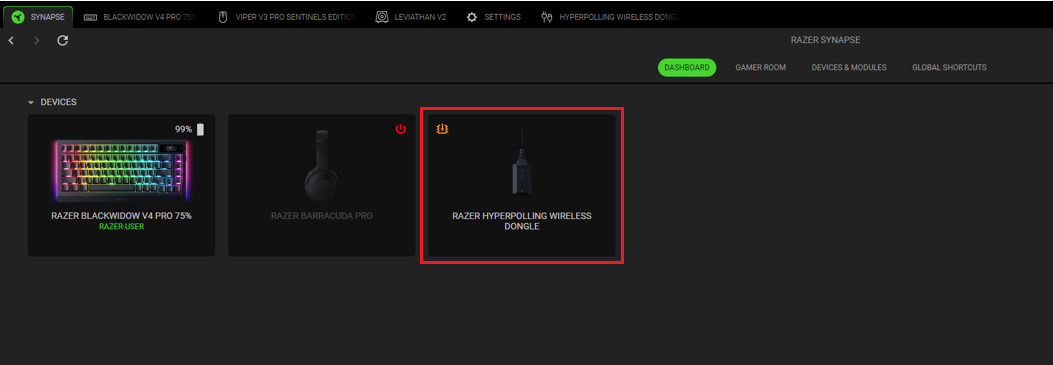
-
Click “Open Pairing Utility”.

-
Connect a compatible device to the Razer HyperPolling Wireless Dongle. Click “View Compatible Devices” to see the list of compatible devices.
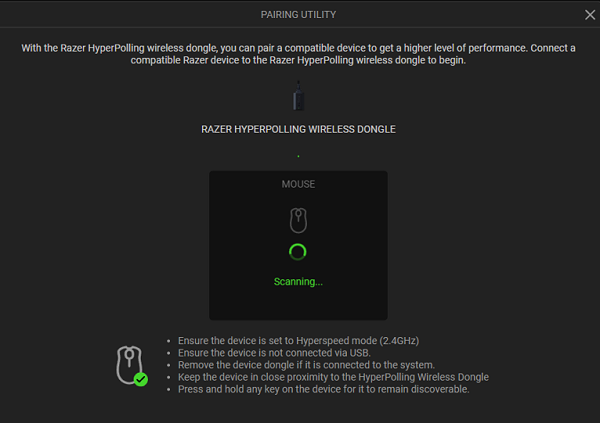
Notes:- Set the compatible device to 2.4 GHz mode.
- Ensure it is not connected via USB.
- Remove the device dongle if it is connected to the system.
- Keep the device in close proximity.
- Press and hold any key on the device until it is found.
-
Click “Add”.

Razer Synapse will start scanning for your device.
-
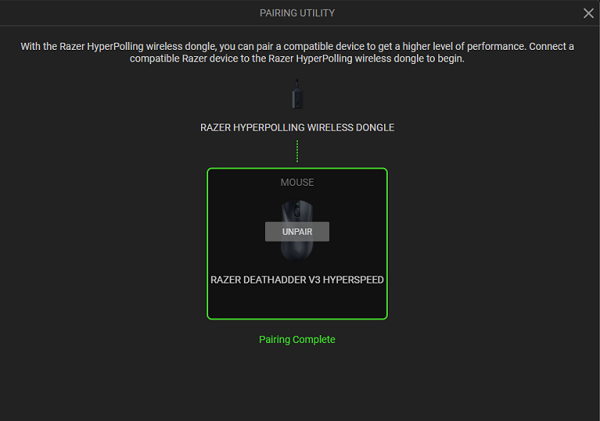
Select a device then click “PAIR”.
You have now successfully paired your device with the Razer HyperPolling Wireless Dongle.
Unpair a device
-
Open Razer Synapse.
-
Select the Razer HyperPolling Wireless Dongle from the list of devices.
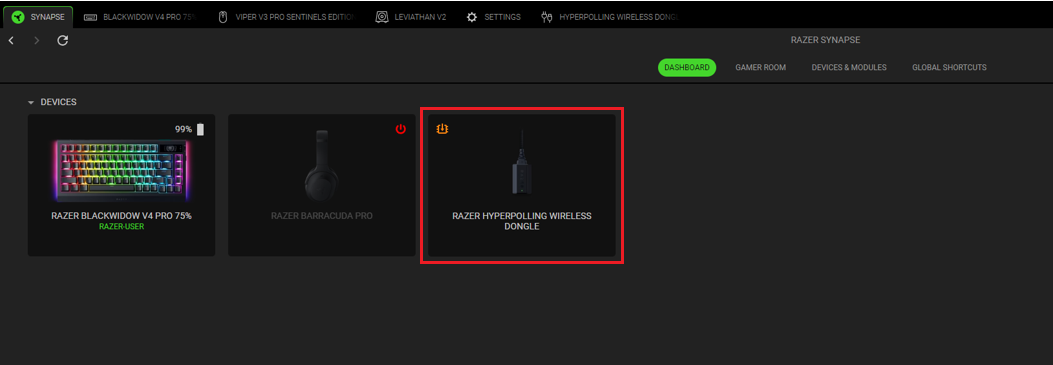
-
Click “UNPAIR” on the CUSTOMIZE page of Razer Synapse.
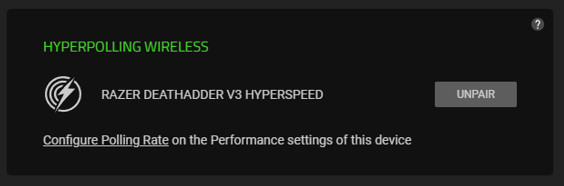
-
Click “UNPAIR” on the PAIRING UTILITY page.
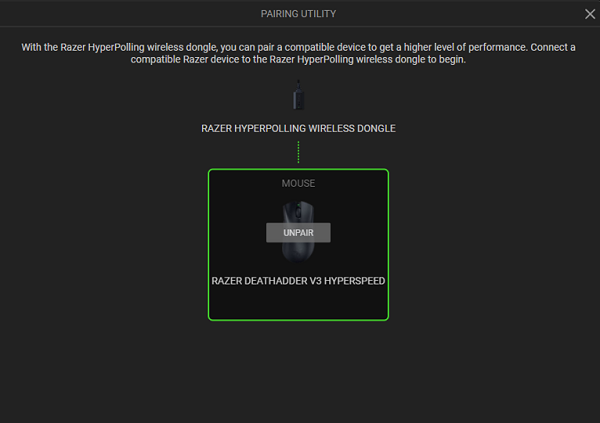
-
Click “CONFIRM”.
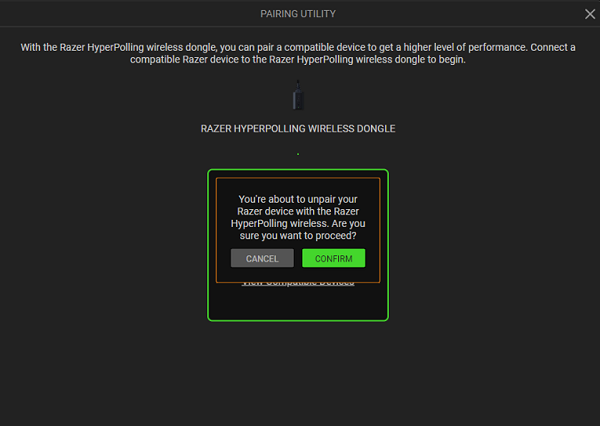
Your device is now unpaired from the Razer HyperPolling Wireless Dongle.