
You can view the video below for instructions or review a copy of the video transcript.
Below are the steps to pair or unpair the Razer Mouse Dock Pro.
Select an action
Pair the Razer Mouse Dock Pro
Connect the Razer Mouse Dock Pro to your PC.
Open Razer Synapse.
-
Select the Razer Mouse Dock Pro from the list of devices.

-
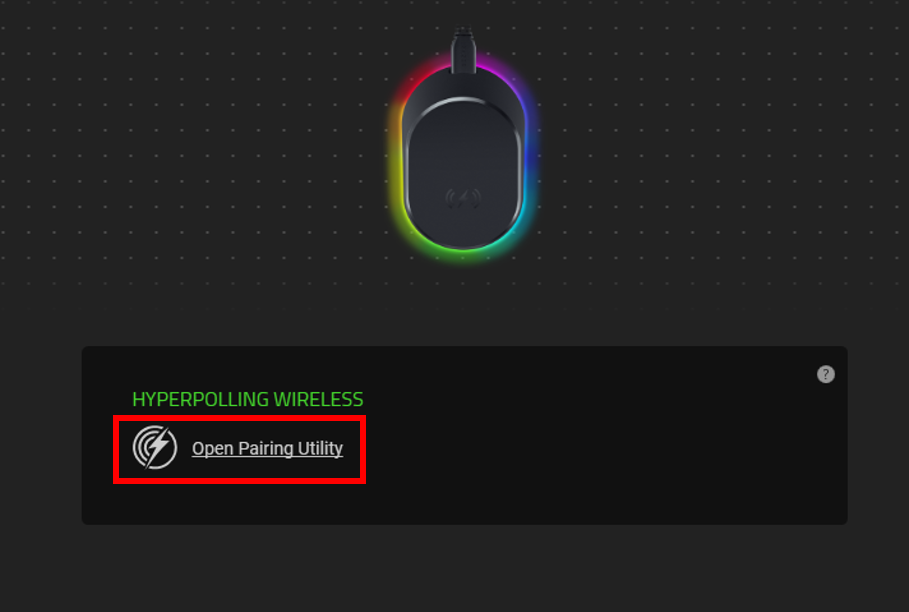
Click “Open Pairing Utility”.
-
Connect a compatible device to the Razer Mouse Dock Pro.
-
Click “SELECT DEVICE”.

-
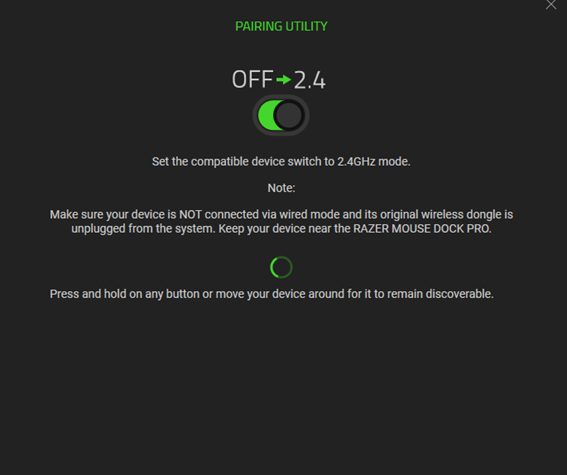
Set the compatible device switch to “2.4” GHz mode.
-
Press and hold any key on the device until it is found.
-
Select “RAZER MOUSE DOCK PRO” then click “PAIR”.
The device will display under PAIRING UTILITY once paired.

Unpair the Razer Mouse Dock Pro
Open Razer Synapse.
-
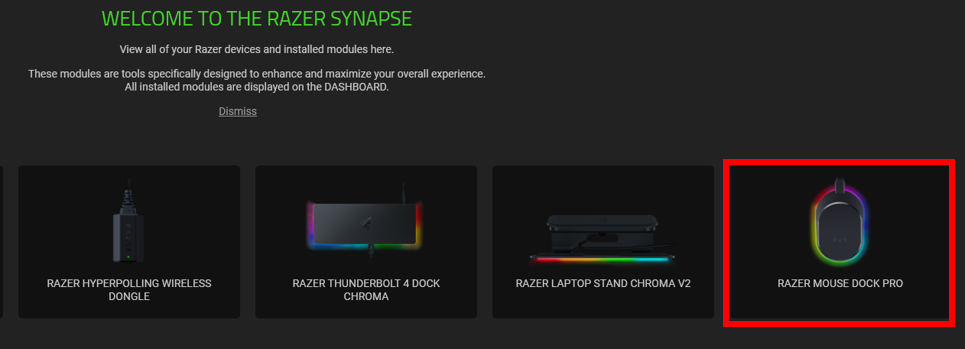
Select the Razer Mouse Dock Pro from the list of devices.
Go to the “PAIRING” tab.
-
Click “UNPAIR”.

-
Click “CONFIRM” to complete the unpairing process.


