Razer Axon is a desktop wallpaper application. It installs from the Razer website or from Razer Central.
Follow the detailed instructions below to to install the Razer Axon.
Select an option
Install from web page
-
Visit the Razer Axon product page.
-
Click on the "DOWNLOAD NOW" button.
-
Run the installer.
-
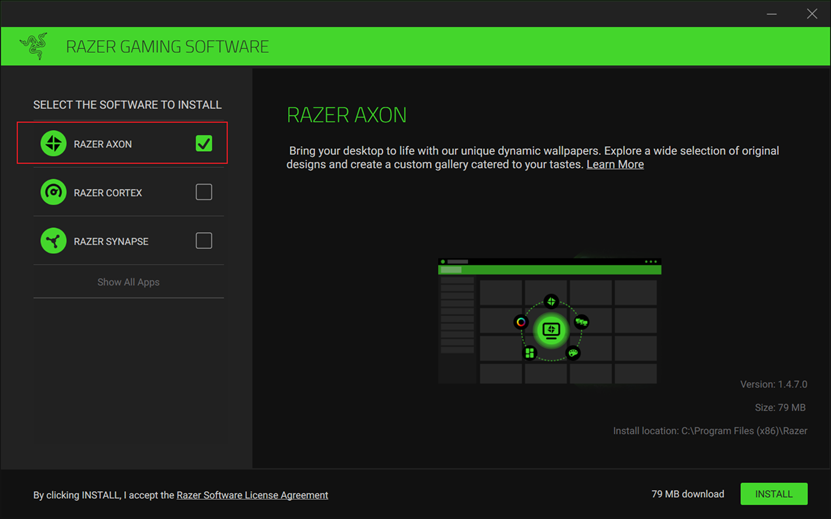
Ensure “RAZER AXON” is selected.
-
Click "INSTALL" to begin the installation process. This will take few minutes to complete.
-
Ensure “Launch RAZER AXON” is selected and then click on the "GET STARTED!" button.

-
You can now use the Axon client to manage your desktop wallpaper.
Install from Razer Central
-
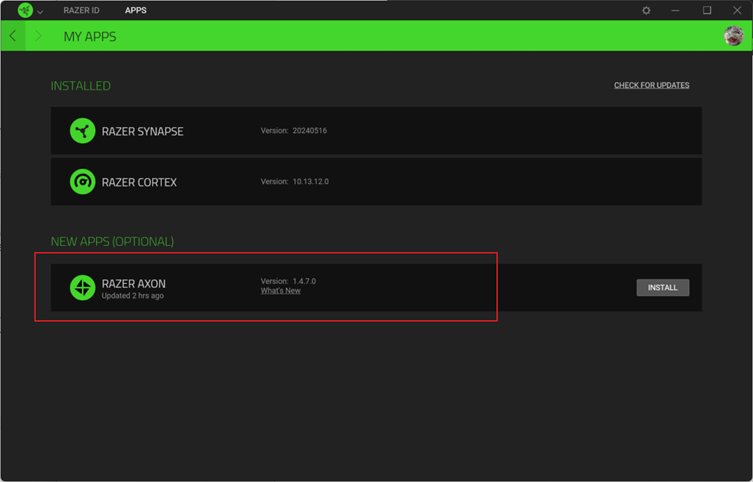
Open Razer Central.
-
Click “APPS”.
-
Find RAZER AXON under NEW APPS (OPTIONAL) then click “INSTALL”.