
A firmware updater is a tool that keeps your gaming gear running at its best. Installing the latest firmware can improve performance, fix known issues, and help devices work more smoothly and reliably.
Applicable models:
Firmware v1.06.00_r2
- https://rzr.to/cVsDGL | September 25, 2023
Release notes
- Fixed lighting behavior
Follow the detailed instructions below to run the updater on your device.
Step-by-step Process
Before you start
-
If using a laptop, ensure it is plugged into a wall outlet. Do not let it run on battery alone.
-
Save any open documents on your computer.
-
Close all other programs.
-
Download the latest firmware.
Update process
-
Run the updater.
-
Click "Yes" if the User Account Control window pops up to proceed.
-
Click "NEXT" to proceed. The updater will close all running Razer applications.

-
Connect the device to PC then click "UPDATE".
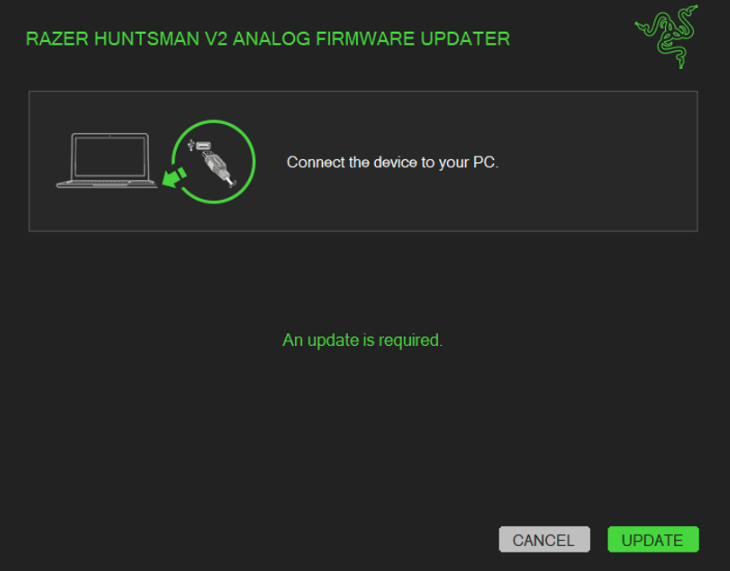
-
Wait until the update process is complete. Do not interrupt.

-
Click "CLOSE" once the update is complete.


