
Changing the language settings displays the Razer Edge’s content in your preferred language. Follow the steps below to set a language for your device.
Note: The steps below are applicable to Android 12.
Step-by-step process
-
Go to "Settings".
-
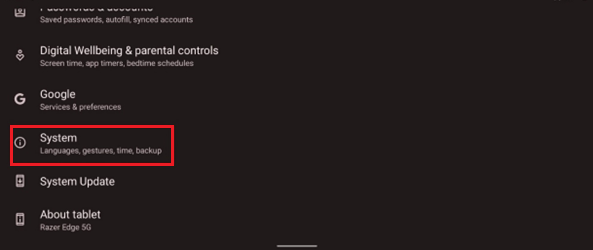
Select "System".
-
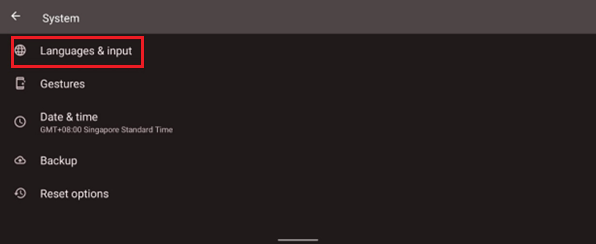
Go to "Languages & input".
-
Select "Languages".
-
Select "Add a language".
-
Select the language of your choice.
Note:The language at the top of the list will be the main language of the device.
To remove any enabled language, follow these steps.
-
Go to "Settings".
-
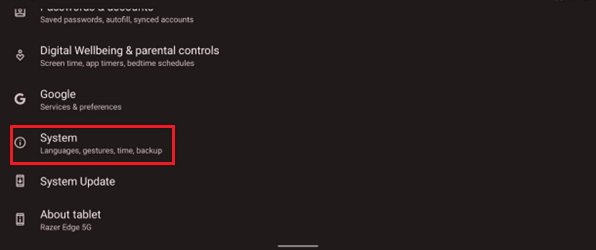
Select "System".
-
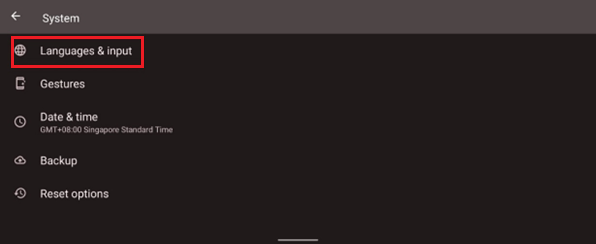
Go to "Languages & input".
-
Select "Languages".
-
Select the language you will remove.
-
Tap the additional options icon (3 vertical dots).
-
Tap "Remove".

