
A factory reset means erasing all the information stored on the device and restoring its original settings. This is done to help fix persistent issues and problems with the functionalities of the device.
Note: It is recommended to back up all your data before performing a factory reset since this process will delete all data and settings on the Razer Edge.
Follow the steps below to perform a factory reset on the Razer Edge.
-
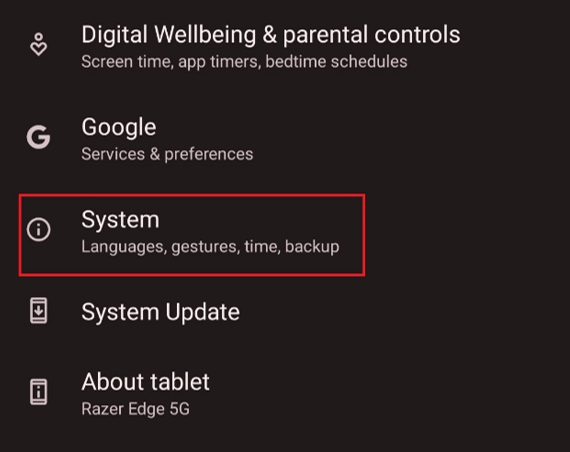
Go to “Settings" > "System".
-
Select “Reset options”.

-
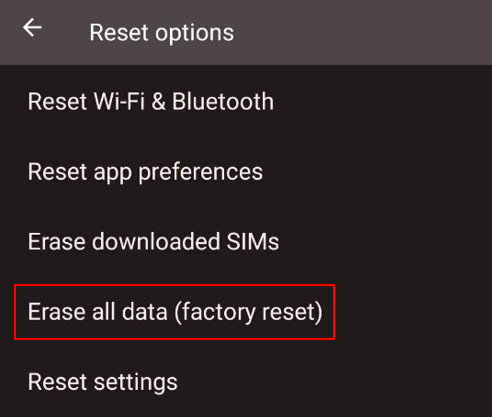
Select “Erase all data (factory reset)”.
-
Do not interrupt and wait for the factory reset to finish.

