
If you already have files stored on another device such as an iPhone, an Android phone, a computer, or a cloud storage service, you can transfer those files directly to your Razer Edge.
Follow the detailed instructions below to transfer data or files from another device or cloud storage to the Razer Edge.
Select an action
Transfer files via Google Drive
To upload your files to Google Drive:
Note: Ensure you are connected to a stable Wi-Fi connection, and you are logged in to your Google account.
-
Open the Google Drive app.
-
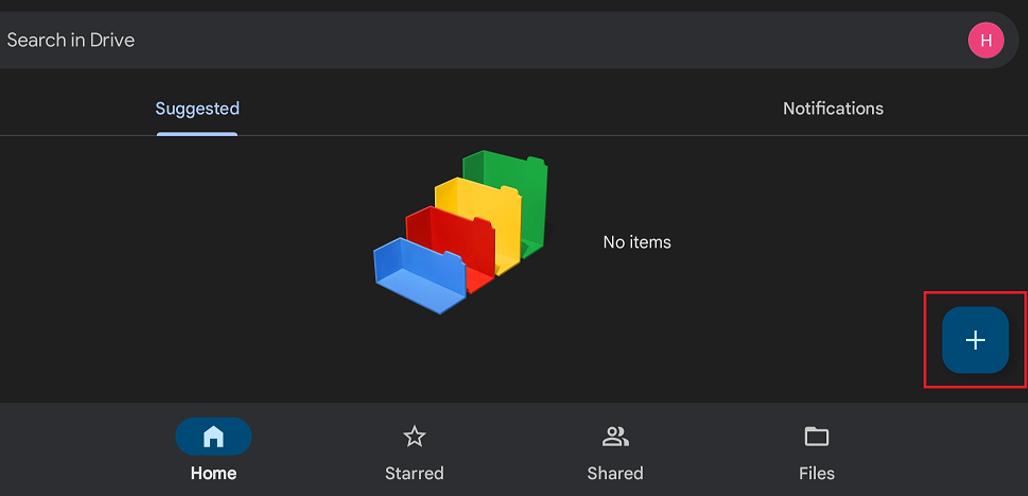
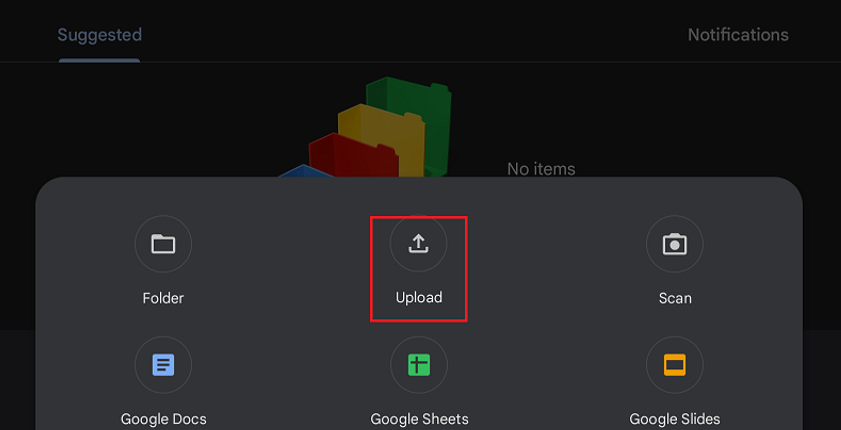
Tap the plus icon, then tap "Upload".
-
Select the file(s) you wish to upload. To upload multiple files, hold one file then tap the other files. Once you've selected all files you want to upload, tap "SELECT".
Note: Uploading may take a few moments to finish.
After you are done uploading, you will see your files in your Google Drive.
To download your files from Google Drive:
-
Open the Google Drive app.
-
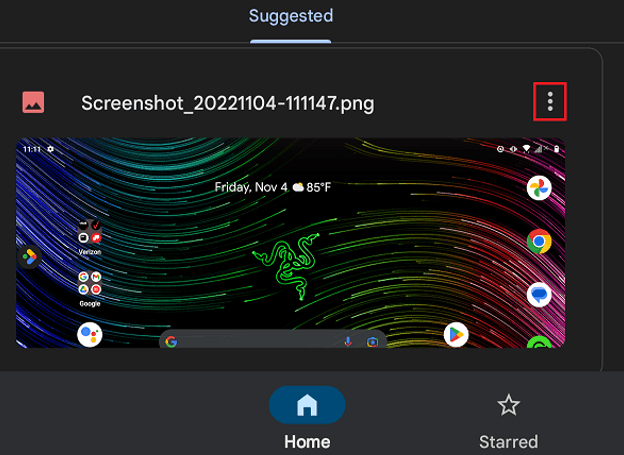
Select the files you wish to download. To download multiple files, hold one file then tap the other files.
-
After selecting the files, tap the ellipsis icon.
-
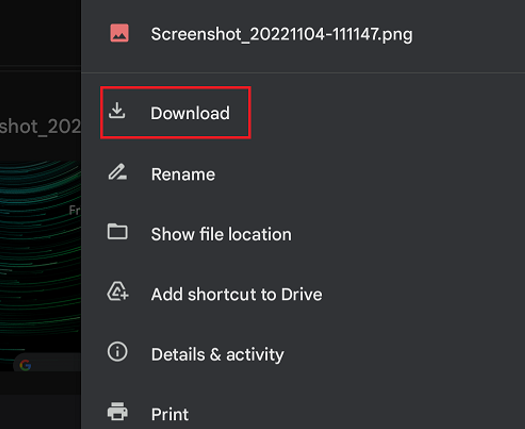
Tap “Download”.
-
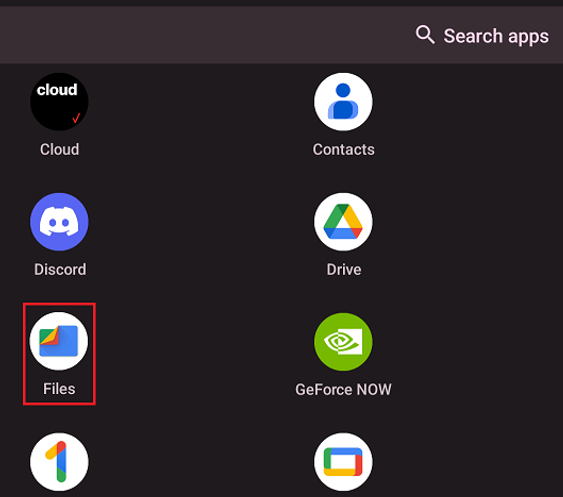
After downloading, go to “Files” to check your downloaded files or images.
Transfer files from a computer
-
Plug in the Razer Edge into the PC.
-
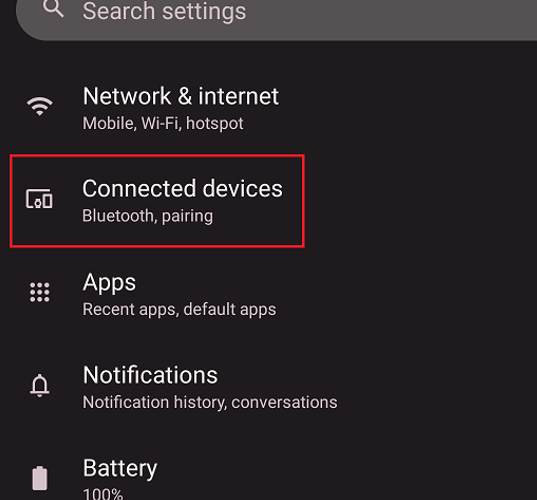
Go to "Settings" > "Connected devices".
-
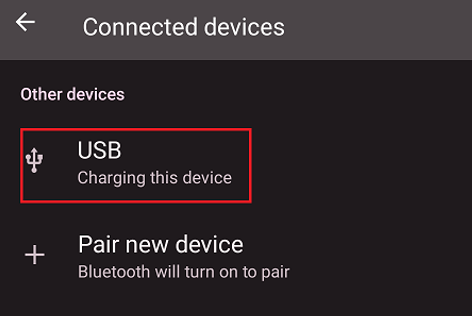
Tap “USB”.
-
Enable “File Transfer”.
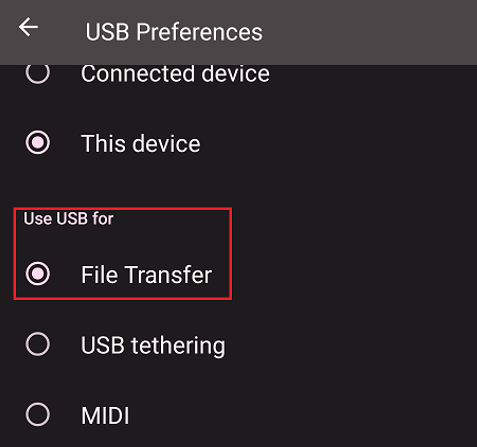
Note: After enabling File Transfer, the Razer Edge will appear on the Devices and drives on your PC. You will have access to the files or folders inside your Razer Edge storage.
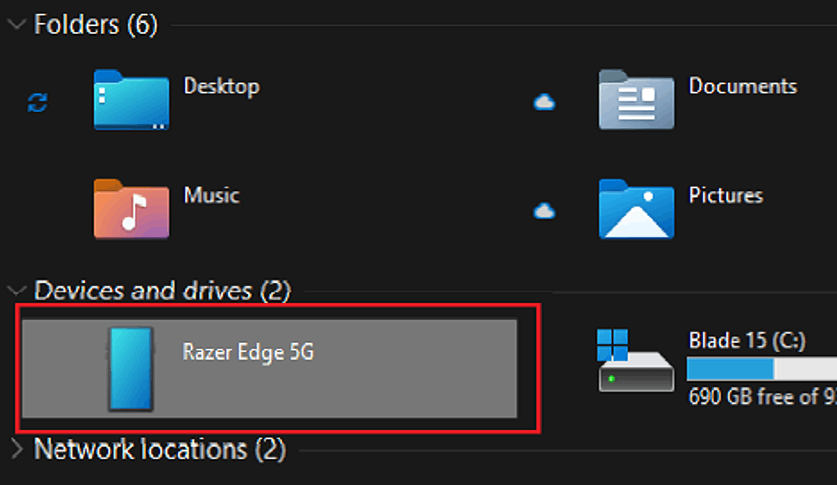
-
Transfer files/folders between your computer and Razer Edge.
-
After transferring files, safely remove your Razer Edge.

