How do I switch between different keyboards on my Razer Edge?

| Answer ID: 6458
This answer is a quick guide on how to switch between different keyboards on the Razer Edge.


Follow the steps below to switch to different keyboards installed on the Razer Edge.

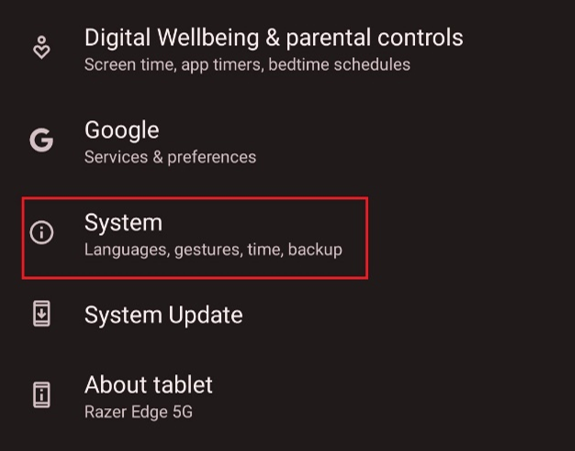
  1. Go to “Settings" > "System".

    Location of System.

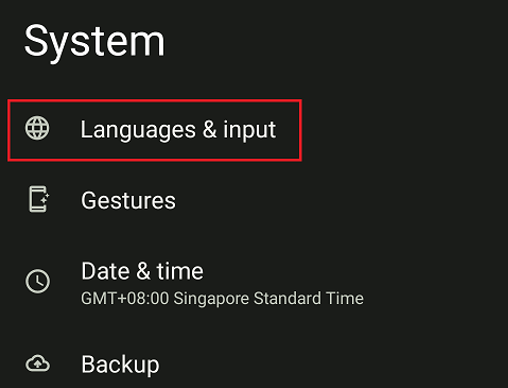
  2. Select “Languages & input”.

    Location of Languages & input

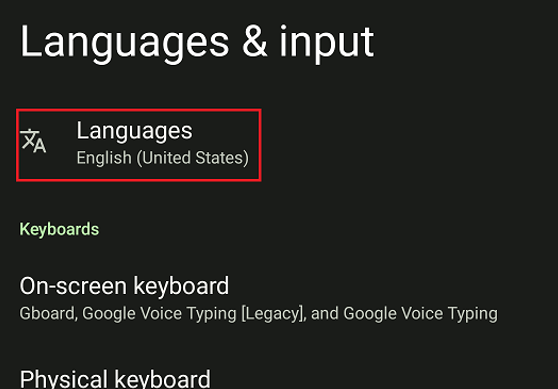
  3. Select “Languages”.

    Location of Languages

  4. Add your preferred language by tapping “Add a language”.
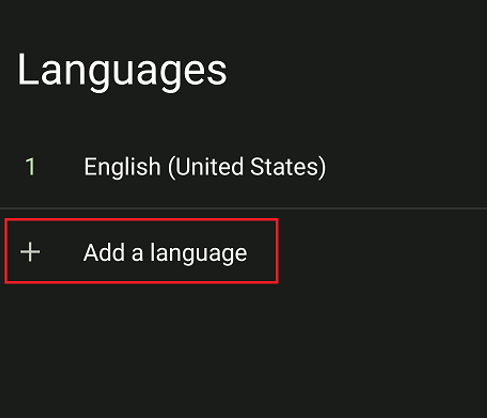
    This is where you can Add a language.

  5. To switch keyboards when entering text, tap the globe icon.
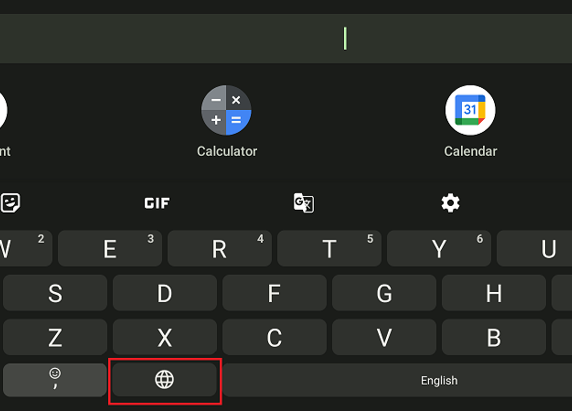
    Location of the Globe icon

  6. A list of languages will pop up. Select your preferred language to change the keyboard.
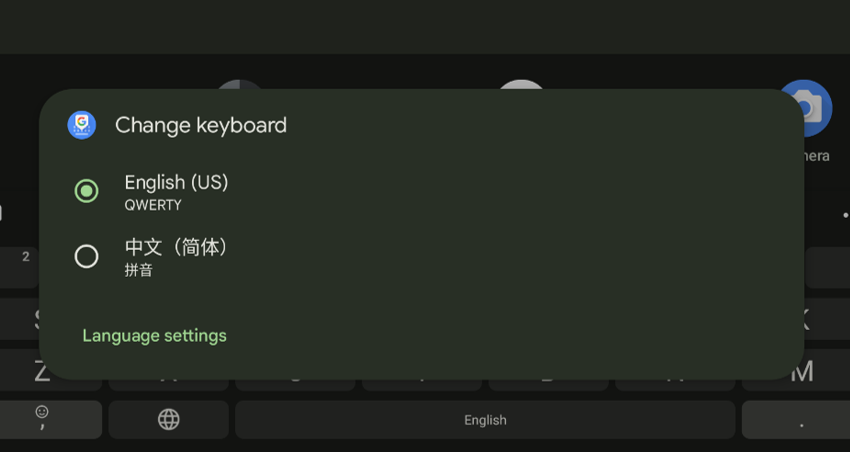
    This is where you choose your preferred language.

Is this answer helpful?