
Razer Kiyo Pro Ultra Support
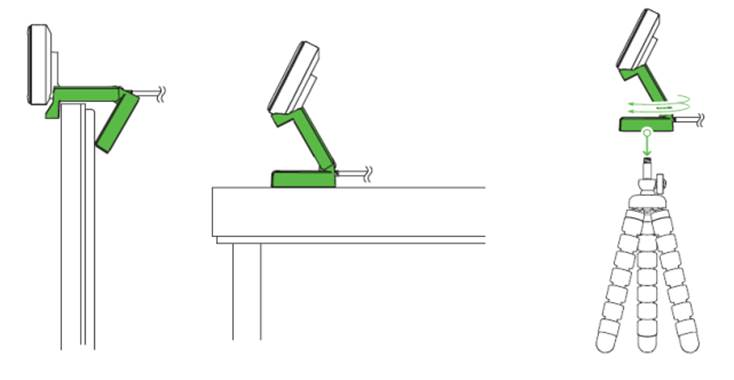
Follow the steps below to mount the Razer Kiyo Pro Ultra on a tripod.
-
Set up the Razer Kiyo Pro Ultra as shown in the image below.
-
Ensure the word “RAZER” is upright when pointing at the object you want to capture.
-
Position the cable to the USB port from behind the Razer Kiyo Pro Ultra.
Note: The cable should not go from the front of the camera.

