
If your device is unable to establish a mobile data connection, there are several quick troubleshooting steps you can perform to restore connectivity. This article provides instructions on enabling mobile data settings and ensuring your Razer Edge is properly configured for a stable network connection.
Note: Before proceeding to the troubleshooting steps, be sure that the Razer Edge is up to date. Navigate to Settings > System update > Check for New System Update.
Follow the detailed instructions below to get a mobile data connection on your Razer Edge.
Select an action
Enable Mobile Data
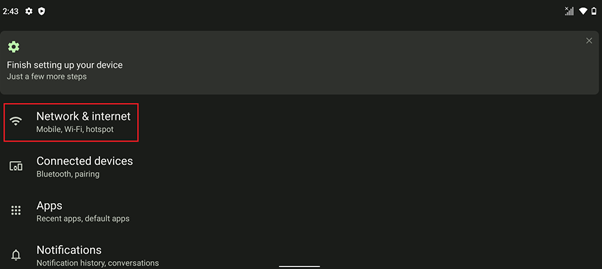
- Go to Settings > Network & internet”.
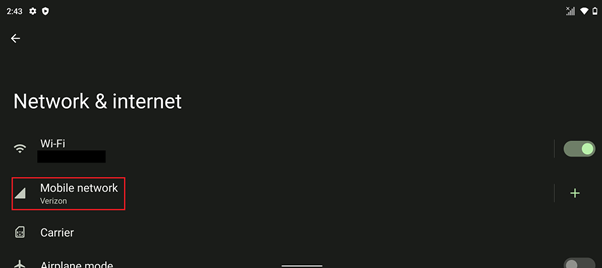
- Tap “Mobile network”.
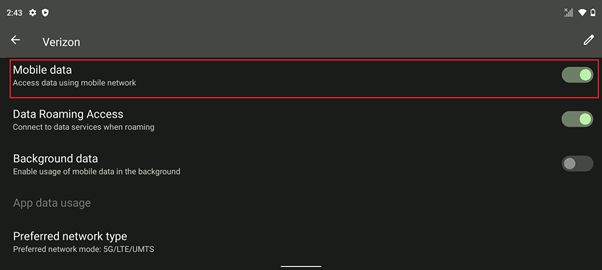
- Tap the toggle switch on “Mobile Data” to enable it.
Set or Automatically Select Network Type
Choose either to let the tablet automatically select network type or set the network type manually.
- Navigate through Settings > Network & internet > Mobile Network.
- Tap “Preferred network type”.
- Choose “5G/LTE/UMTS” as your preferred network type.


