Adjust the time-out or sleep setting on the Razer Edge to choose the duration of your device’s screen activity when it is idle.
Step-by-step process:
-
Go to “Settings” > “Display”.

-
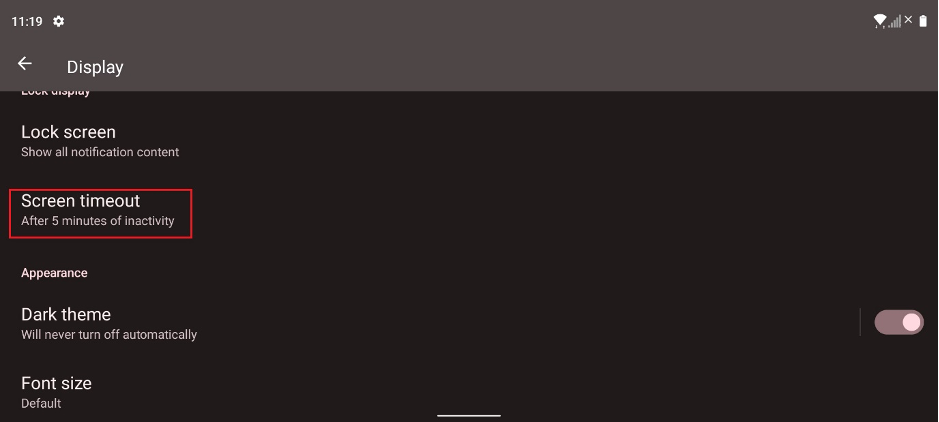
Tap “Screen timeout”.
-
Tap the time you wish to set.

Adjust the time-out or sleep setting on the Razer Edge to choose the duration of your device’s screen activity when it is idle.
Step-by-step process:
Go to “Settings” > “Display”.
Tap “Screen timeout”.
Tap the time you wish to set.

