
Select one of the available methods below to recover and access your Razer Edge if you are locked out.
Important: All methods will erase data from your device.
Erase data via Android Find
If you have linked the Razer Edge to a Google account, recover it by erasing the contents from your computer. Do note that doing so will cause all data to be permanently erased.
- Go to https://www.google.com/android/find.
- Log in using the Google account linked to the Razer Edge.
- Select the Razer Edge 5G and then choose "ERASE DEVICE".
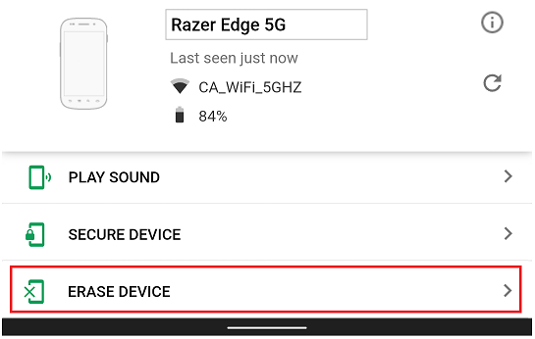
- Confirm the action by clicking the "ERASE DEVICE" button.

- Sign in again to proceed.
Once confirmed, the Razer Edge will reset to factory settings.
Reset via Secure Setup
Perform 20 attempts to recover the password.
Notes:
- There is a lock-out period of 30 seconds after five initial failed attempts.
- Enter all four digits to qualify for an attempt.
- After the 21st attempt, a message will appear that the device will reset after nine more failed attempts and will revert to out-of-box factory settings.

