Note: Set the refresh rate to 120 Hz to unlock all the stunning benefits of the Razer Edge’s 120 Hz UltraMotion™ screen.
-
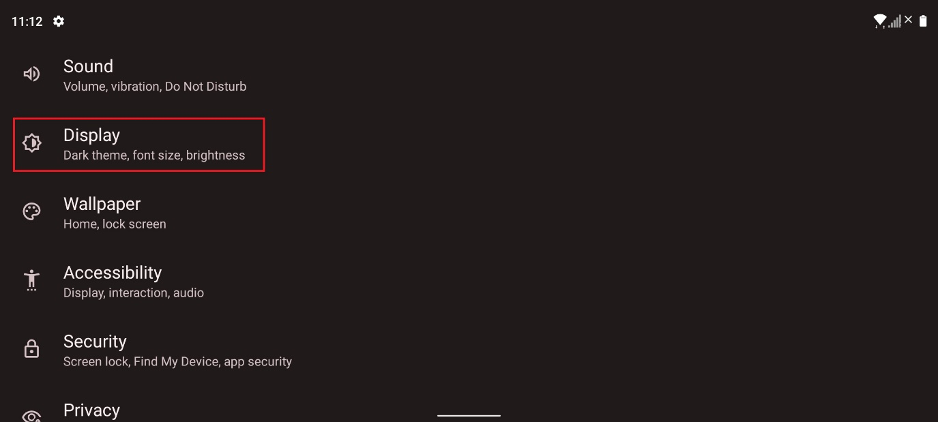
Go to “Settings” > “Display”.
-
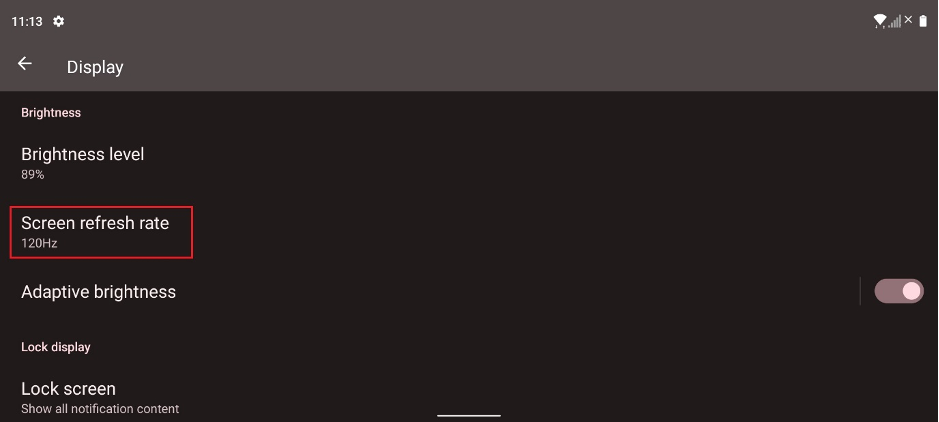
Tap on “Display” and select “Screen refresh rate”.
-
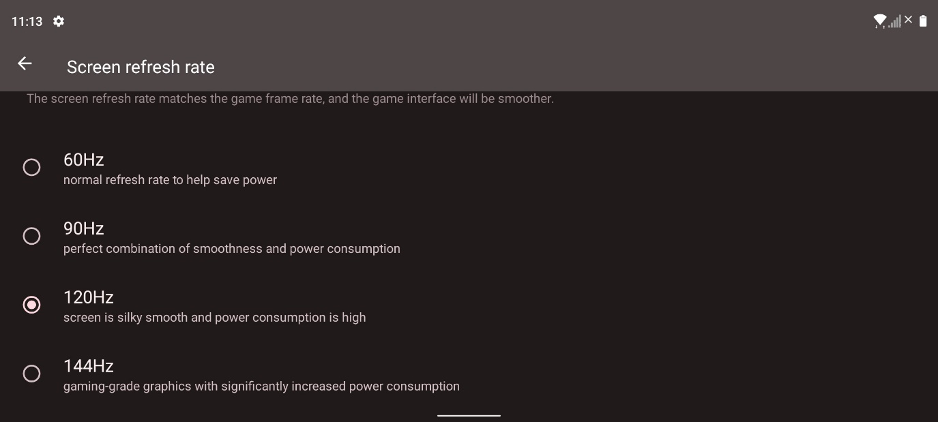
Choose your preferred refresh rate.

Note: Set the refresh rate to 120 Hz to unlock all the stunning benefits of the Razer Edge’s 120 Hz UltraMotion™ screen.
Go to “Settings” > “Display”.
Tap on “Display” and select “Screen refresh rate”.
Choose your preferred refresh rate.

