
Follow the tips below to fix camera issues on the Razer Edge.
-
Ensure there are no obstructions such as covers and screen protectors on the camera. Do this for both the front and back cameras.
-
Check if you are running the latest software for the device. Ensure that the camera application is also updated.
-
Clear up some storage space by deleting unused files, apps, images, or videos if an error message notifying that the memory is full appears.
-
If the camera does not completely work, or shows a blank screen, force close the app to reboot the camera.
-
Go to "Settings" > "Apps".

-
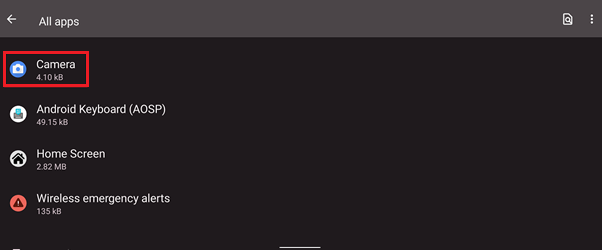
Tap on "Camera".
-
Tap on "FORCE STOP".

-
Launch the camera app again to check.
-
-
Perform a factory reset if the issue persists. Before you proceed, create a backup of your data. See How to back up data on the Razer Edge.
-
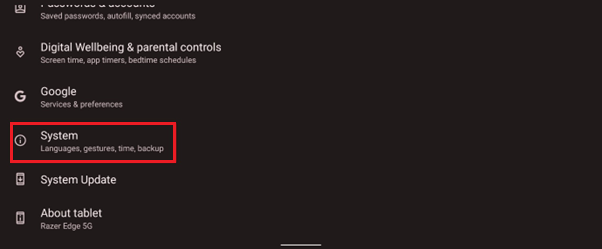
Go to "Settings" > "System".
-
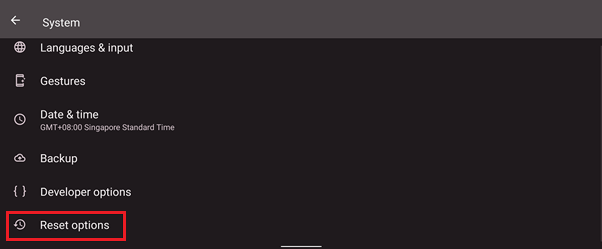
Tap on "Reset options".
-
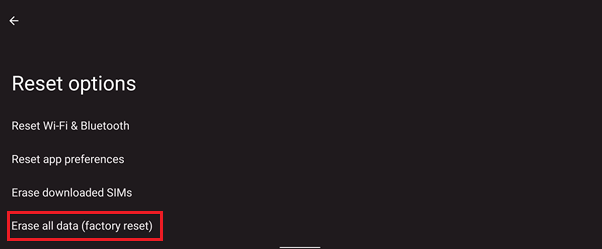
Tap on "Erase all data (factory reset)".
-

