Step-by-step process
-
Go to "Settings" > "Apps".

-
Select the application you want to clear the cache of.
-
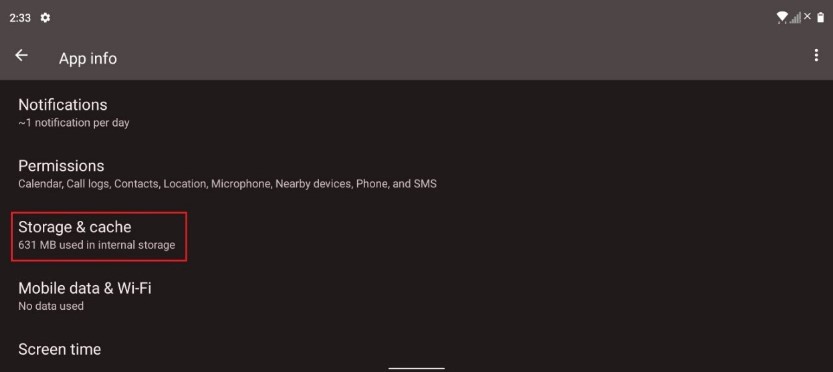
Tap “Storage & cache” under “App info”.
-
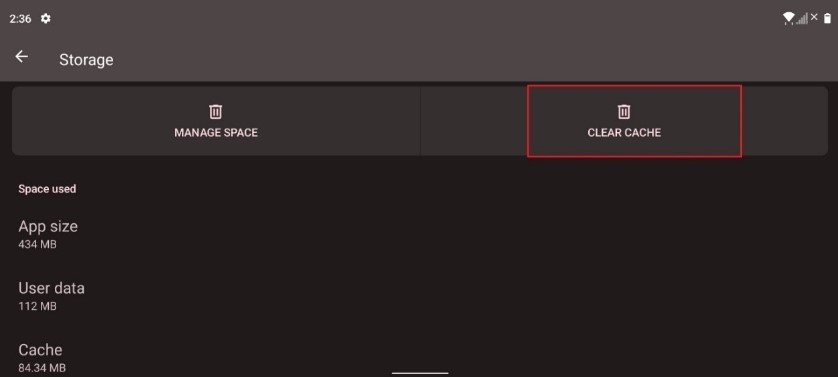
Tap "CLEAR CACHE".

Step-by-step process
Go to "Settings" > "Apps".
Select the application you want to clear the cache of.
Tap “Storage & cache” under “App info”.
Tap "CLEAR CACHE".

