
Note: Live support for Razer Sila is no longer available. Please refer to our knowledge base or Insider Forum for support.
A faulty power outlet causes a router not to turn on. Esure the power outlet you are plugging into has power. Otherwise, let an electrical professional do the tests and fixes on the power outlet.
However, if the issue still exists, ffollow the steps below:
-
Esure you attach the right plug to the power adapter.
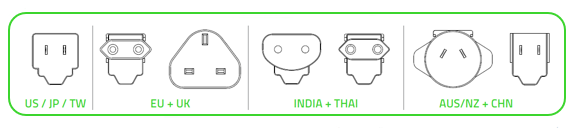
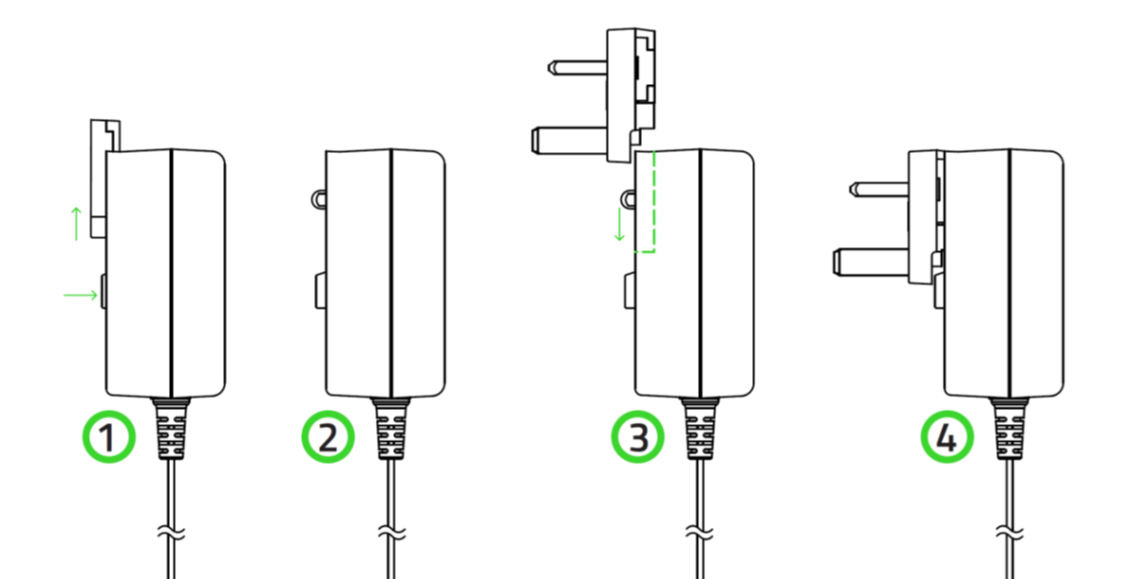
-
Plug the power adapter properly into the power outlet.
-
Check if the power adapter cable tip is not bent and is firmly connected to the Razer Sila.
-
Wait for the Razer Sila logo to light up.
-
If the issue persists, the power adapter might be broken.

